

Manage a customer's branches, credit and pins
A customer’s own page: what it owes, how late, and every branch reps visit. Who: administrator · Where in the cycle: Set up.
Before you start
Section titled “Before you start”- See customers opens the page; Add and change customers shows Edit customer, Add a branch and the branch menus; Manage people shows Put on a route….
- Every customer has a Main branch, made with it. Its address and pin are the customer’s.
The customer page
Section titled “The customer page”Open a customer’s name on the list.
- Account money: Credit limit · account, Owes, Price list, Payment terms, and How late (Nothing owed, or the overdue amount and how many days).
- Branches: one card each — map with pin and radius, address, open days, its route and days (or Not on a route), and its money line: “Uses the account’s credit, prices and terms”, or its own.
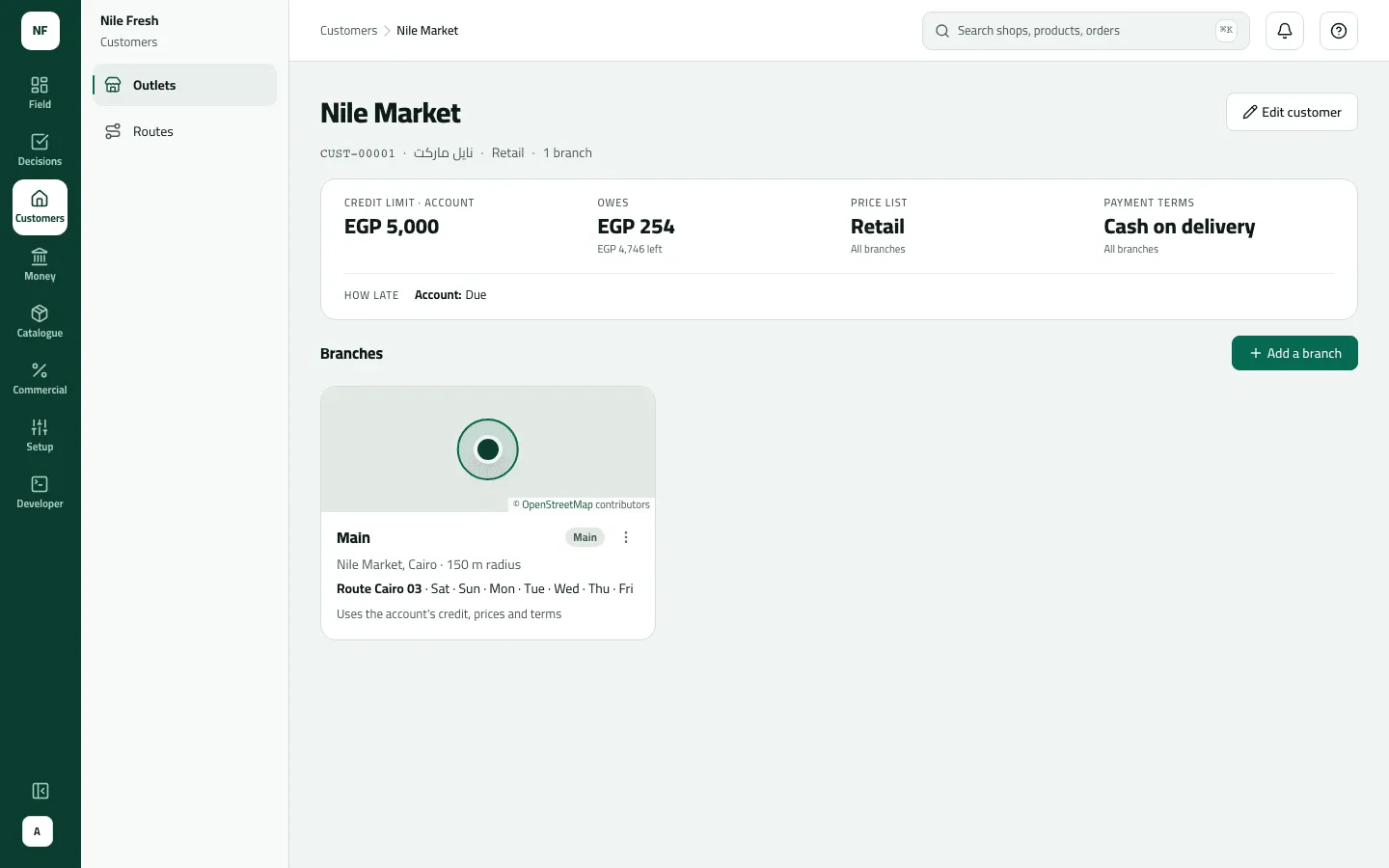
- Account money
- A branch: its pin, route and money
- Press Add a branch (or Edit on a branch card).
- Branch name and/or Name in Arabic; leave the Branch code blank to get the next one (B-02, B-03…).
- Area, Where is it?, then place the Branch pin and set the Check-in radius.
- Contact, Phone, Open days, Delivery days.
- Money — from the account unless you change it: for Credit limit, Price list and Payment terms, keep Account’s or choose Its own.
- Tick Hold this branch: no new orders here only to stop sales there.
- Save. Optionally tick Put it on a route next.
Example
Section titled “Example”Suppose Nile Market (credit limit 5,000.00) opens a branch “Giza” (B-02) with its own credit limit 1,000.00. Giza’s debt and open orders now count against its 1,000.00 only, apart from the account’s 5,000.00. The account card notes “Giza has its own: EGP 1,000”; an order at Giza over 1,000.00 meets the over-credit rule even if the account has room.
What happens next
Section titled “What happens next”- Reps visiting the branch get its pin, radius and terms at their next sync.
- Giving or removing a branch’s own credit moves its debt into or out of the account’s pool.
- A blocked branch is still visited; it just takes no new orders.
- Recorded in the audit trail (“Added a branch”, “Changed a branch”).
If something goes wrong
Section titled “If something goes wrong”| What you see | What to do |
|---|---|
The main branch can't be removed. Remove the customer instead, or make changes to the main branch. BRANCH_IS_MAIN | The main branch can't be removed. Remove the customer instead. |
This branch is still on a route. Remove it from the route first. BRANCH_ON_ROUTE | Take the branch off its route first (route page › Remove from route). |
The pin isn't valid. Give both latitude (-90 to 90) and longitude (-180 to 180), and a radius in metres. INVALID_LOCATION | Place the pin again on the map. |
This comes from your ERP, so it can't be changed here. Change it in the ERP. ERP_MASTERED | This customer comes from your ERP; the page marks it Kept in the ERP. Change it there. |
That customer is not here | It was removed, or it is outside the customers your role reaches. |