

Change a route: branches, days, order, cover
Every change starts on a date you pick. Visits already done never change; planned ones are re-made. Who: administrators and supervisors with Manage people · Where in the cycle: Plan.
Before you start
Section titled “Before you start”You need Manage people (USER_MANAGE). Dates run from today up to 180 days ahead.
The route page
Section titled “The route page”Open a route from Customers › Routes. The top shows its rep, Branches, This week and Done on plan. The tabs:
- Branches — every branch with its days, how often and last visit. Tick branches to Change visit days, Move to another route or Remove from route.
- Days & order — each weekday’s stops; drag to reorder, Shortest path, Save order.
- Next 4 weeks — visits a week and anything to check, with Apply… to spread a heavy day.
- Rules — Visiting order and Shops not on this route for this route, or Company default.
- History — every change, who made it and from which date.
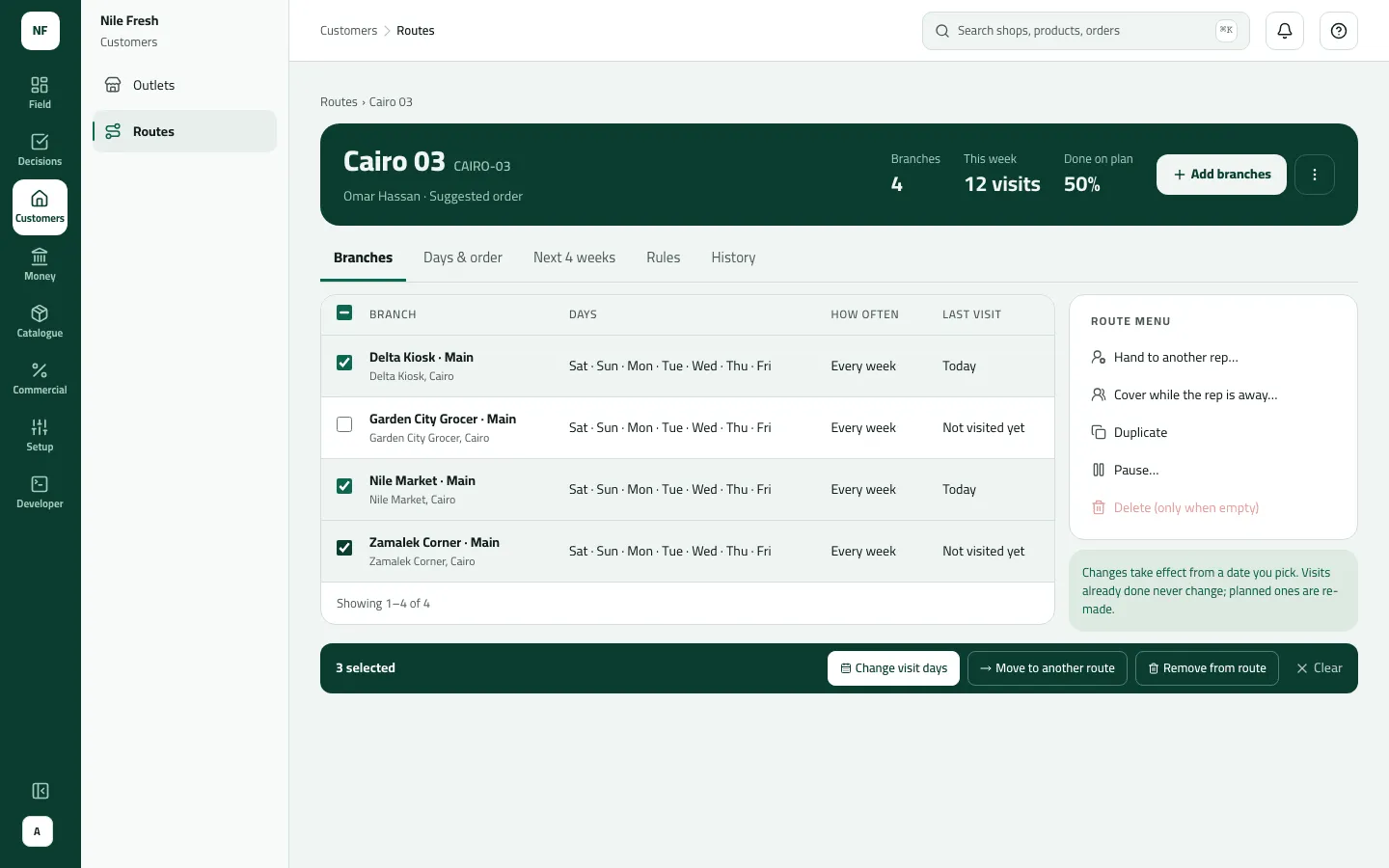
- Three branches picked: the selection bar acts on them
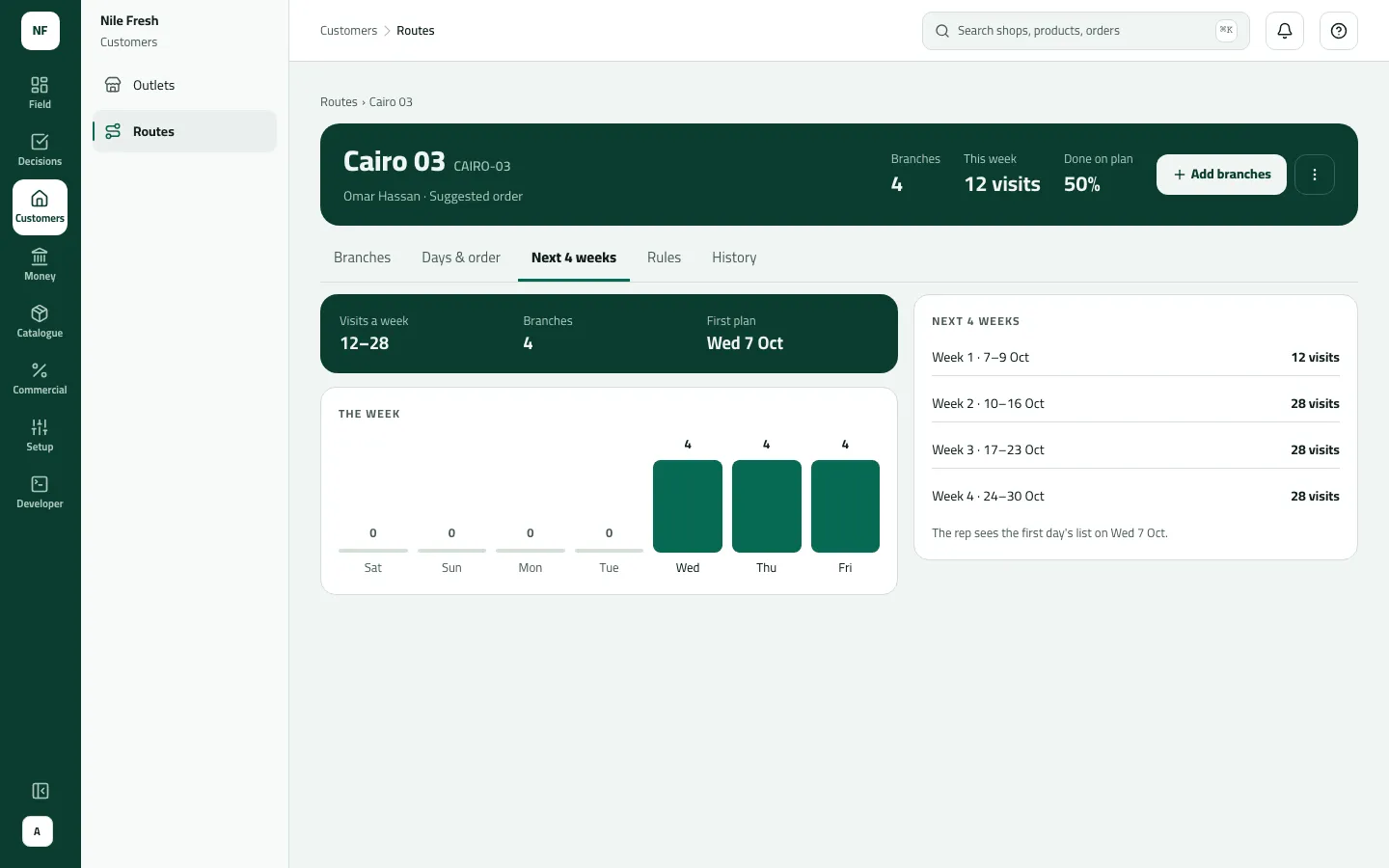
- Add branches: press + Add branches, pick them, give days and a date, check What changes, confirm.
- Change days, move or remove: tick branches on Branches, pick the action in the bar, choose the date, check what changes, confirm.
- Hand to another rep: menu › Hand to another rep…, pick the rep and the date. For today, choose The current rep finishes today (hand-over starts tomorrow) or Move the visits not started yet.
- Cover a leave: menu › Cover while the rep is away…, From and To, then One rep covers all of it, Split by day, or Skip those days (visits are cancelled, not re-planned), and a reason. Set cover. After the last day it goes back on its own.
- Pause: menu › Pause… from a date (optionally until one). No day plans are made while it is paused; branches keep their days. Resume… to restart.
Example
Section titled “Example”Omar is on annual leave 12–16 October. The administrator opens CAIRO-03, Cover while the rep is away…, From 12 Oct To 16 Oct, Split by day: another rep on Saturday, a third on Wednesday, reason Annual leave. On the 17th the route is Omar’s again. Another time, CAIRO-03 is handed to a new rep from tomorrow with The current rep finishes today. On the Rules tab, its visiting order is set to Strict: “Rule saved. It applies at once and is in the History tab.”
What happens next
Section titled “What happens next”- The affected reps’ day plans are re-made at once from the change’s date; done and started visits are left as they are.
- Reps see the new plan when their phones sync (the hand-over sheet’s “Both reps are told on their phones” means at their next sync).
- Each change is a line in History and in the audit trail.
If something goes wrong
Section titled “If something goes wrong”| What you see | What to do |
|---|---|
Choose today or a later date. ROUTE_DATE_IN_PAST | Choose today or a later date. |
Choose a date within the next 180 days. ROUTE_DATE_TOO_FAR | Choose a date within 180 days. |
Someone else changed this route. Refresh to see their change, then try again. ROUTE_VERSION_CONFLICT | Someone else changed the route. Refresh to see their change, then try again. |
This rep already works the route on that date. ROUTE_SAME_REP | That rep already works the route on that date. |
The route already has a cover on some of these days. Change the dates or cancel the other cover. ROUTE_COVER_OVERLAP | A cover already exists on some of those days. Change the dates or cancel it. |
Choose who covers each day, or choose to skip the visits. ROUTE_COVER_INCOMPLETE | Choose who covers each day, or Skip those days. |
Check the pause dates: it must end after it starts, and only a paused route can be resumed. ROUTE_PAUSE_INVALID | The pause must end after it starts; only a paused route can be resumed. |
Move or remove every branch before deleting this route. ROUTE_NOT_EMPTY | Only an empty route can be deleted. Move or remove its branches first. |
This branch is still on a route. Remove it from the route first. BRANCH_ON_ROUTE | To remove a branch from its customer, take it off the route first. |