

Do a shelf check
A shelf check tells the office what the shop shows and at what price. Who: rep · Where in the cycle: Visit.
Before you start
Section titled “Before you start”- You are checked in at the shop. A shelf check is only possible inside a visit.
- In the visit, tap Shelf check. The list holds the products this shop ordered in the last 90 days; the bar on top counts 3 of 8 checked.
- For each product tap On shelf or Missing. Tap it again to clear it.
- For a product on the shelf, type its Facings and the Shelf price the shop charges.
- To check a product not in the list, type two letters or more in Add a product and pick it.
- Add a Note (optional), then tap Save shelf check. The phone says Shelf check saved.
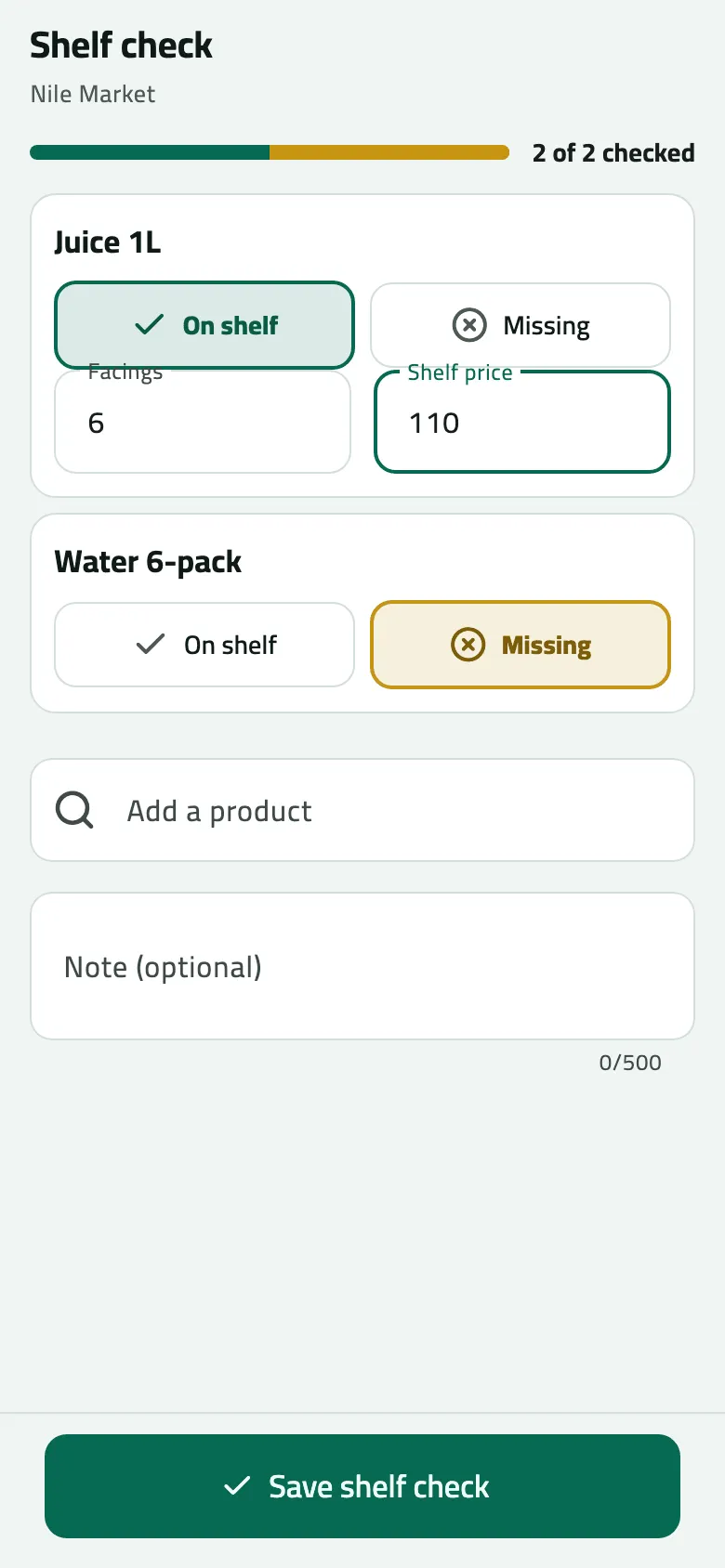
- Progress
- On shelf or missing
- Facings and the shelf price
Example
Section titled “Example”Suppose at Nile Market Juice 1L is on the shelf with 6 facings at 110.00, and Water 6-pack is missing. Omar marks both and saves. The office sees that Juice 1L sells at 110.00 on the shelf against a list price of 100.00.
What happens next
Section titled “What happens next”- The check reaches the office at the next sync. Only the products you marked are sent.
- Saving again in the same visit replaces the earlier check.
If something goes wrong
Section titled “If something goes wrong”| What you see | What to do |
|---|---|
This shop has not ordered anything in the last 90 days. Add the products you want to check. | Use Add a product. |
Save shelf check is grey | Mark at least one product On shelf or Missing. |
The office did not accept the last check: … | Read the reason, correct the check and save it again. |
The shelf price didn't arrive | Type it with at most two decimals; a price with more is dropped. |