

Accept an invitation
Open the link you were sent, choose a password, then sign in to the console with your email. Who: anyone invited by link or email · Where in the cycle: Set up.
Before you start
Section titled “Before you start”- An administrator has invited you on Setup › Users with Copy a link or Send an email. Your account already exists; the link only sets how you sign in.
- The link works once and for 7 days.
- If you were given a temporary password instead of a link, there is nothing to accept: sign in by the username door and choose your own password.
- Open the link. The page checks it (“Checking your link…”) without using it up.
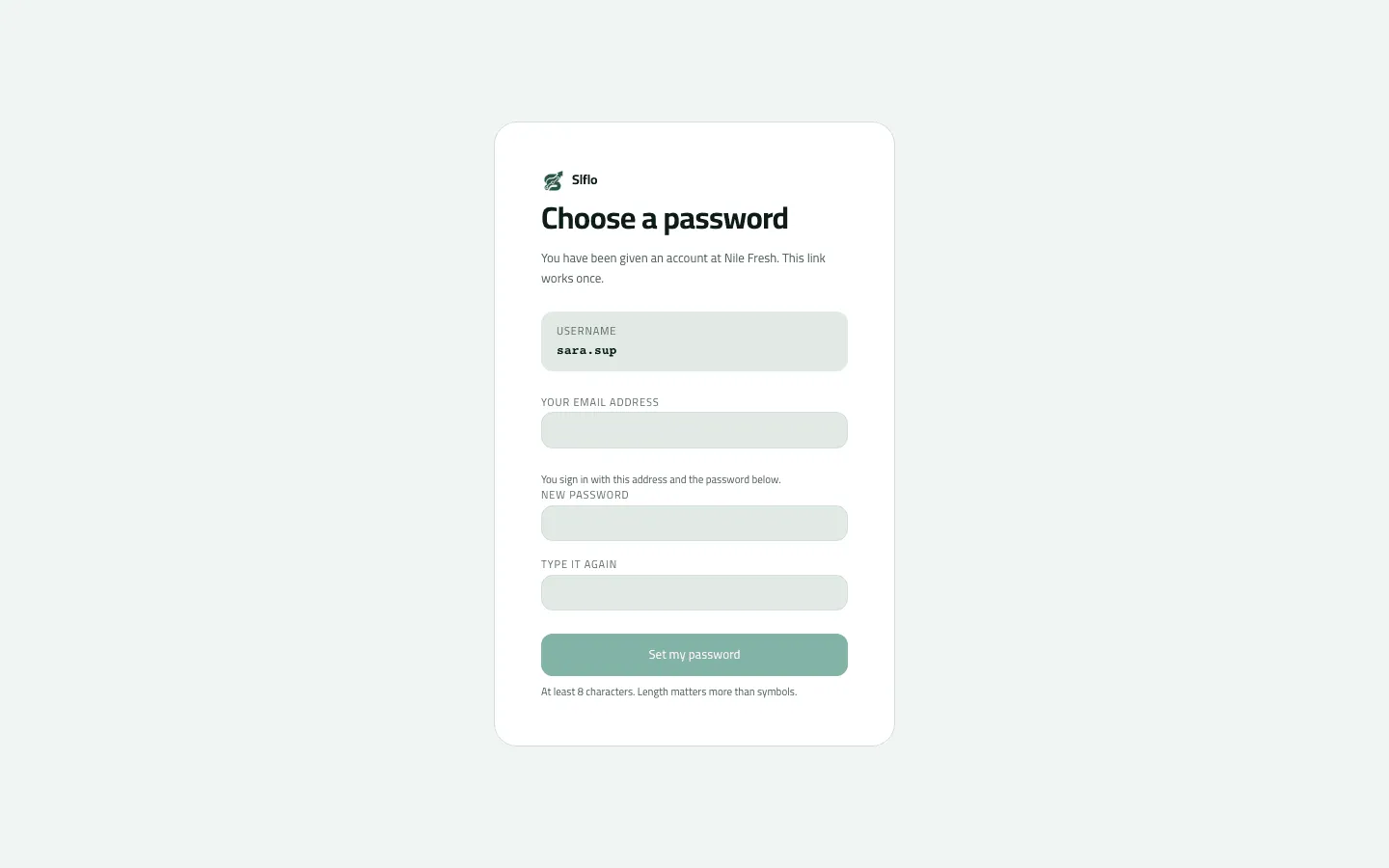
- Read the card: “You have been given an account at company. This link works once.” and the Username row. If the username isn’t yours, stop and tell whoever invited you.
- Fill in what the card asks:
- a copied link with no email on it: Your email address, then New password and Type it again;
- an emailed invitation: New password and Type it again (at least 8 characters — “Length matters more than symbols”);
- an email that already signs in to Slflo elsewhere: only Your existing password, and the button says Add this company.
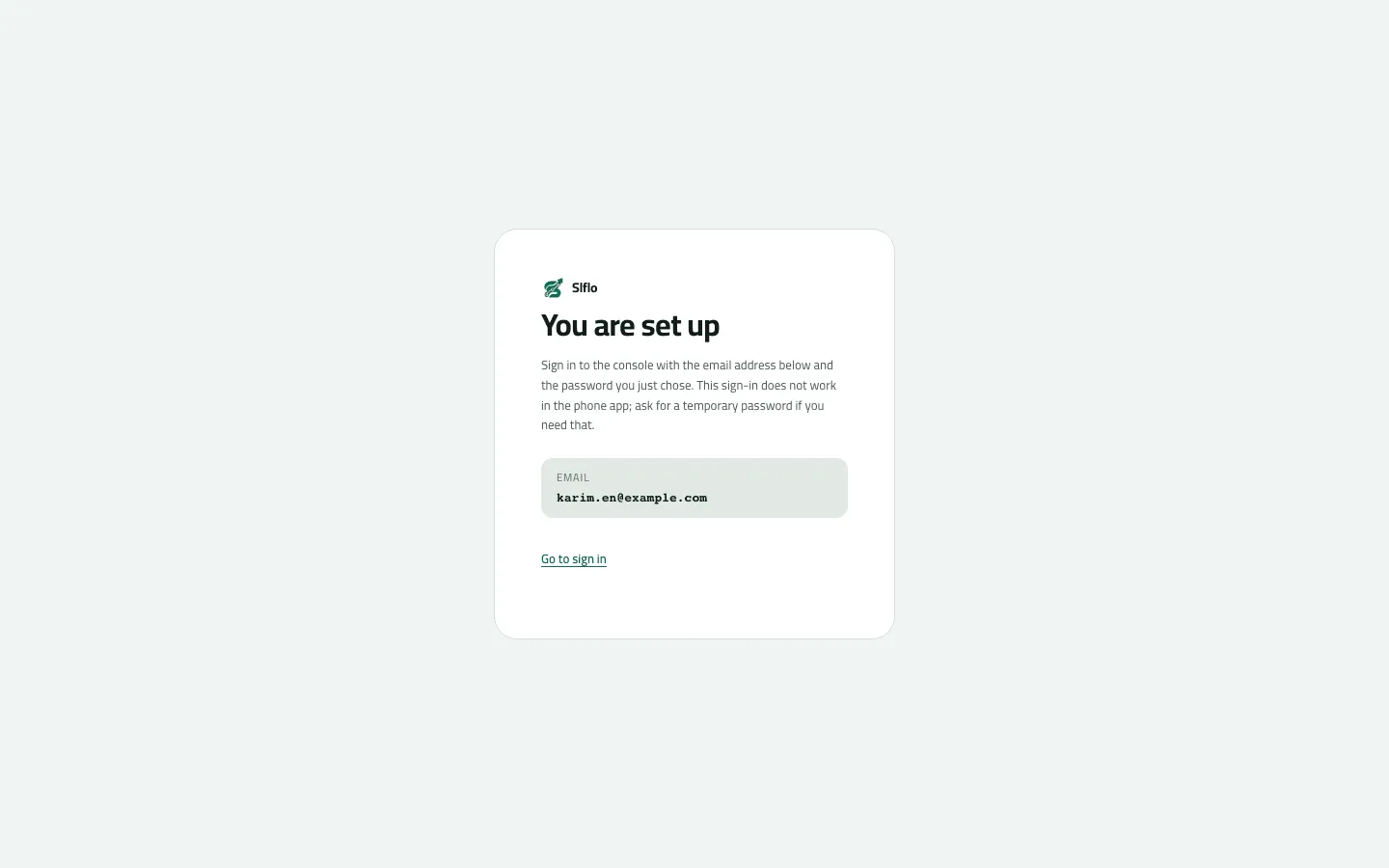
- Press Set my password (or Add this company). The card says You are set up.
- Press Go to sign in and sign in on the email door.
- Your username
Example
Section titled “Example”Sara, Nile Fresh’s supervisor, is invited by email with the username sara.sup. She opens the
email’s link, checks the Username row reads sara.sup, types a 12-character password twice and
presses Set my password. The done screen tells her to sign in to the console with her email
address and that password, and that this sign-in does not work in the phone app — for the
phone she would need a temporary password.
What happens next
Section titled “What happens next”- The link is spent; opening it again says it was already used.
- You sign in to the console on the email door. If your email reaches several companies, you pick one after signing in.
- Your roles were set when the account was made; what you see in the console depends on them.
If something goes wrong
Section titled “If something goes wrong”A short password, a missing email or a wrong existing password is refused before the link is used, so you can try again.
| What you see | What to do |
|---|---|
This link is incomplete. Ask whoever invited you to send it again. | The address was cut when it was copied. Ask for the link again, or copy it whole. |
This link has expired. Ask whoever invited you for a new one. | Links last 7 days. The administrator withdraws the old invitation and invites you again. |
This link was already used or was withdrawn. If you set up your account, sign in. | If it was you, sign in. If not, ask the administrator. |
That password is too short. Choose a longer one. WEAK_PASSWORD | Use at least 8 characters. |
An email address is needed here. Enter one and try again. EMAIL_REQUIRED | A copied link carries no email. Type the address you will sign in with. |
That address already signs in here. Enter its existing password to add this company to it. IDENTITY_PASSWORD_REQUIRED | Your email already signs in to Slflo. Type that password; this company is added to the same sign-in. |
That sign-in already reaches this company under another account. Sign in with it instead. ALREADY_IN_COMPANY | Your email already reaches this company under another account. Sign in with it. |
This company's account is not active. Ask whoever invited you. COMPANY_UNAVAILABLE | The company is suspended. Ask whoever invited you. |