

Run a promotion
A promotion gives goods or a discount away when an order line qualifies. The server decides; the phone only shows an estimate. Who: administrator · Where in the cycle: Sell.
Before you start
Section titled “Before you start”- Manage products and prices (CATALOG_MANAGE) to create and change; everyone who syncs a phone can read the list.
- The product has a price (price lists): free goods are valued at it.
- Open Commercial › Promotions and press New promotion.
- Write the rule as a sentence: For every / Buy at least / Spend at least a number, of a product (or anything), get a number free or % off, up to a budget in EGP (blank = no cap). Read it back: “If the sentence is wrong, the rule is wrong.”
- Under Before you commit, choose Last 30 days (7 to 90) and press Try it: it says how many past orders would have earned it, what it would have cost, and when the budget would have run out.
- Give it a Name, a Code, Runs from and Until (blank runs it indefinitely; it applies on the day it ends).
- Press Create promotion. Save stays grey until the rule has been tried.
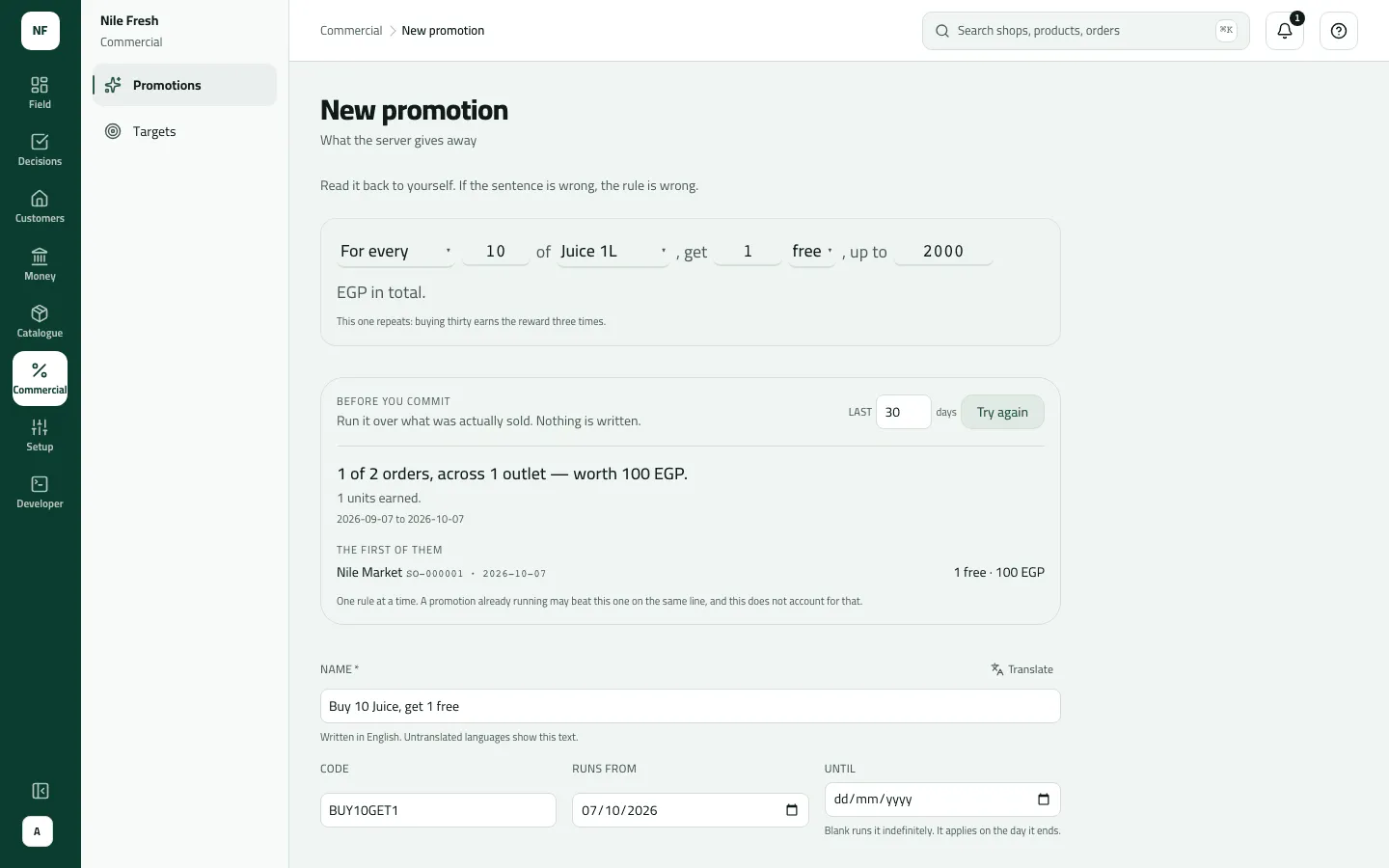
- The rule, as a sentence
- Budget
- Try it, and its verdict
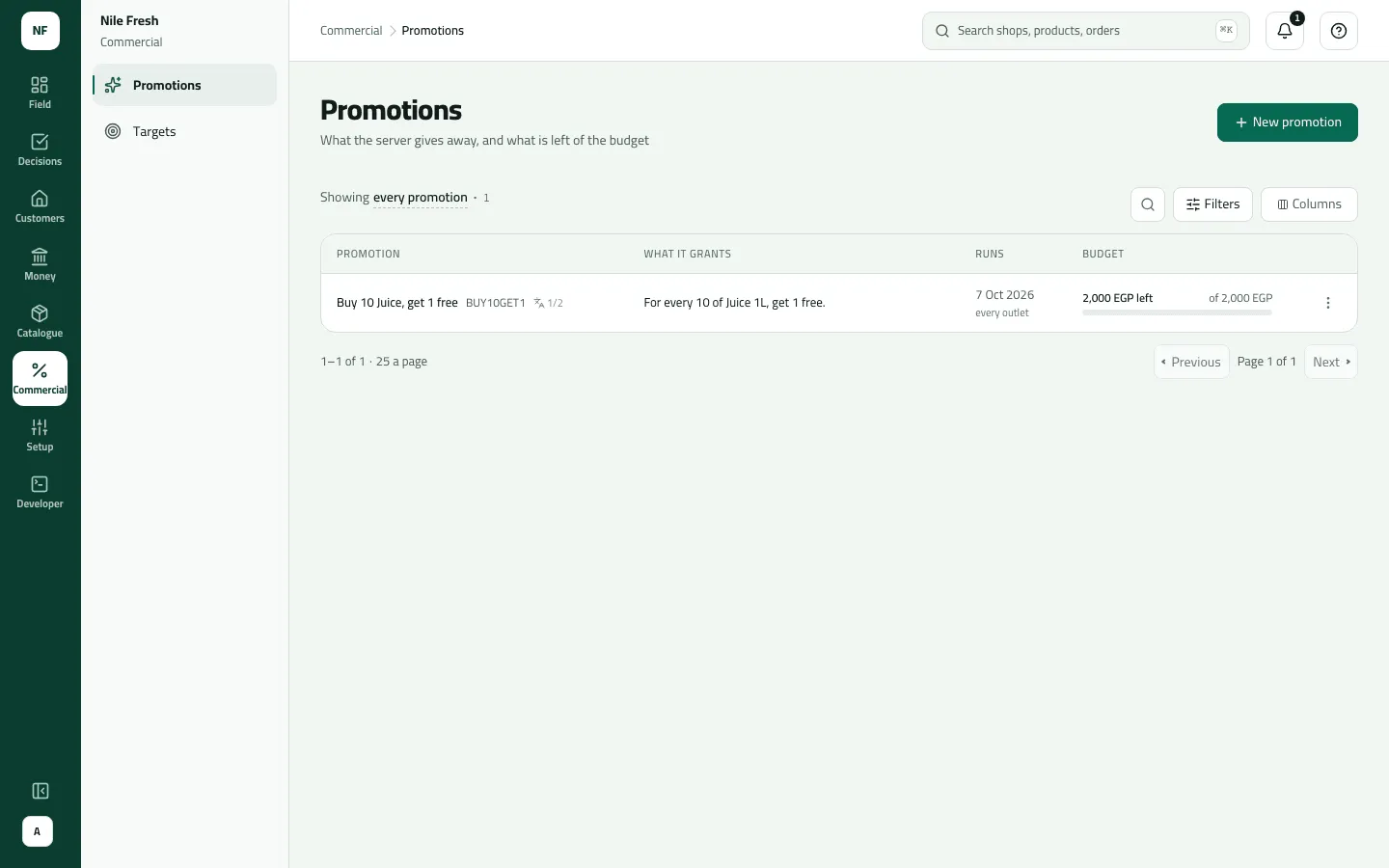
The list shows each rule as its sentence, its dates and its Budget bar (“… left”, “of …”, and “· N given” once it has given something). Row menu: Edit, Withdraw (it grants nothing from then on). Saving a withdrawn promotion brings it back.
Example
Section titled “Example”Nile Fresh runs BUY10GET1: “For every 10 of Juice 1L, get 1 free, up to 2,000 EGP in total”, from 1 October to 31 December. They try it on the last 30 days, then save.
Omar sells Nile Market 20 PCS of Juice 1L on one line: two free bottles are added as their own line at 0.00, and 200.00 (2 × 100.00) is charged to the budget, leaving 1,800.00. A line of 9 bottles earns nothing.
How it applies
Section titled “How it applies”- Per order line, not per order: 10 PCS on one line earn; 2 CTN on another line do not add up with them.
- “For every” repeats (30 earns three times); “Buy at least” and “Spend at least” pay out once.
- When several promotions fit one line, the most valuable wins. A promotion discount and the rep’s own discount don’t stack: the line keeps the larger.
- When the budget can’t cover an award, the award is dropped and the order still goes through.
- Cancelled or declined orders give their spend back to the budget.
- The phone shows “Estimated. Promotions are confirmed when the order is received.”
What happens next
Section titled “What happens next”- Phones get the rule at their next sync; reps see the estimate on the order.
- Free lines move stock like any other line, and appear on the invoice at 0.00.
If something goes wrong
Section titled “If something goes wrong”| What you see | What to do |
|---|---|
Save is grey: Try it against real orders first. | Press Try it. A change of name or dates alone needs no new try. |
The promotion isn't complete. Check the highlighted fields. INVALID_PROMOTION | Something is missing or the dates are reversed: it can't end before it starts. |
Another promotion already has this code, perhaps a withdrawn one. Choose another code. PROMOTION_CODE_TAKEN | Another promotion — perhaps a withdrawn one — has the code. Choose another. |
Free items don't match any promotion. Remove them and send again. UNJUSTIFIED_FREE_GOODS | A phone sent free items no promotion grants. The rep removes them and sends again. |
… has … left and this order needed … — no free goods given | The budget ran out. Raise it on the promotion, or let it end. |
A promotion that Starts later doesn't apply | It isn't running yet; the Running filter hides it. |
Amounts on the promotion form are in EGP.