

Add, withdraw and bring back products
What the company sells: find a product, open it, take it off sale or bring it back. Who: administrator · Where in the cycle: Set up.
Before you start
Section titled “Before you start”- Download data to the phone (SYNC_PULL) opens the list; Manage products and prices (CATALOG_MANAGE) shows New product and the row menu.
- The old address
/admin/catalogueopens this list.
The Products screen
Section titled “The Products screen”Catalogue › Products reads as a sentence: “Showing every product in any category that are in the catalogue”. Change brand, category, or switch to Withdrawn. Search by code or name in any language. Rows are in code order, 25 a page.
| State | Means |
|---|---|
| (none) | On sale: reps are offered it. |
| Not offered | Kept, with its history, but hidden from reps (the product’s Available to order is unticked). |
| Withdrawn | Taken off; listed only when the filter says Withdrawn. |
- To add one, press New product (Set up a product).
- To change one, open its row menu › Edit.
- To take one off sale for good, row menu › Withdraw, and confirm “Withdraw this product?”.
- To bring one back, switch the filter to Withdrawn, then row menu › Bring back.
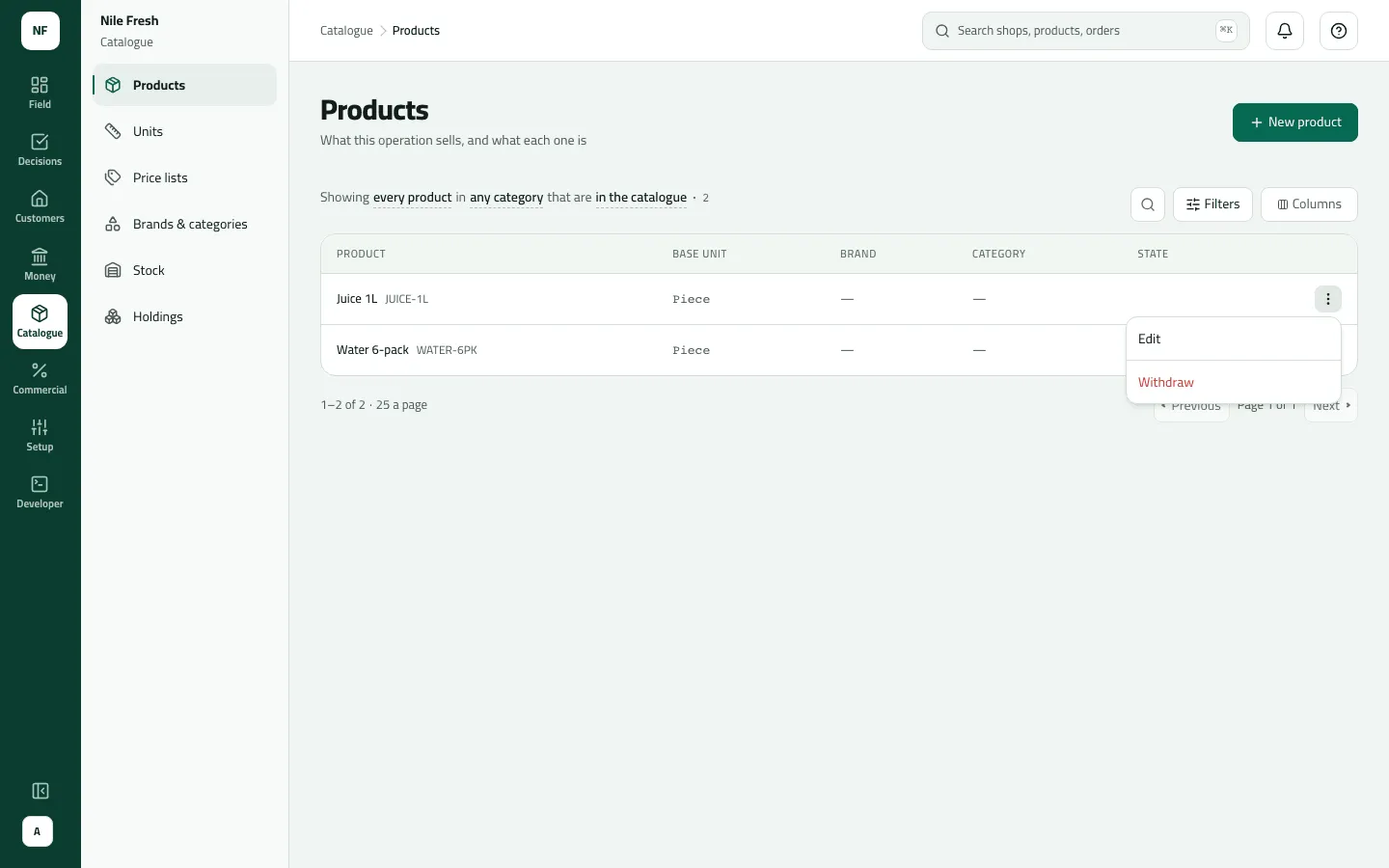
- Withdraw
Example
Section titled “Example”Suppose Nile Fresh withdraws a seasonal “Mango Juice 250 ml”. Omar stops seeing it after his next sync; the orders he already took keep it. In December it comes back with Bring back — “is back in the catalogue” — and reps are offered it again at their next sync.
What happens next
Section titled “What happens next”- No stock or money moves. Phones change at their next sync.
- Withdrawing takes the product’s units with it; bringing it back restores them.
- Recorded in the audit trail (“Withdrew a product”).
If something goes wrong
Section titled “If something goes wrong”| What you see | What to do |
|---|---|
A product is missing from the list | It is withdrawn. Switch the filter to Withdrawn. |
There's no row menu and I can't open a product | You don't have Manage products and prices. You can read the list but not open products. |
This code belongs to a withdrawn product. Bring that product back, or choose another code. PRODUCT_CODE_WITHDRAWN | A withdrawn product has this code. Bring it back, or choose another code. |
This comes from your ERP, so it can't be changed here. Change it in the ERP. ERP_MASTERED | This product comes from your ERP. Change it there. |