

Suspend, export or delete a company (platform)
Look after the companies on this deployment. Who: platform staff · Where in the cycle: —
Before you start
Section titled “Before you start”| Platform role | May |
|---|---|
| Read-only | See companies and staff |
| Support | Also create, suspend and resume companies |
| Admin | Also export and delete companies, and manage staff |
Every button is shown to everyone; a role without the permission is refused when it presses it. The platform session lasts 30 minutes: sign in again after that.
The screens
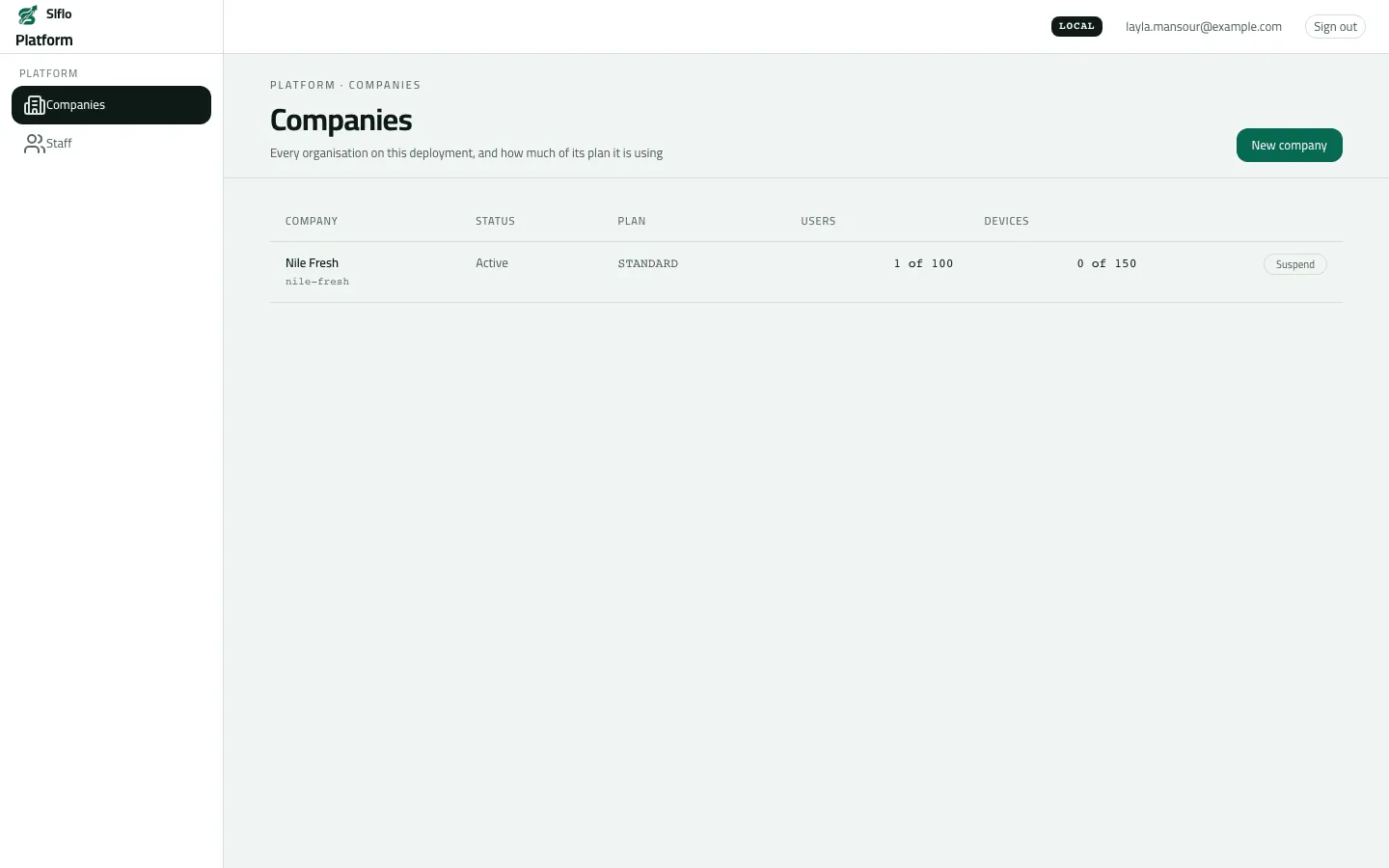
Section titled “The screens”- Companies — each company with its code, Status (Active, or Suspended with the reason), Plan, Users and Devices used of the plan, and Suspend / Resume.
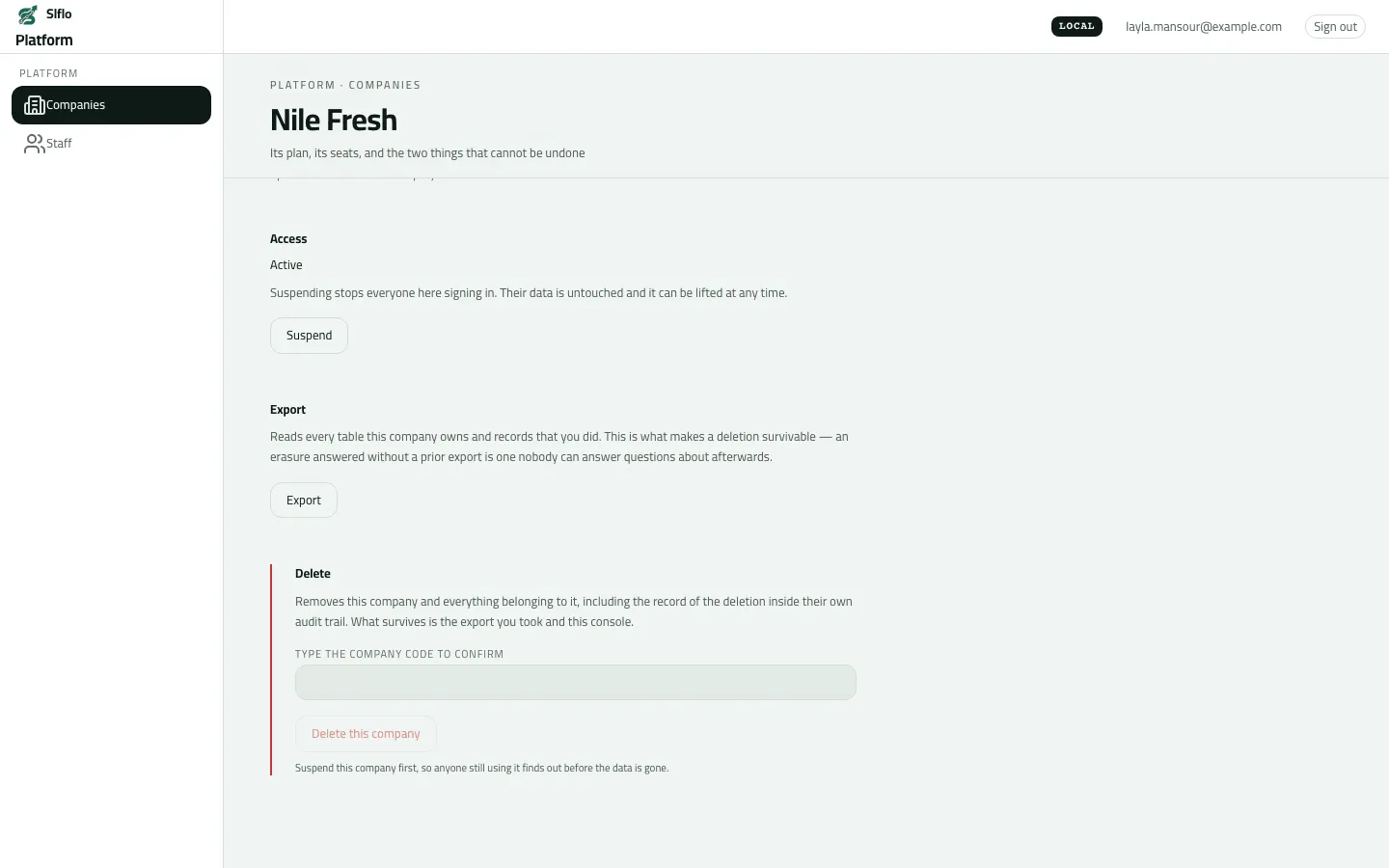
- A company (click its name) — plan and seats, its administrators, the Sign-in link, Access, Export and the danger zone.
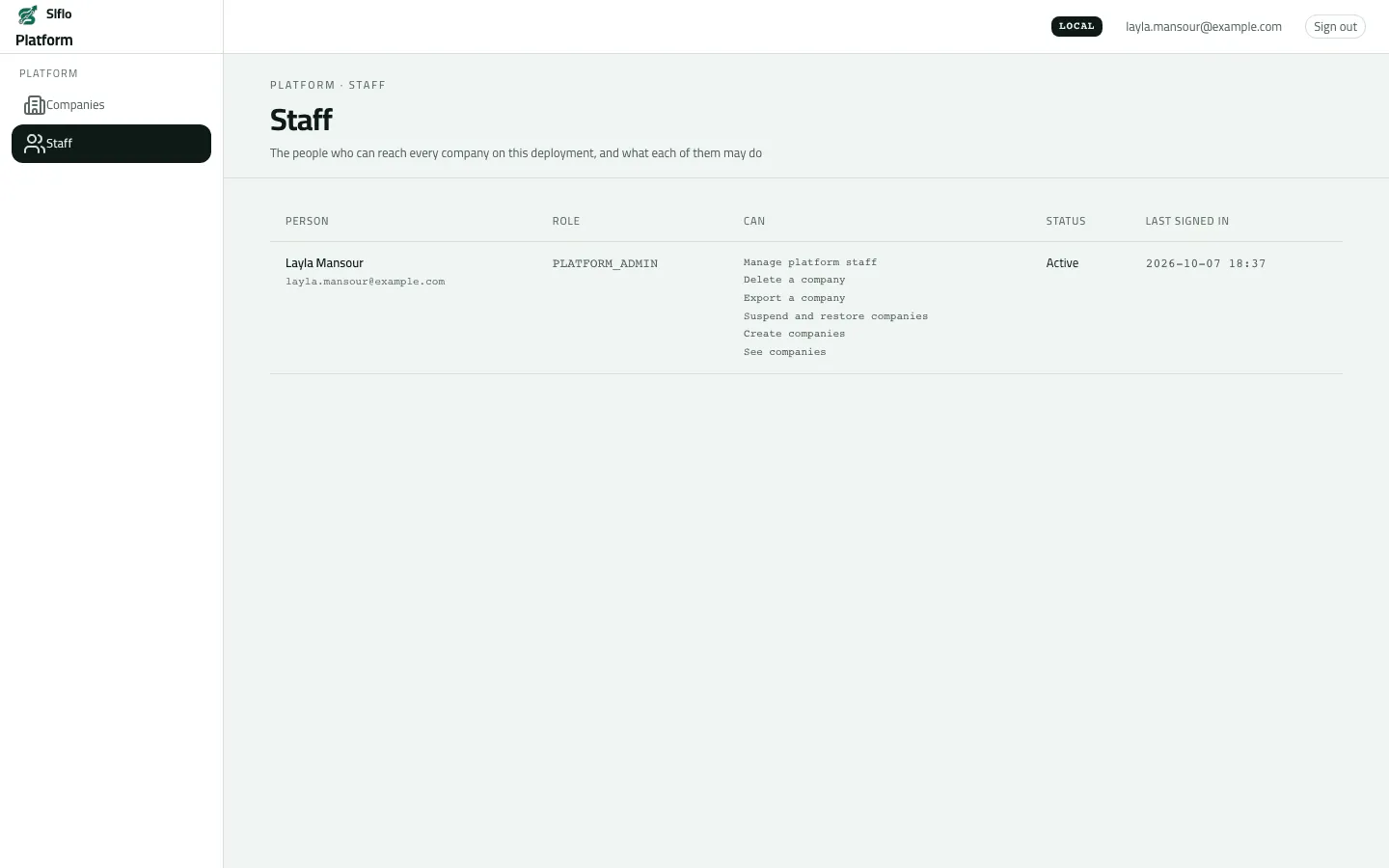
- Staff — the platform accounts and what each may do (read-only here).
Suspend and resume
Section titled “Suspend and resume”- On Companies, press Suspend on the row.
- Write Why (required; shown on the list and recorded against your name) and confirm.
- To undo, press Resume: everyone can sign in again from their next attempt.
Delete
Section titled “Delete”- Suspend the company first.
- Open it, go to the danger zone, Type the company code to confirm exactly.
- Press Delete this company. It says “code is gone — N rows deleted across M tables”. This can’t be undone.
Example
Section titled “Example”Nile Fresh’s contract is paused: Suspend with Why “Unpaid invoice, October”, later Resume.
Were Nile Fresh to leave, the operator would suspend it, type nile-fresh in the danger zone and
delete it.
What happens next
Section titled “What happens next”- Suspend: new sign-ins, renewals, invitations and resets for the company are refused. People already signed in keep working up to an hour, until their session renews.
- The company’s own audit trail records “Company suspended” / “Company resumed”.
- Delete removes the company and everything in it, its audit trail included.
If something goes wrong
Section titled “If something goes wrong”| What you see | What to do |
|---|---|
Add a reason, then send again. REASON_REQUIRED | Write why the company is suspended. |
You do not have access to this. Ask your administrator if your work needs it. MISSING_PERMISSION | Your platform role can't do this. Ask a platform admin. |
The delete box is greyed out | Suspend the company first. |
Delete is refused: the confirmation doesn't match | Type the code exactly, same letters and case. |
Every call fails after a while | The platform session lasts 30 minutes. Sign out and in again. |
No buttons to add or remove staff | The Staff screen is read-only; staff accounts are managed by the Slflo team outside this screen. |