

Choose how reps work on the road
Seven rules decide what the phone lets a rep do, and what the office then sees. Who: administrator · Where in the cycle: Set up.
Before you start
Section titled “Before you start”You need Run the company (full access) (TENANT_ADMIN). The rules are company defaults; a route can set its own visiting order and off-route rule on its Rules tab.
- Open Setup › Settings and the Field rules tab.
- Pick one choice per rule. The sentence under each rule says what the picked one does.
- Press Save.
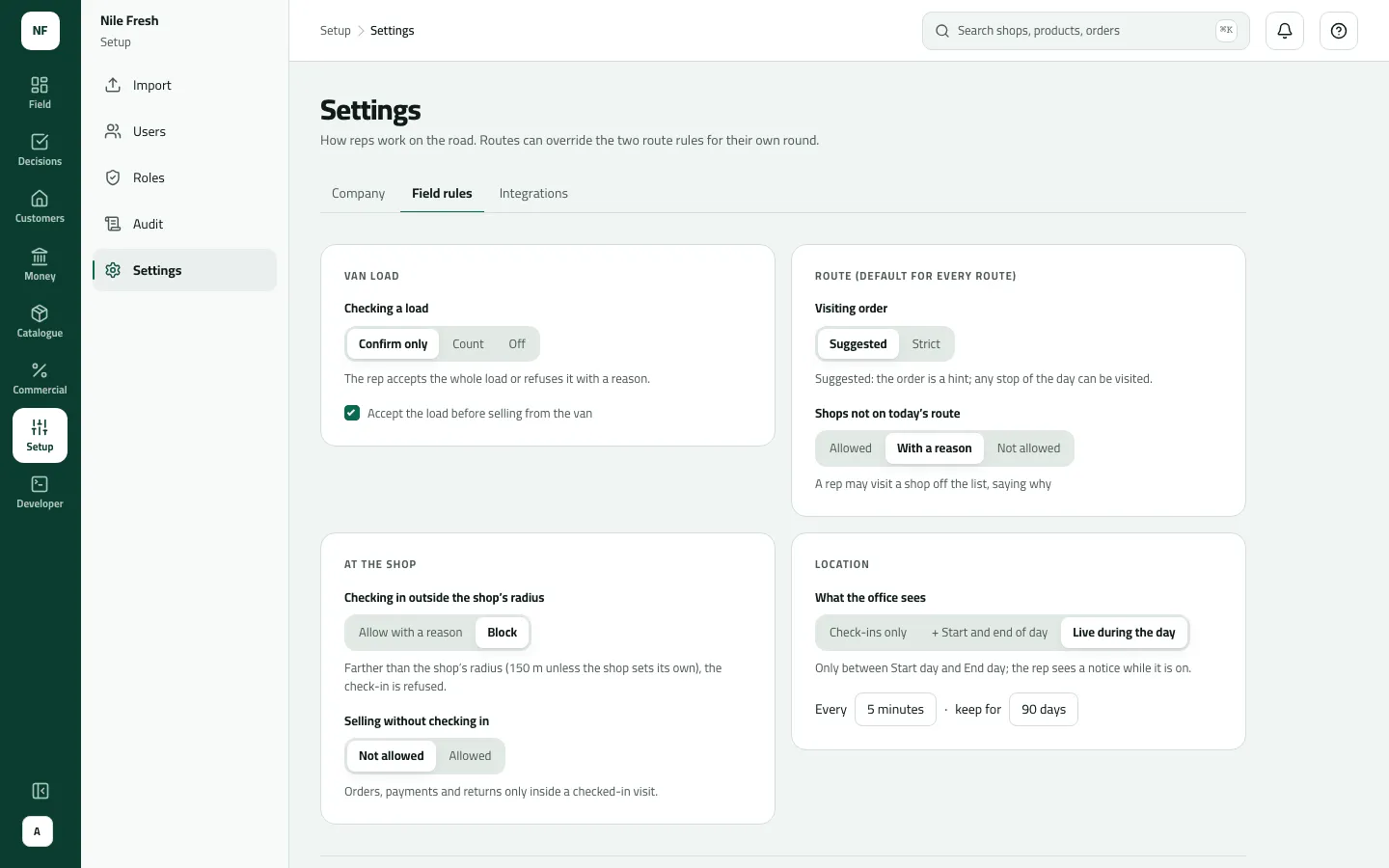
- Van load
- Route (default for every route)
- At the shop
The rules
Section titled “The rules”| Card | Rule | Choices (default first) | What the rep meets | What the office sees |
|---|---|---|---|---|
| Van load | Checking a load | Confirm only · Count · Off | Confirm only: accept the whole load or refuse it with a reason. Count: count line by line. Off: never asked. | A refused load goes back to the warehouse and waits on Stock; a count that differed shows its differences. |
| Van load | Accept the load before selling from the van | off · on | When on, van sales wait until the waiting load is accepted; booked orders never wait. Greyed while the load check is Off. | — |
| Route (default for every route) | Visiting order | Suggested · Strict | Suggested: any stop opens. Strict: only the next stop opens; skipping one needs a reason. | Skipped stops with their reason. |
| Route | Shops not on today’s route | Allowed · With a reason · Not allowed | A shop off the list can be visited freely, with a reason, or not at all. | Off-route visits. |
| At the shop | Checking in outside the shop’s radius | Allow with a reason · Block | Farther than the shop’s radius (150 m unless the shop sets its own): check in with a reason, or refused. | Allowed check-ins are flagged outside the fence; with Block, check-ins with no location ask for a reason and show as “Visits with no location”. |
| At the shop | Selling without checking in | Not allowed · Allowed | Not allowed: orders, payments and returns only inside a visit. Allowed: from the shop screen, e.g. phone orders. | — (office orders are never affected) |
| Location | What the office sees | Check-ins only · + Start and end of day · Live during the day | Live: the phone asks once to share location; one point every 5 minutes between Start day and End day, with a notice while it’s on. | Where the reps are: check-ins, day start and end, or live paths (“Every 5 minutes · keep for 90 days”). |
Example
Section titled “Example”Nile Fresh’s rules: Confirm only with Accept the load before selling from the van ticked; visiting order Suggested; shops not on today’s route With a reason; outside the radius Block; selling without checking in Not allowed; location Live during the day.
So Omar must accept his morning load before his first van sale, can visit his four stops in any order, can’t check in at Delta Kiosk from 230 m away (its radius is 150 m), sells only inside a visit, and the office sees his path on Where the reps are between Start day and End day.
What happens next
Section titled “What happens next”- Phones follow a change at their next sync; the server applies the same rules when the work arrives.
- A route with its own visiting order or off-route rule keeps it; “Company default” routes follow this tab.
- The change is written to the audit trail.
If something goes wrong
Section titled “If something goes wrong”| What you see | What to do |
|---|---|
Your company asks you to accept the van load before selling from the van. Check the load, or book the order for delivery. LOAD_NOT_ACCEPTED | Accept before selling is on and a load is waiting. The rep checks the load on the phone, or books the order for delivery. |
You were too far from the shop to check in. Go to the shop and check in there. OUTSIDE_RADIUS | Block is on and the rep was farther than the radius. Go to the shop; if the pin is wrong, move it on the customer. |
Your phone had no location for this check-in. Say why, then check in again. NO_LOCATION_REASON_REQUIRED | The phone had no location fix (or the shop has no pin). The rep gives a reason; the visit shows under Visits with no location. |
This shop isn't on today's route. Say why you're visiting, then check in again. OFF_ROUTE_REASON_REQUIRED | The rep says why they visit a shop off today's list. |
This shop isn't on today's route, and your route doesn't allow visits off it. Ask your supervisor. OFF_ROUTE_NOT_ALLOWED | The route allows no off-route visits. Add the shop to the route, or change the rule. |
This route goes in order. Visit or skip the stop before this one first. STOP_OUT_OF_ORDER | The route is Strict. Visit or skip the earlier stop first. |
Your company sells only inside a visit. Check in at the shop, then take it again. CHECK_IN_REQUIRED | Selling without checking in is Not allowed. Check in first. |
Loads stay waiting in the console | With Checking a load Off the phone never asks, so loads aren't accepted and stay waiting on Stock. That is expected. |
Live location shows nothing for a rep | Nothing is shared before Start day, after End day, or if the rep answered Not now when asked to share. |