

I can't sign in
Someone types their password and is refused, or nothing opens. Most of the time the password is right and something around it isn’t: the door, the company code, the account, or the phone. Who it happens to: anyone; the administrator usually gets the call. Where in the cycle: Set up the company.
Check, in this order
Section titled “Check, in this order”-
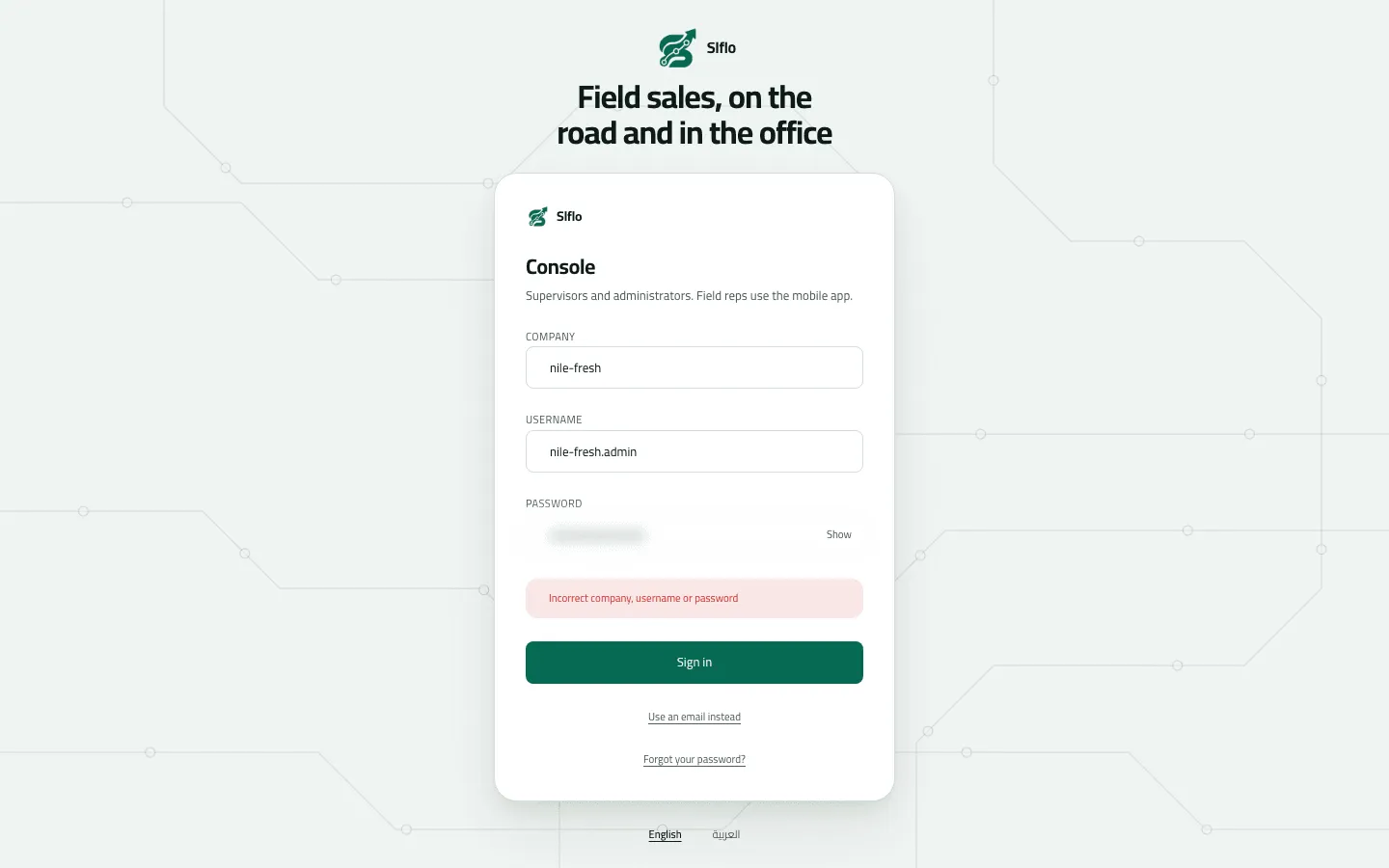
Which door? The console has two. People who accepted an invitation link or an emailed invitation use the email door. People given a temporary password — and the company’s first administrator — press Use a username instead and type the Company code, Username and Password. “Incorrect email or password” for someone with only a username means: wrong door (Sign in to the console).
-
On the phone, a username and a temporary password only. An email invitation or an invitation link doesn’t work in the phone app. The administrator uses Setup › Users › Reset password and hands the rep a temporary password (Install the app and sign in).
-
The company code. A wrong or old company code gives the same message as a wrong password (“Incorrect company, username or password”; on the phone the message names the code it tried). The phone and the browser remember the last company signed into; check it first. Codes don’t care about capitals.
-
Locked? Ten wrong passwords in a row on the username door lock the account (ACCOUNT_LOCKED). An administrator opens Setup › Users, finds the row marked Locked and uses Reset password — it unlocks too, and hands over a fresh temporary password. Unlock alone keeps the count of wrong tries, so one more mistake locks it again (Invite people and manage accounts).
-
Suspended? An account marked Suspended on Users is brought back with Bring back. If the whole company is suspended (TENANT_SUSPENDED), only Slflo can lift it.
-
On the phone: another rep’s work, or no free phone slot.
- “Work from Omar hasn’t been sent yet…” — Omar’s work is still on this phone. He signs in and syncs first (My work hasn’t reached the office).
- DEVICE_LIMIT — every phone slot of your plan is taken. Each phone the app was installed on takes one, and reinstalling the app counts as a new phone.
- DEVICE_REVOKED — this phone may no longer sign in.
-
Too many attempts (RATE_LIMITED). Wait a minute, then try once, carefully.
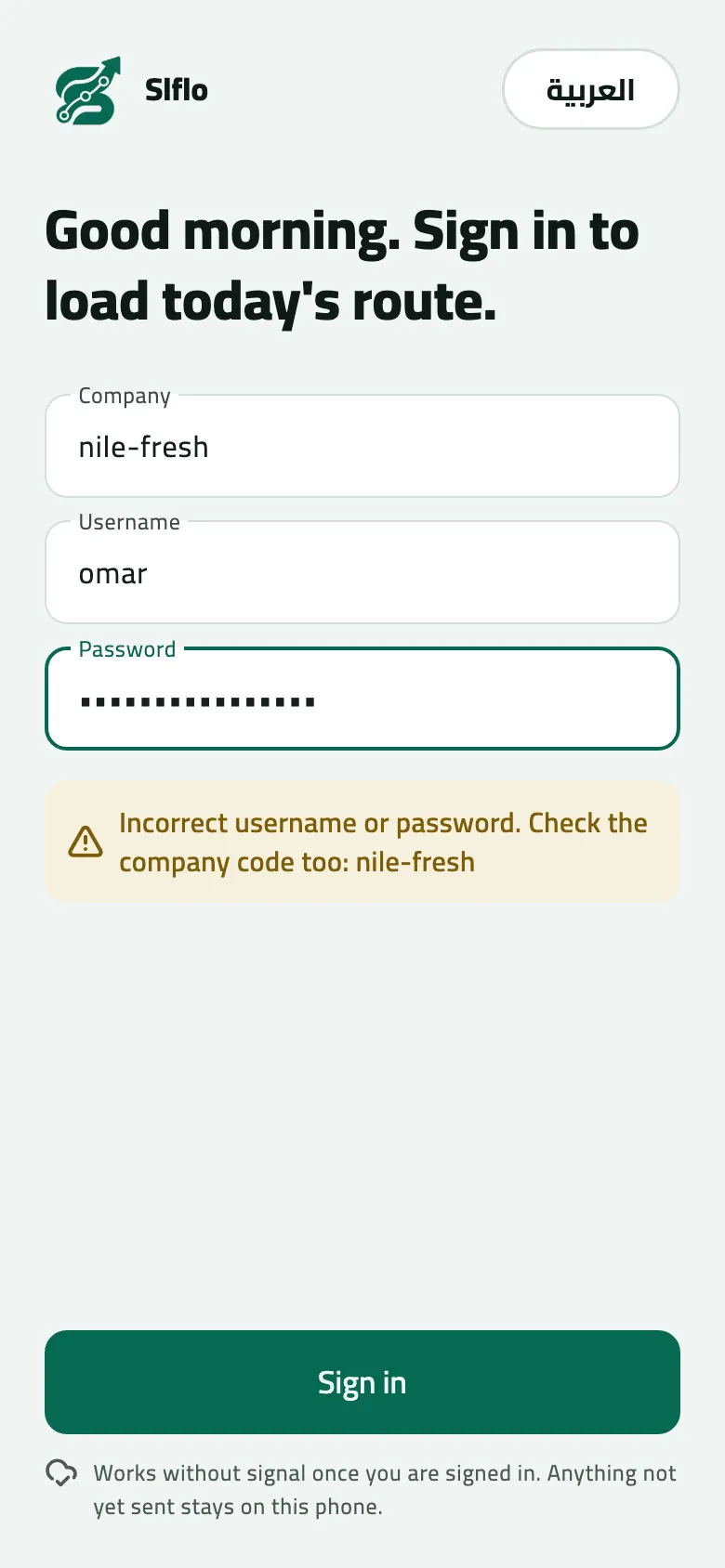
- The message names the company code that was tried
Changing a password fails
Section titled “Changing a password fails”“The current password is not correct” when the password is right: if you sign in with your email, change your password with Forgot your password? on the sign-in card instead of Change password (Reset or change your password). If Forgot your password? says to ask your administrator, email isn’t set up for your company: the administrator gives you a temporary password from Users.
If something goes wrong
Section titled “If something goes wrong”| What you see | What to do |
|---|---|
Incorrect email or password | If you were given a username, press Use a username instead. |
Incorrect company, username or password | Check the company code first, then the username, then the password. |
Too many wrong passwords. Ask your supervisor to unlock your account. ACCOUNT_LOCKED | An administrator resets the password on Setup › Users; that unlocks it too. |
This account is suspended. Contact your administrator. ACCOUNT_SUSPENDED | An administrator brings the account back on Setup › Users. |
That sign-in has been suspended. Contact your administrator. IDENTITY_SUSPENDED | The email sign-in itself is suspended. Ask your administrator. |
This company's workspace is suspended. Contact support. TENANT_SUSPENDED | Your company's workspace is suspended. Contact Slflo. |
Your company has no free phone slots. Ask an administrator to remove an old phone. DEVICE_LIMIT | There is no screen to remove an old phone yet. Contact Slflo to free a slot or raise your plan's limit. |
This phone is no longer allowed to sign in. Ask your administrator. DEVICE_REVOKED | Use the phone your company gave you, or contact Slflo. |
Too many attempts. Wait a minute and try again. RATE_LIMITED | Wait a minute, then try again. |
Your session ended. Sign in again. SESSION_EXPIRED | Sign in again. On the phone your saved work is kept. |
Could not reach the server | No connection. The first sign-in on a phone needs signal. |
After Sign in on the email door, nothing opens and no message shows | Your email reaches no company you can open. Ask the administrator who invited you. |
When to contact Slflo
Section titled “When to contact Slflo”When the company is suspended, when the phone slots are full (DEVICE_LIMIT) or a phone was revoked, and when an administrator is locked out with no other administrator to reset them. Give the company code and the username.