

Work offline and sync
You can work a whole round without signal. Everything you save stays on the phone until a sync sends it. Who: rep · Where in the cycle: every stage.
What works without signal
Section titled “What works without signal”Everything except signing in, changing your password and the very first sync: checking in and out, orders and van sales, invoices, payments and receipts, returns, shelf checks, new shops, starting and ending the day. Each is saved on the phone the moment you tap, and waits to be sent.
When your work is sent
Section titled “When your work is sent”The ways to send, all in signal:
- Pull down on Today (or on the Van tab).
- Come back to Today from a shop you opened from Today, or tap Back to Today after the last stop. Coming back from a shop you opened from Shops does not send.
- Start day and End day.
- Send now on Orders, or Sync now in Settings.
A sync sends your work first, oldest first, then fetches the office’s: shops, prices, invoices, your round, your van, order updates and targets.
What the pill says
Section titled “What the pill says”| Pill on Today | Means | Do |
|---|---|---|
| Everything sent | Nothing waiting | — |
| 3 waiting | Saved, not sent | Pull down in signal |
| Offline — your work is saved | The last sync couldn’t reach the office | Pull down again in signal |
| 1 failed (red) | The phone gave up sending | Read below — don’t sign out |
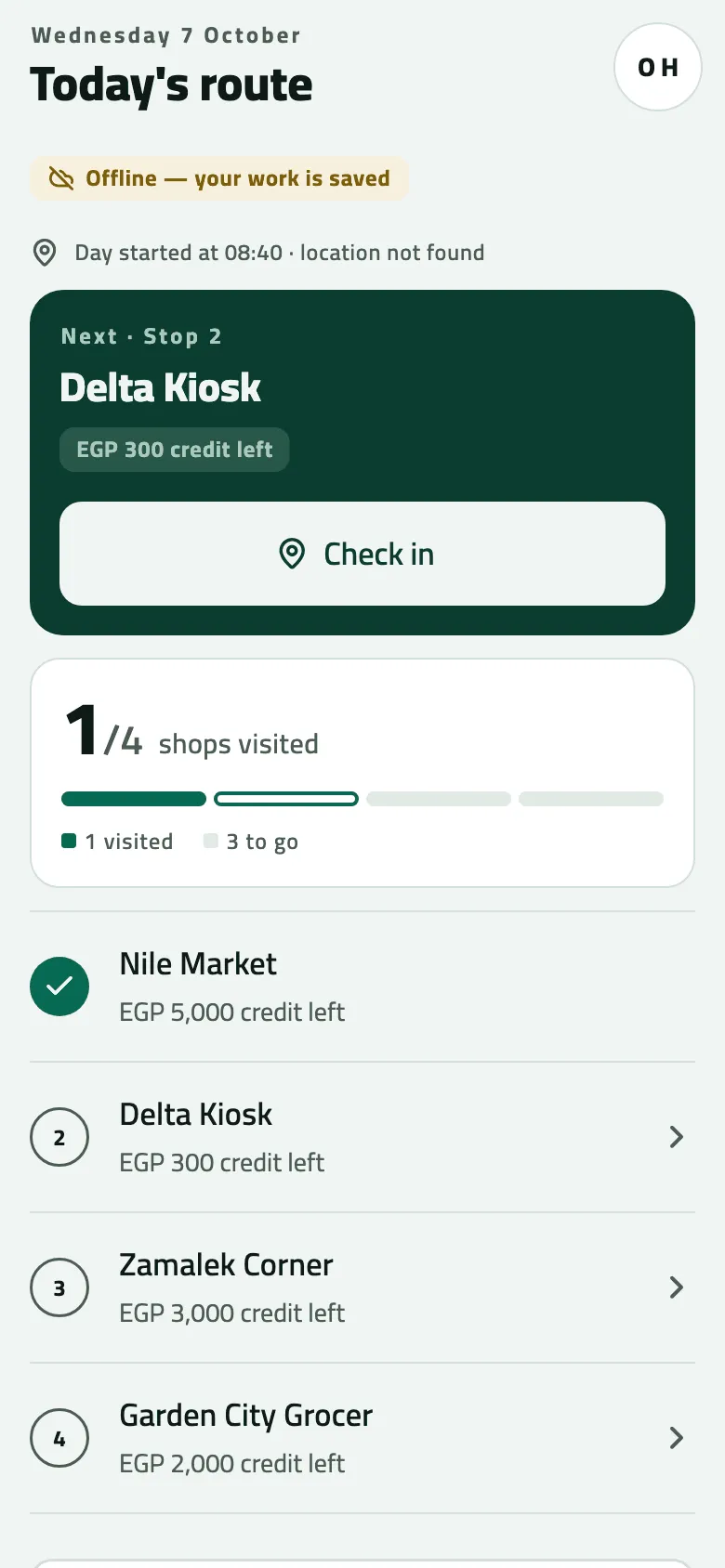
- Offline: your work is kept on the phone
Settings › Synchronisation shows the same in detail: Last synced, Waiting to send, Failed (only when there is any) and Sync now.
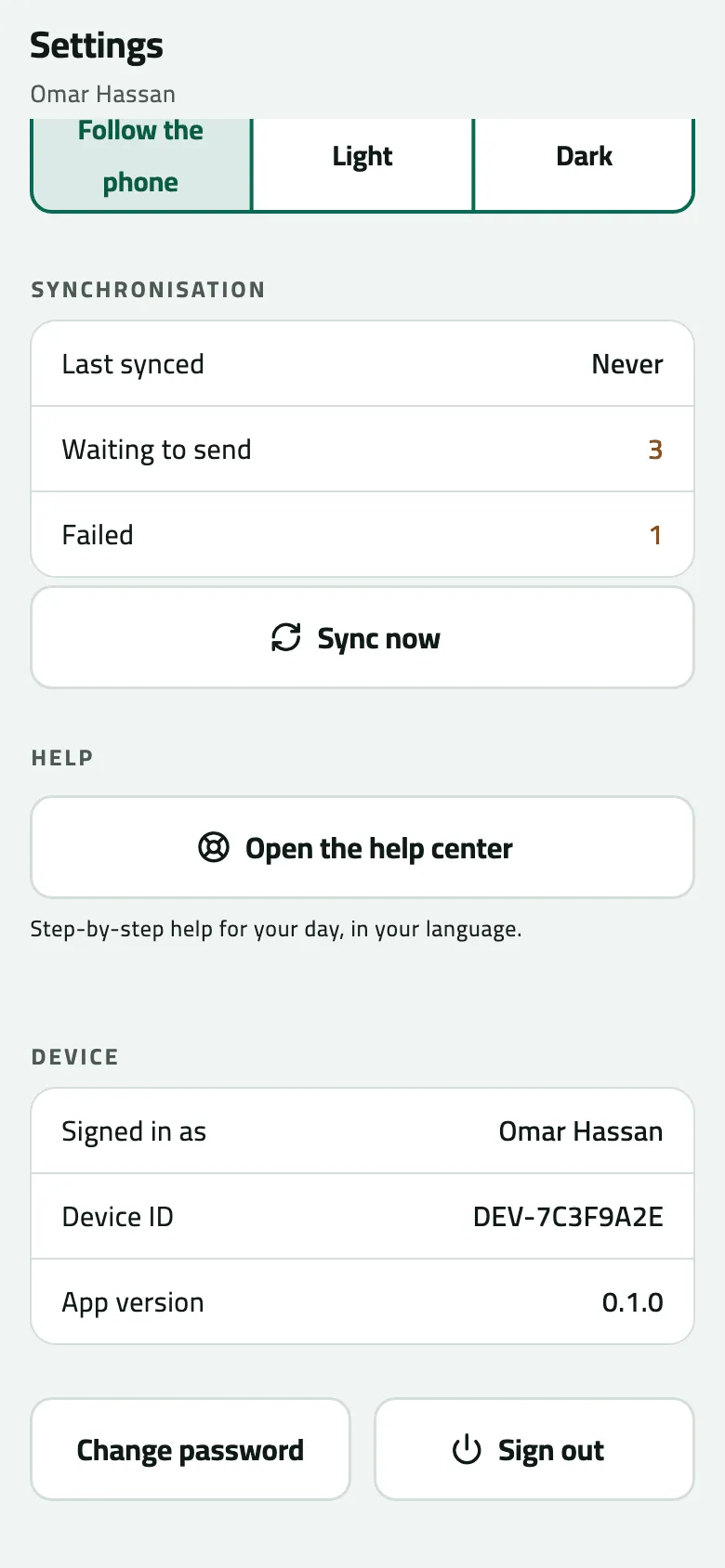
- Last synced
- Waiting to send
- Failed: call the office, do not sign out
- Sync now
When work shows as failed
Section titled “When work shows as failed”Each sync that can’t send an item counts as a try, and the phone waits a little longer before each next one (seconds at first, then 15 minutes). After 12 failed tries the item is marked failed for good. Tries happen only when you sync, so it takes a rep who keeps pulling down with no signal at least an hour and a half (the waits add up to about 1 h 36 min).
What else you need to know while something is failed:
- The phone can’t send a failed item again by itself, and there is no button to retry it.
- Your later work still goes out when you sync.
- Another rep can’t sign in on this phone while any of your work is waiting or failed; they see “Work from Omar hasn’t been sent yet…”.
- Signing out deletes it. The Sign out? dialog warns: “Unsent work will be lost and this device will be cleared.”
Steps: a round without signal
Section titled “Steps: a round without signal”- Work as usual. The pill shows Offline — your work is saved and the waiting count grows.
- When you reach signal, open Today and pull down. The pill shows Sending…, then Updating….
- Check the pill reads Everything sent. If not, pull down again; or open Settings and tap Sync now.
- Before you end the day, make sure nothing is waiting.
Example
Section titled “Example”Suppose there is no signal at Nile Market. Omar checks in, sells, takes two payments and a return: the pill reads 5 waiting. Back on the main road he opens Today and pulls down; the pill shows Sending… and then Everything sent. The provisional invoice becomes INV-000001.
If something goes wrong
Section titled “If something goes wrong”| What you see | What to do |
|---|---|
3 waiting, after signal came back | The phone doesn't send by itself. Pull down on Today. |
Offline — your work is saved and goes when there is signal. | Send now couldn't reach the office. Try again in signal. |
1 failed | Don't sign out. Call the office and tell them what was failed (Settings shows the count). Keep working; new work still goes. |
Rows this app could not read | Some of what the office sent this version of the app couldn't read. Your own work is not affected. Update the app, and tell the office if the number stays. |
Your session ended. Sign in again — your work is kept. | Sign in as yourself. Nothing you saved is lost. |