

Find and print a credit note
Every return against an invoice is a credit note. It has no number of its own: it carries the return’s RET- number. Money › Credit notes lists them. Who: office · Where in the cycle: Return.
Before you start
Section titled “Before you start”- See customers (CUSTOMER_VIEW) opens the list and the papers, for the customers your reach covers. Open the invoice also needs See reports; Open Approvals needs Approve orders.
- Open Money › Credit notes.
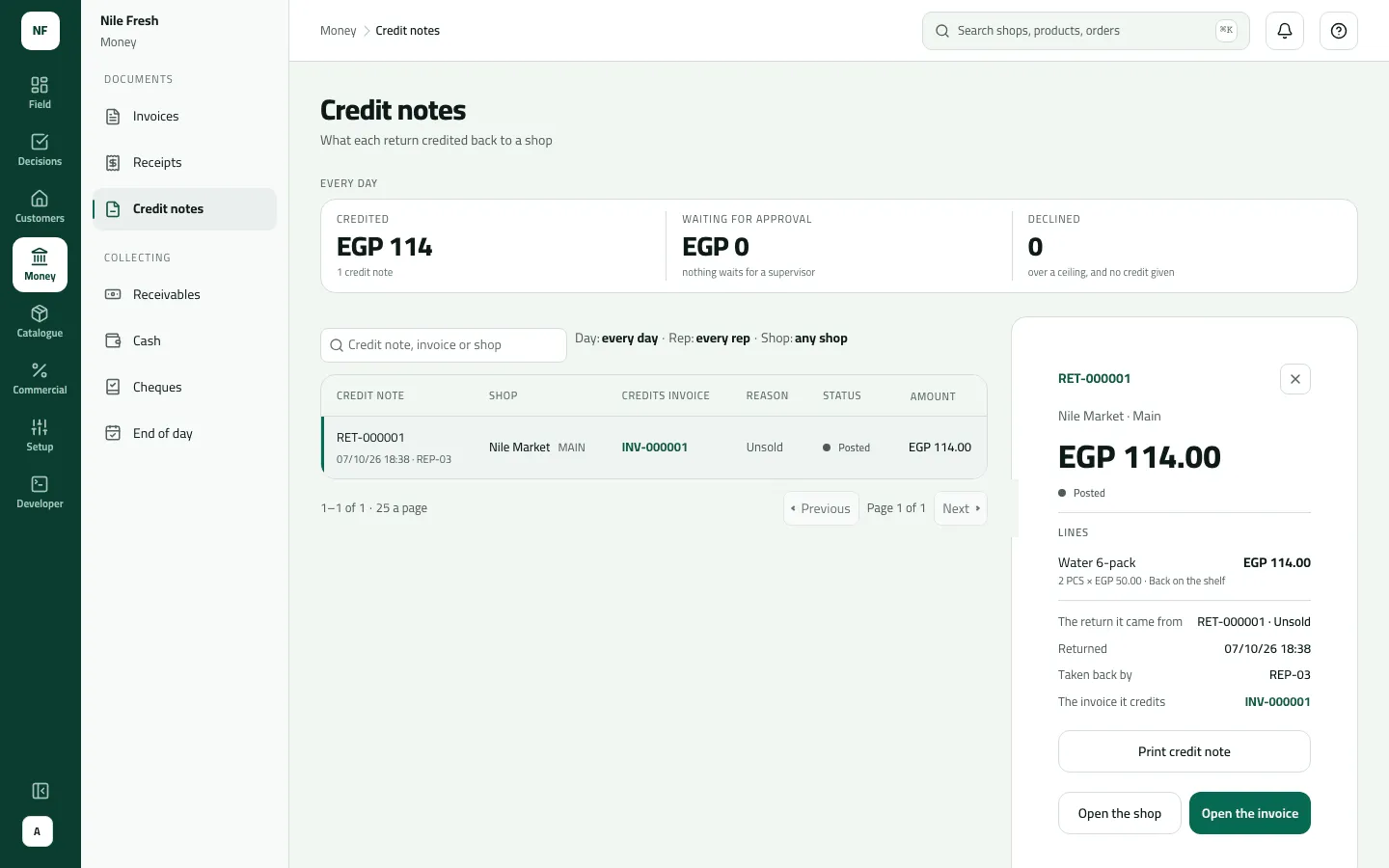
- Read the tiles: Credited (posted), Waiting for approval and Declined.
- Search by credit note, invoice or customer, or filter by day, rep, customer and branch, or Status.
- Click a row for the side panel: the status, the lines (“Back on the shelf” or “Into quarantine”), the return it came from, who took it back, and the invoice it credits.
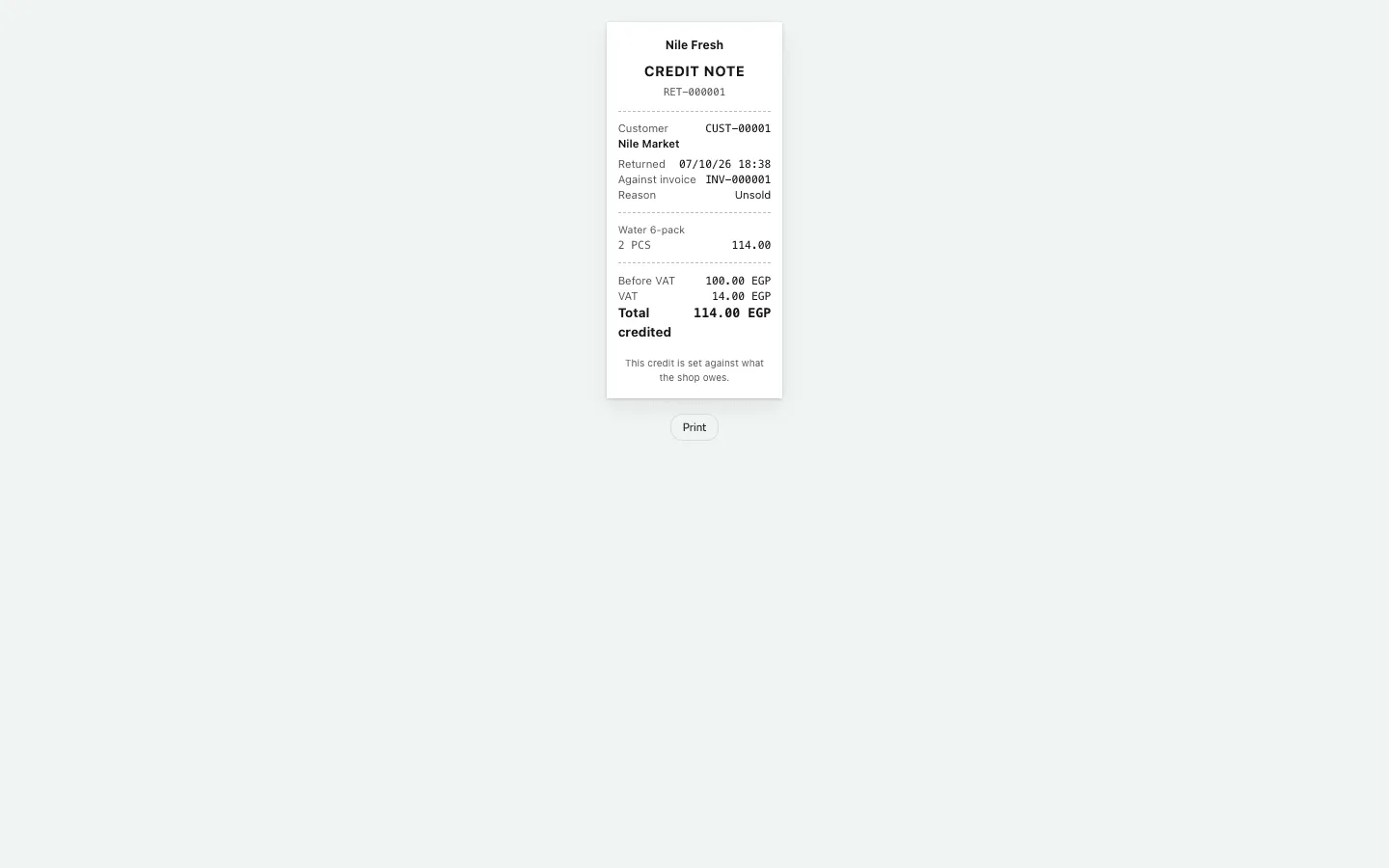
- For a posted credit note press Print credit note, then Print on the paper.
- Status
- Lines
- Print credit note
| Status | Meaning |
|---|---|
| Posted | Credited and the goods taken back into stock |
| Waiting for approval | Over a return ceiling; nothing credited yet |
| Declined | Nothing credited; the goods go back to the shop |
Example
Section titled “Example”The day’s return:
Two Water 6-packs did not sell. They go back on the van against INV-000001, and the credit note lowers what the shop owes.
Credit note RET-000001 — against: INV-000001 · status: recorded · reason: unsold · quantity: 2 · total: 114.00
| Item | Before | After | Change |
|---|---|---|---|
| VAN-03 · Water 6-pack | 36 PCS | 38 PCS | +2 |
| Nile Market owes | 368.00 EGP | 254.00 EGP | −114.00 |
Credit notes lists RET-000001, Nile Market, credits INV-000001, Unsold, Posted, 114.00. The paper reads: 2 PCS Water 6-pack 114.00; Before VAT 100.00; VAT 14.00; Total credited 114.00.
What happens next
Section titled “What happens next”- A posted credit note lowers what the customer owes: first the invoice it is against, then the oldest open invoices. Anything left stays as credit for the next invoice.
- ERP: posted credit notes are in the returns feed your ERP reads.
- A credit note can’t be cancelled.
If something goes wrong
Section titled “If something goes wrong”| What you see | What to do |
|---|---|
A waiting credit note shows an amount, but the customer's balance hasn't moved | Expected: nothing is credited until a supervisor approves it in Approvals. |
The panel line reads 2 PCS × 50.00 … 114.00 | The quantity and price are before VAT; the amount credited includes it. |
That credit note could not be found. | Also shown when the customer is outside your reach. |