

Read your day on Today
Today (Today’s route) is the first tab. It shows what is left of your round and whether your work has reached the office. Every visit comes back here. Who: rep · Where in the cycle: Visit.
Before you start
Section titled “Before you start”- You are signed in (Install the app and sign in).
- The office planned your round: you are on a route that visits shops today (Plan the rounds).
What is on Today, top to bottom
Section titled “What is on Today, top to bottom”-
The top bar — today’s date, Today’s route, your initials (they open Settings) and the sync pill:
The pill says It means Not synced yet This phone has never synced. Sending… · Updating… A sync is running: your work goes out, then the office’s comes in. Offline — your work is saved (amber) The last sync couldn’t reach the office. Nothing is lost. 3 waiting (grey) Work saved on the phone, not sent yet. Everything sent (green) The last sync worked and nothing is waiting. -
Banners, each only when it applies:
- N items the office did not accept (red) — Fix work the office did not accept.
- N orders changed — what the office did to your orders (Follow your orders).
- Start your day — Start your day.
- A van load is waiting — Check your van load.
- You’re at Nile Market with Back to visit — a visit you left open.
-
Strict order — when one of today’s routes must be visited in order.
-
Next · Stop N — the next shop, what it owes (Owes EGP 1,368) and its credit left, with Check in. It hides while a visit is open or while Start day is still asked.
-
The day header — 2/4 shops visited, a strip with one piece per stop (visited, skipped, next) and N visited · N skipped · N to go. When nothing is left it says Round complete, or Day ended.
-
My targets — only if you have targets (See your targets).
-
One row per stop, in order: a tick when visited, a dash when Skipped; under the shop’s name its credit left, Blocked for sales, or Opens after stop N.
-
End day at the bottom, or Day ended at 18:05 once you have ended it (End your day).
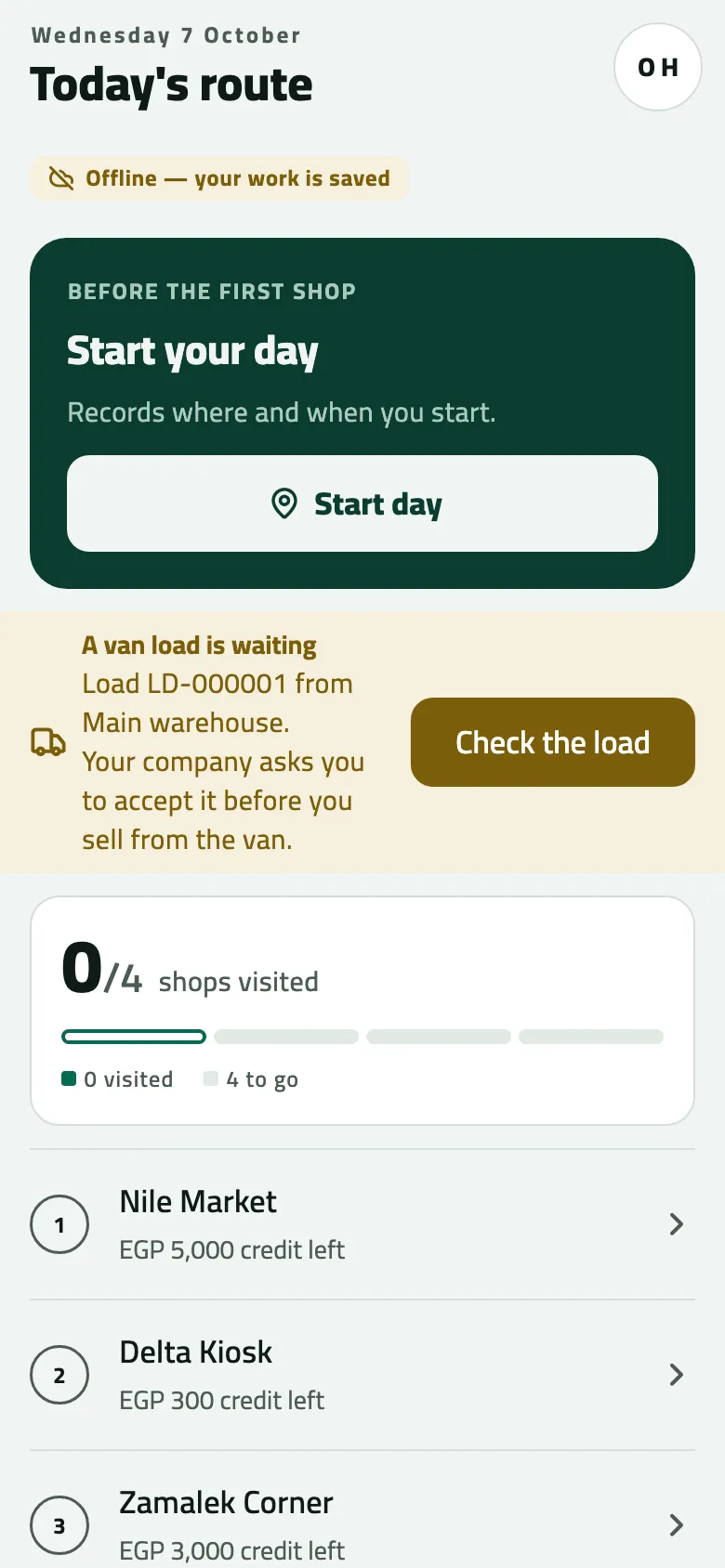
- Sync pill: whether your work has reached the office
- Start your day (it stands in for the next stop until you start)
- A van load is waiting: check it before you sell
- The round: visited and still to go
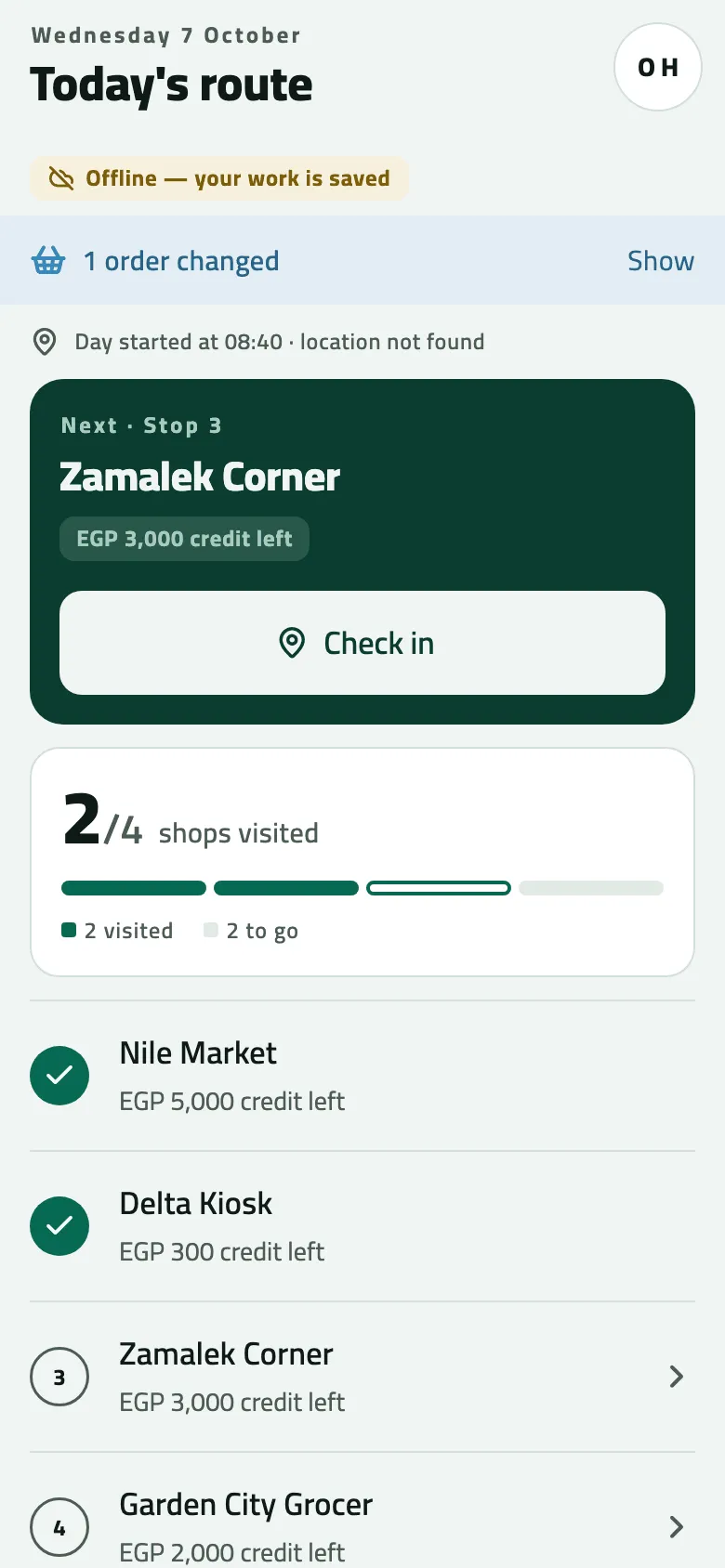
- Order updates: what the office did to your orders
- Next stop
- The round so far
Pull down to sync
Section titled “Pull down to sync”Pull the list down to send your work and fetch the office’s at once. Today also syncs when it first opens, after Start day and End day, and each time you come back to it from a shop you opened here. Besides, the phone syncs by itself when signal comes back, when you come back to the app, and every 5 minutes while it is open (Work offline and sync).
A route that goes in order
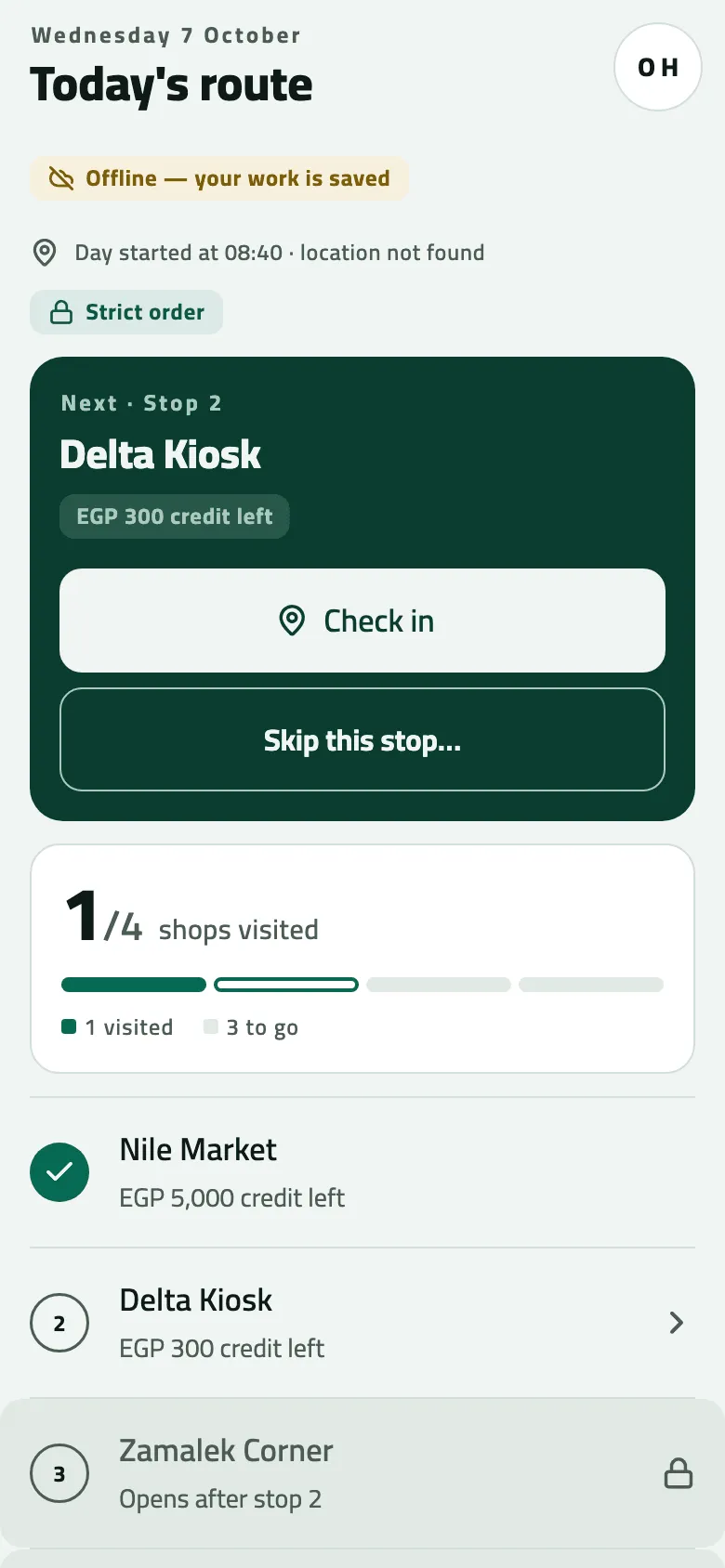
Section titled “A route that goes in order”On a Strict order route only the next stop opens. Later rows are grey with a padlock and Opens after stop 2; tapping one says “This route goes in order. Stop 2 comes first: visit it, or skip it from Today.” To pass a stop you can’t visit, tap Skip this stop… on the Next card, say why (the office sees the reason) and tap Skip.
Example
Section titled “Example”At 08:40 on the Nile Fresh day Omar’s Today reads 0/4 shops visited, with Start your day and A van load is waiting · Load LD-000001 from Main warehouse. By 11:30 it reads 2/4, and 1 order changed tells him the supervisor approved Delta Kiosk’s order.
If something goes wrong
Section titled “If something goes wrong”| What you see | What to do |
|---|---|
No journey planned for today · Pull to refresh | Pull down in signal. If it stays empty, you have no stops today: the office puts you on a round and on a route that visits shops today. |
3 waiting, and it doesn't go away | The phone sends only when you sync. Pull down on Today in signal. |
No Next stop card | A visit is still open (tap Back to visit), or Start your day is still waiting for you. |
Not yet | A strict route: visit the stop before, or skip it from Today. |
No End day button | On a day with no stops there is no End day button; the day is closed overnight. |
Yesterday's round after midnight | Today moves to the new day when you open the app again. Pull down. |