

Make price lists and set prices
A price belongs to a list, and a list carries a currency. Customers are given a list. Who: administrator · Where in the cycle: Set up.
Before you start
Section titled “Before you start”- Manage products and prices (CATALOG_MANAGE) to change; anyone with Download data to the phone can read.
- The products exist with the units you want to price (Set up a product).
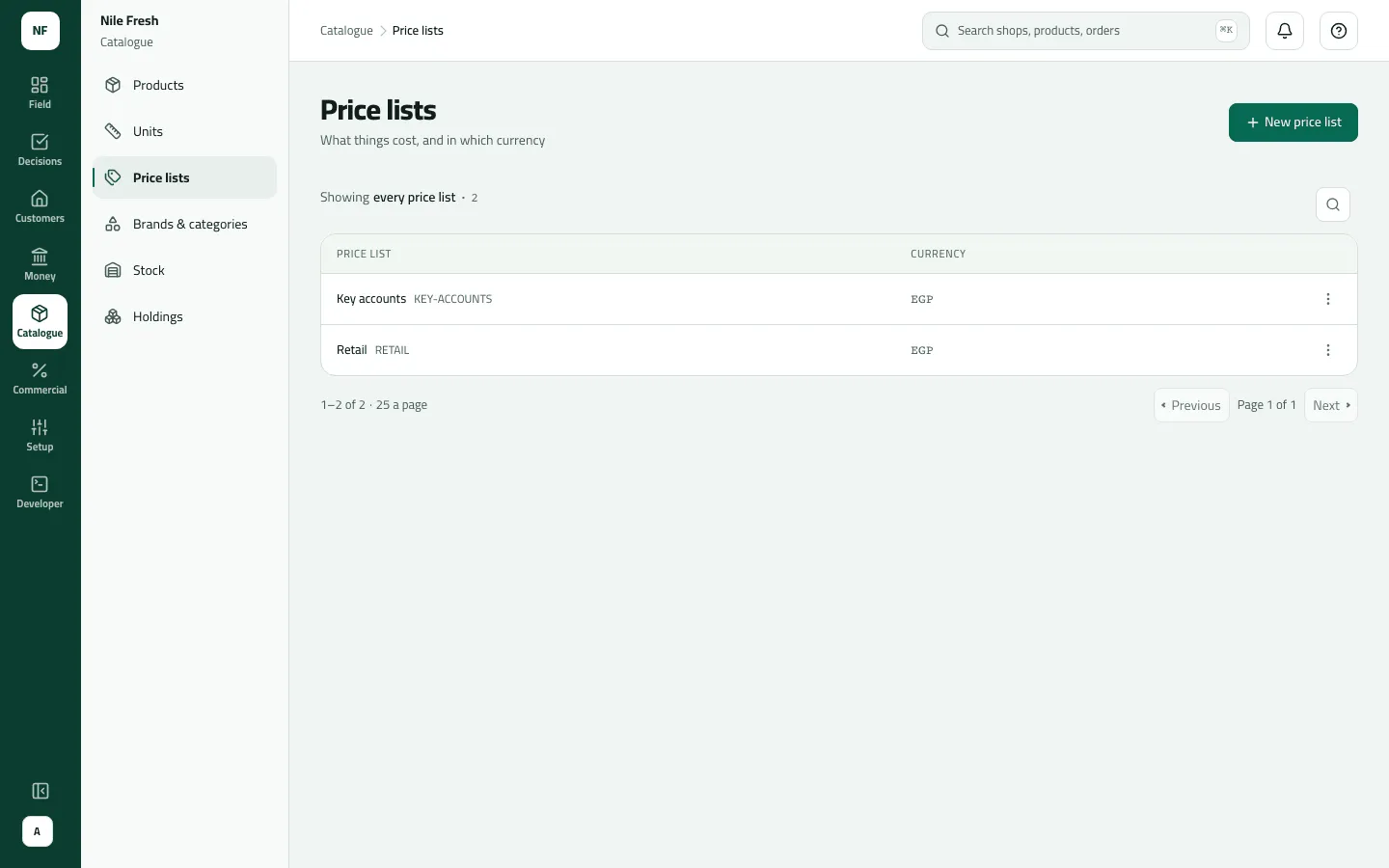
- Open Catalogue › Price lists and press New price list: Code, Name, Currency (your company’s by default). Save.
- On its row choose Prices.
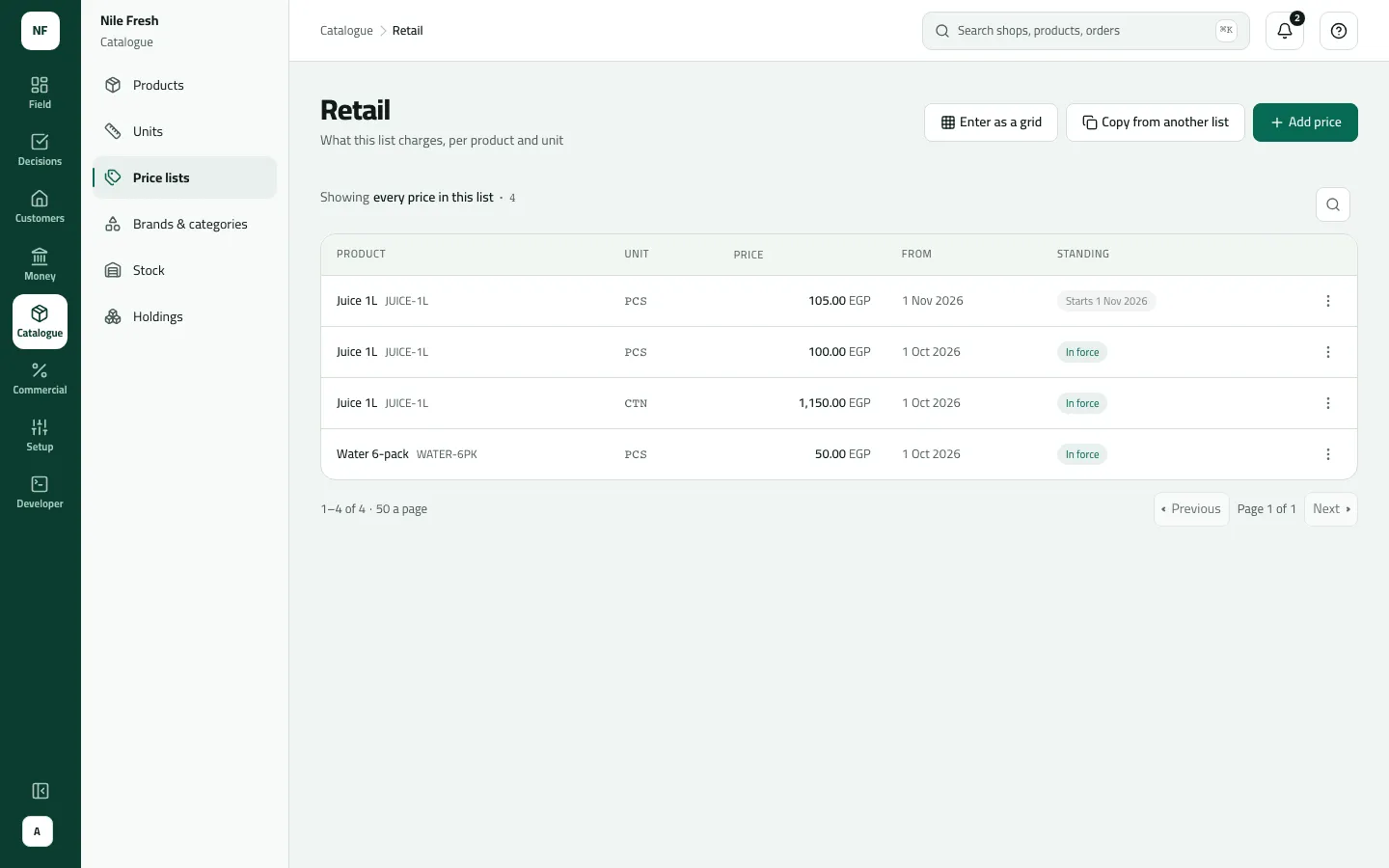
- Press Add price: Product, Unit, Price, First day, and a Last day only if it should stop (“Leave the last day empty to keep it until another price replaces it.”). Save.
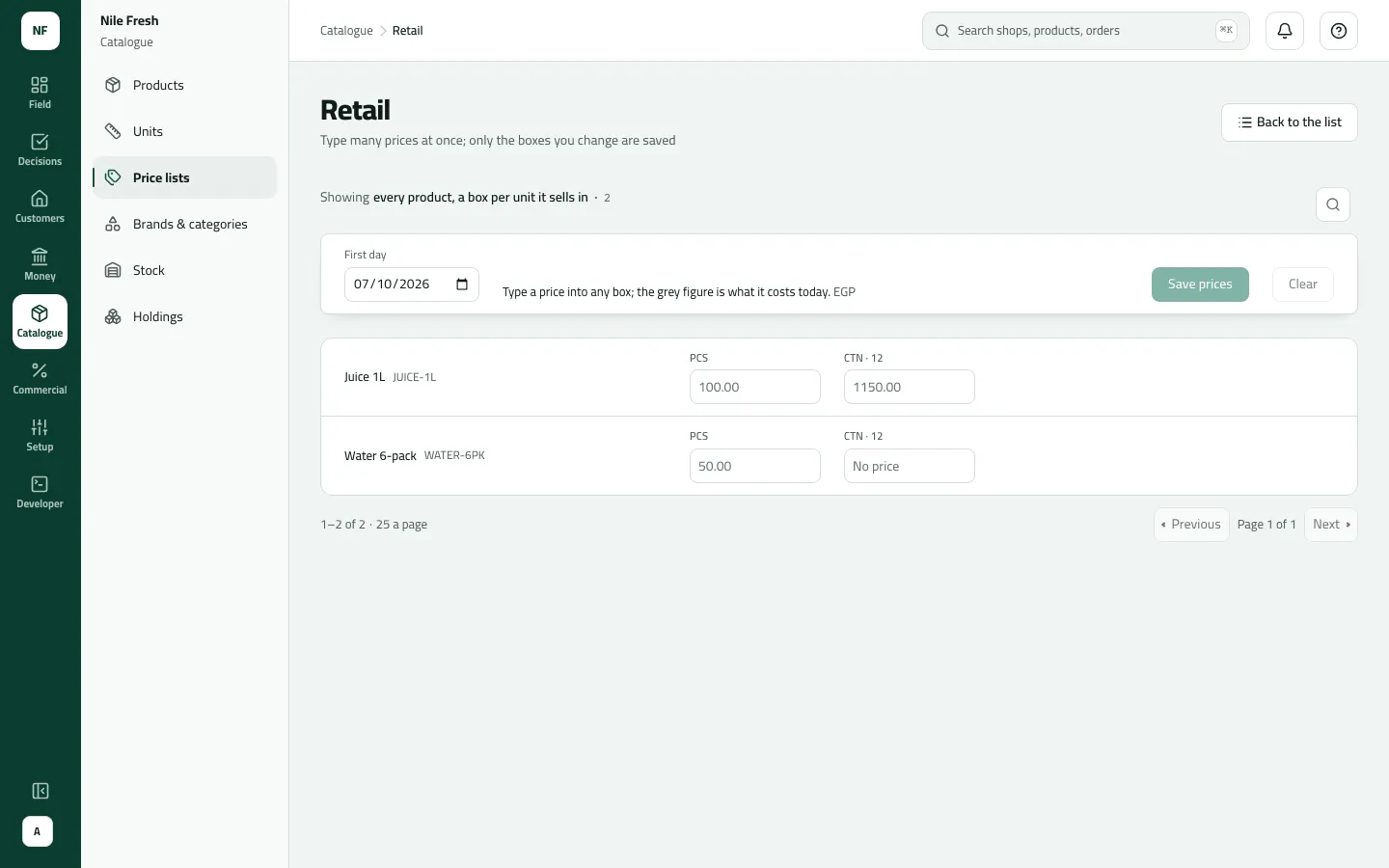
- Many at once: Enter as a grid shows one row per product and one box per unit. Type the prices you change, set the First day for the lot, and press Save prices.
- To change a price, row menu › Change (amount, first or last day). To drop one, Remove.
- To build a list from another, Copy from another list: the source list (same currency), a Change %, Round to, and the First day. Check the three preview lines, then Copy prices.
- Standing
Each price’s Standing: In force, Starts date, Ended date, or Replaced by a later price (a later-starting price for the same product and unit is in force).
Who sees which price
Section titled “Who sees which price”- The customer’s price list — the branch’s own list if it has one, else the customer’s.
- On that list, the price for that product and unit in force on the order’s day.
- If two are in force, the one with the later first day wins.
A carton price is its own row: it is never 12 × the piece price.
Example
Section titled “Example”Nile Fresh’s RETAIL list, in EGP, from 2026-10-01: Juice 1L PCS 100.00 and CTN 1,150.00; Water 6-pack PCS 50.00. With VAT 14% added, four bottles of Juice 1L come to 400.00 + 56.00 = 456.00. Suppose Nile Fresh adds a Juice 1L price of 105.00 starting 1 November: both rows are listed, the new one “Starts 1 Nov”; on 1 November it becomes In force and the old one shows Replaced by a later price.
What happens next
Section titled “What happens next”- New orders and invoices use the new price from its first day; orders already taken keep theirs.
- Phones get prices at their next sync.
- Recorded in the audit trail (“Saved a price”, “Copied a price list”).
If something goes wrong
Section titled “If something goes wrong”| What you see | What to do |
|---|---|
This shop has no price list. Ask the office to assign one. NO_PRICE_LIST | The customer (and its branch) has no list. Give it one on the customer. |
A product has no price today. Remove it or ask the office to set a price. NO_VALID_PRICE | Nothing on the list is in force that day for that product and unit. Add a price, or check its dates. |
A price has to be more than zero | The console doesn't accept 0. For free goods, use a promotion. |
That list has no price in force on that day, so there is nothing to copy. PRICE_COPY_NOTHING | The source list has nothing in force on that first day. Pick another day. |
That list is in another currency. Copy from a list in the same currency. PRICE_COPY_CURRENCY | Copy only between lists in the same currency. |
Too many prices at once. Save this page, then the next. TOO_MANY_PRICES | Save this grid page, then the next. |
That currency isn't known. Use a three-letter code such as EGP. INVALID_CURRENCY | Use a three-letter code such as EGP. |
A product isn't in Add price's list | Add price offers the first 500 products. Use the grid, which searches all of them. |
Prices for one trade channel and minimum prices can only come from an ERP.