

An order is still waiting
A shop asks where its goods are, or the rep sees an order that hasn’t moved since the morning. A booked order passes through several hands — the supervisor, the office, sometimes your ERP — and each one is a step someone has to take. Who it happens to: reps with booked orders, the office, supervisors. Where in the cycle: Approve what waits.
Van sales never wait: they are delivered and invoiced as they are sold. This page is about booked orders, and orders the office took by phone.
Check, in this order
Section titled “Check, in this order”Open the order: on the phone from Orders, in the console from Field › Orders (search its number). Then read its status.
-
Waiting approval (phone: Waiting for approval, or “Over credit — waits for approval”). The order went over the shop’s credit limit under the company rule Needs approval, or the rep gave a bigger discount than they may. A supervisor decides it on Decisions › Approvals (Approve or decline a held order). The office sees it in the bell’s Approvals count and under Orders to approve on the dashboard. The rep can Withdraw order from the phone meanwhile.
-
Approved. Approving moves nothing by itself. Without an ERP that collects orders, the office now presses Confirm, then Delivered, on the order’s page (Confirm, deliver or cancel an order). The phone has no way to deliver a booked order: it stays Approved on the rep’s phone until the office delivers it.
-
Confirmed (phone: Being prepared). The office is filling it. If part of it arrived, the page shows “N still to come of M”; it stays Confirmed until every line has arrived.
-
With ERP. Your company waits for its ERP: the order went there on receipt or approval, and there is no Confirm or Delivered in the console. The ERP collects it and answers. ERP failed means the ERP refused it; fix the cause in the ERP, then Send to ERP again (See what changes when your company waits for its ERP).
-
Received with no decision or delivery for a long time — check it isn’t simply the next one in the office’s queue: Field › Orders, Table view, sorted by status.
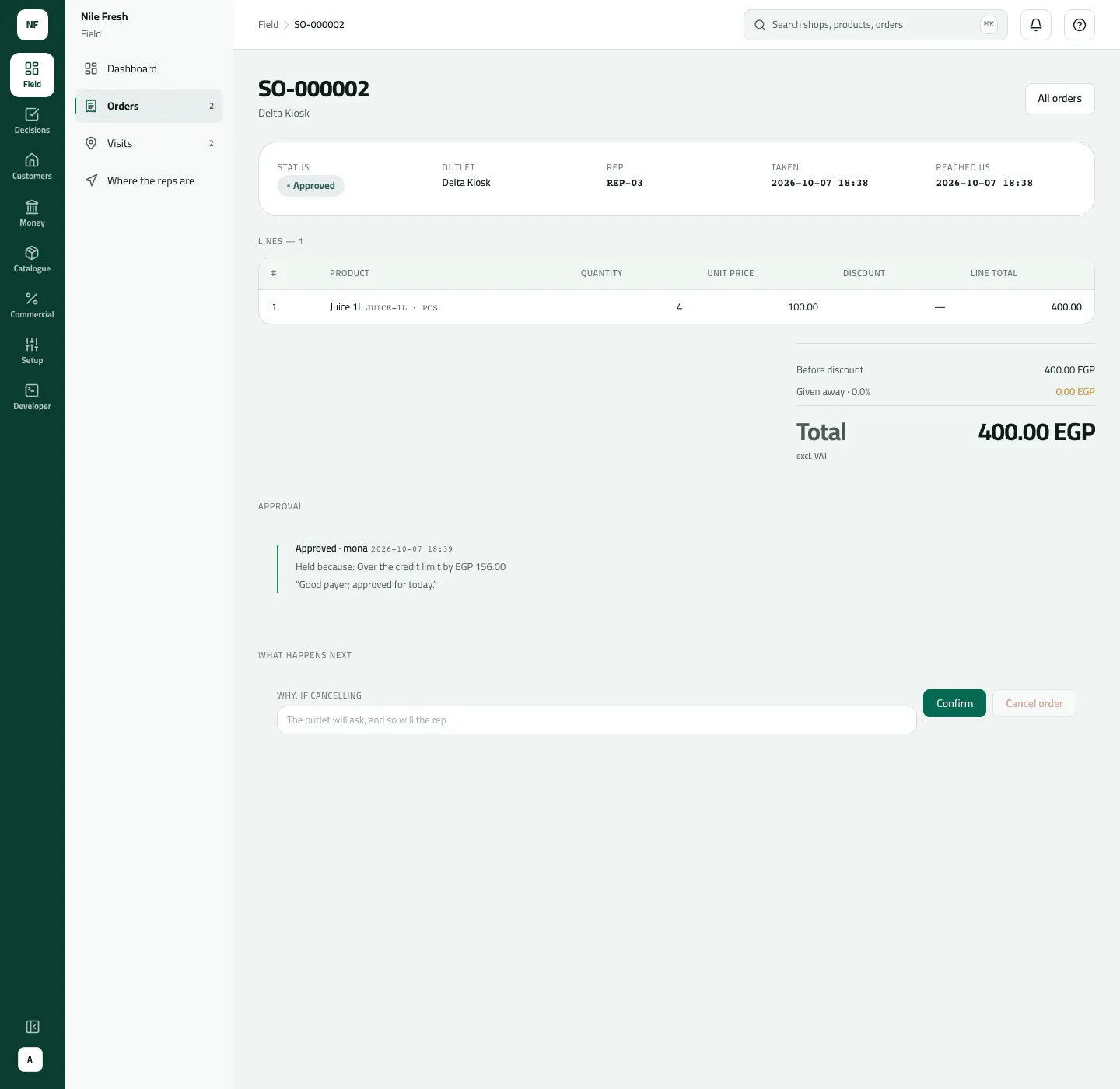
- Approval
- Confirm
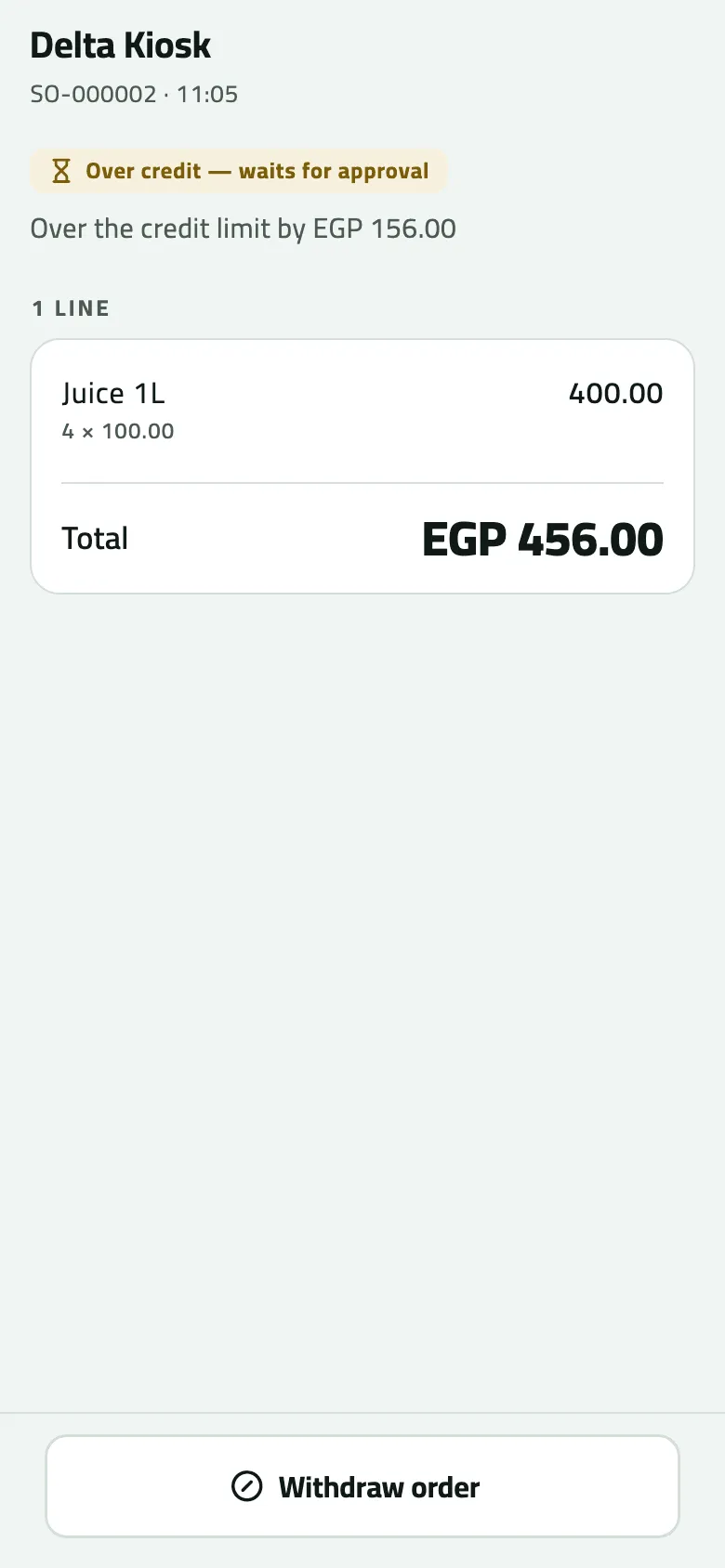
- Why it waits: over the credit limit by EGP 156.00
- Withdraw order, while it waits
“No invoice yet”
Section titled ““No invoice yet””On the phone a booked order says “No invoice yet. It appears once the goods are handed over and the sale syncs.” That is normal: the invoice is issued by the office’s Delivered, not when the order is taken. Once delivered, the invoice is in the console under Money › Invoices (Find and reprint an invoice).
When the rep finds out
Section titled “When the rep finds out”The phone learns what happened to an order at its next sync: Today shows N orders changed and Order updates lists them. A rep waiting on a decision pulls down on Today from time to time.
If something goes wrong
Section titled “If something goes wrong”| What you see | What to do |
|---|---|
This order is no longer waiting for approval. Refresh to see what happened to it. NOT_WAITING | It was decided (or withdrawn) before your action arrived. Refresh, or pull down on Today. |
You took this yourself, so someone else has to decide it. SELF_APPROVAL | You took this order; someone else decides it. |
This is above the limit your role allows. Ask someone with a higher limit to do it. LIMIT_EXCEEDED | The order is above your approval limit (compared with the total before VAT). Ask someone with a higher limit. |
That step isn't possible for this order now. Refresh to see its current state. INVALID_TRANSITION | Someone moved the order first. Refresh to see its state. |
Choose which warehouse the goods left from, then deliver again. STOCK_SOURCE_REQUIRED | Choose Leaves from on the order's page, then deliver again. |
There isn't enough stock at that location. INSUFFICIENT_STOCK | The warehouse doesn't hold enough. Receive the goods first, or record what arrived. |
Approved on the phone for days | The office hasn't delivered it. Call them with the order number. |
When to contact Slflo
Section titled “When to contact Slflo”When an order stays With ERP although your ERP says it collected it, or when you want your company to stop (or start) waiting for its ERP — that switch is set by Slflo, not on a screen.