

Approve or decline a held order
An order stops for a person for one of two reasons: it goes over the customer’s credit limit and your company lets such orders wait, or the rep gave a bigger discount than they may. Approving moves nothing by itself. Who: supervisor · Where in the cycle: Approve.
Before you start
Section titled “Before you start”- Approve orders (ORDER_APPROVE) opens Decisions › Approvals and lets you approve; Decline orders (ORDER_DECLINE) lets you decline. The built-in Supervisor has both for their team, approving orders up to 50,000.
- You see the orders of the reps your Approve orders reaches. You never decide an order you took yourself.
- Only booked orders and office orders wait. A van sale can’t wait: the phone books it as an order for delivery instead.
- Open Decisions › Approvals (the Orders tab), or press Approvals in the bell, or Orders to approve on the dashboard.
- Read the row: Why it stopped, Order, Shop · rep, Total with VAT, Given away (the discount, and its %) and Waiting. The oldest waits first; search by order number or shop.
- Open the order number if you need the lines.
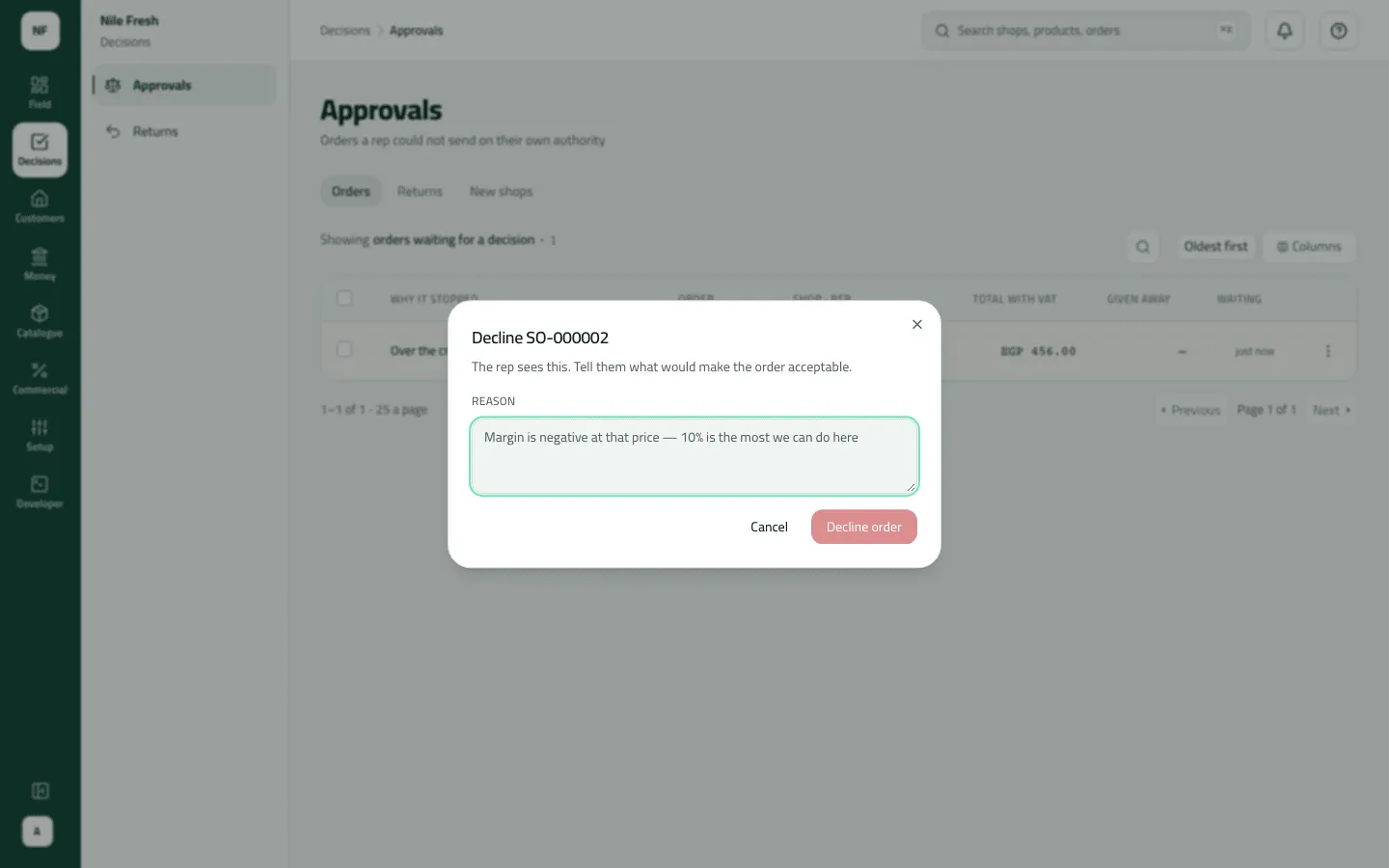
- In the row’s menu choose Approve — or Decline, type the Reason (“The rep sees this. Tell them what would make the order acceptable.”) and press Decline order.
- To approve several, tick them and press Approve in the bar; each is decided on its own and the result lists any refused.
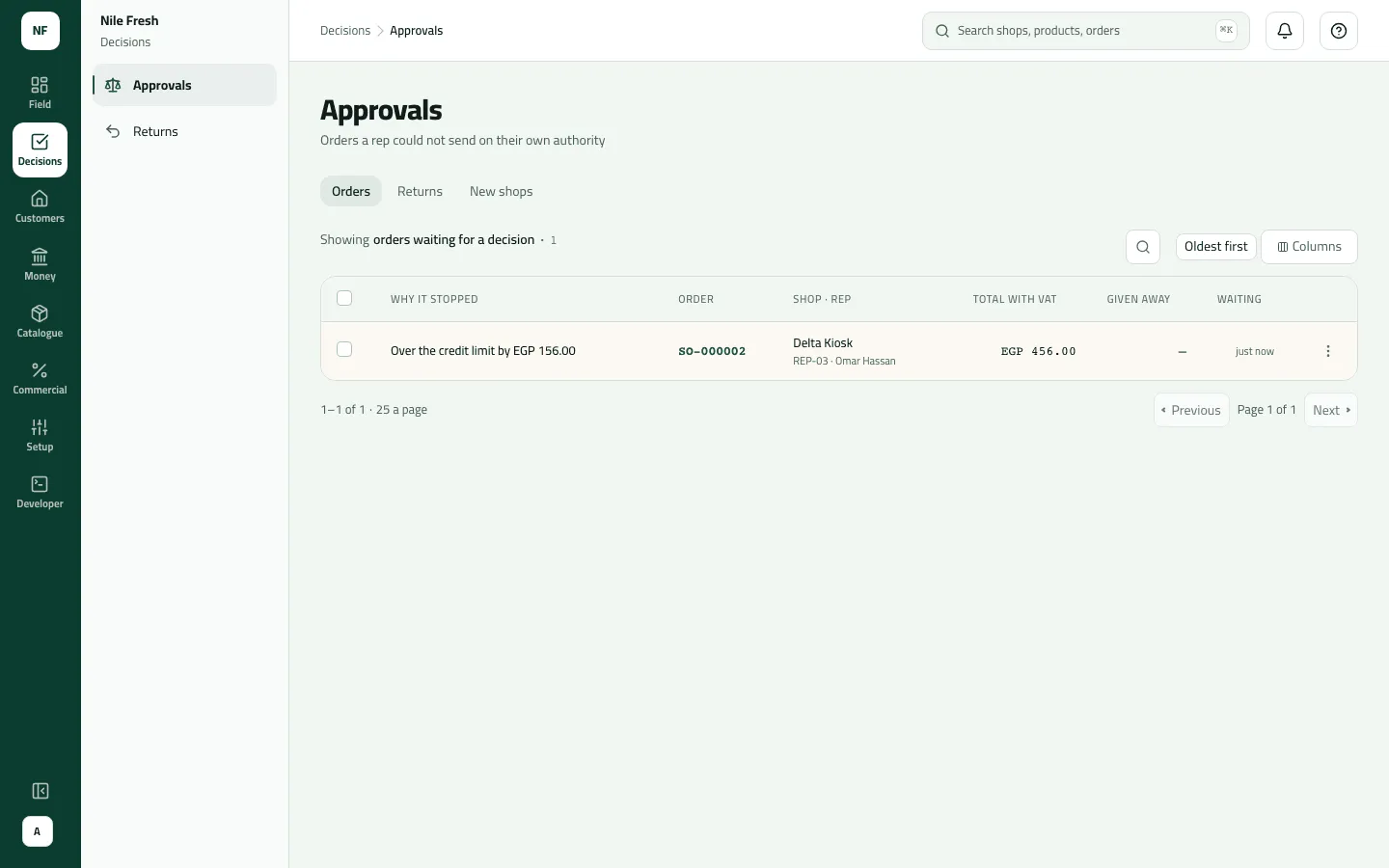
- Why it stopped
- Total with VAT
- Given away
Example
Section titled “Example”At 11:05 Omar books 4 Juice 1L for Delta Kiosk. It is 456.00 with VAT on a 300.00 limit, so it waits; at 11:20 Sara approves it from the list.
Delta Kiosk wants 4 Juice 1L, 456.00 with VAT, on a 300.00 limit. The company asks for approval, so the order waits for the supervisor.
Sales order SO-000002 — status: pending approval · total: 456.00 · reason: credit limit exceeded (over 156.00)
| Item | Before | After | Change |
|---|---|---|---|
| Delta Kiosk credit limit | 300.00 EGP | 300.00 EGP | 0 |
| Order over the limit by | 0.00 EGP | 156.00 EGP | +156.00 |
- Nothing moves while the order waits: no stock, no invoice, nothing owed.
The supervisor approves the order from the list. Omar's phone shows it as approved at its next sync.
Sales order SO-000002 — status: approved
The row read Over the credit limit by EGP 156.00, Total with VAT EGP 456.00. After Approve the order is Approved and waits on Orders for the office to confirm and deliver it — at 11:30 on the day (Confirm, deliver or cancel an order).
Suppose instead Omar holds a 5 % discount allowance (an exception) and books 20 Juice 1L for Zamalek Corner with 8 % off: 2,000.00 − 160.00 = 1,840.00, plus VAT 257.60 = 2,097.60. It stops with Discount of 8% is above the 5% this rep may give, and Given away reads EGP 160.00 · 8%.
What happens next
Section titled “What happens next”- Approve: the order becomes Approved. No stock moves and no invoice is issued — that happens when the office delivers it. With an ERP that collects orders, it goes to the ERP instead.
- Decline: the order becomes Declined with your reason. It stops counting against the customer’s credit and the promotion’s budget. Nothing moved, so nothing moves back.
- The rep: sees the decision at the next sync, in Order updates on Today; a declined order shows your reason. Nothing is pushed to the phone.
- Audit: “Approved an order” / “Declined an order”.
- Credit isn’t checked again when you approve.
If something goes wrong
Section titled “If something goes wrong”| What you see | What to do |
|---|---|
You took this yourself, so someone else has to decide it. SELF_APPROVAL | You took this order. Someone else has to decide it. |
This order is no longer waiting for approval. Refresh to see what happened to it. NOT_WAITING | Someone decided it first, or the rep withdrew it from the phone. Refresh. |
This is above the limit your role allows. Ask someone with a higher limit to do it. LIMIT_EXCEEDED | The order is over your approval limit. The limit is compared with the total before VAT. Ask someone with a higher limit. |
Add a reason, then send again. REASON_REQUIRED | A decline needs a reason the rep can act on. |
Nothing is waiting | No order is held for the reps you reach. A supervisor sees her own team only. |