

Find a shop
The Shops tab lists every shop on your routes, not only today’s. Use it to find a shop that isn’t next, or to look up what a shop owes. Who: rep · Where in the cycle: Visit.
Before you start
Section titled “Before you start”- You are on one or more routes. The phone holds only your routes’ shops; there is no list of all your company’s customers.
What each row shows
Section titled “What each row shows”- The shop’s name, and when you visit it: Today, stop 2, a weekday, or Not planned this week.
- Its area or address, and No map pin if the office hasn’t pinned it.
- On the right, its credit left (EGP 5,000 · credit left) or No limit.
- A customer with several branches is one card — “Nile Trading Co. · 3 branches · EGP 18,400 left” — with a row per branch, the main branch first.
- Pills: Waiting for approval (a shop you proposed), Declined, Approved. Details arrive with the next sync., Blocked for sales.
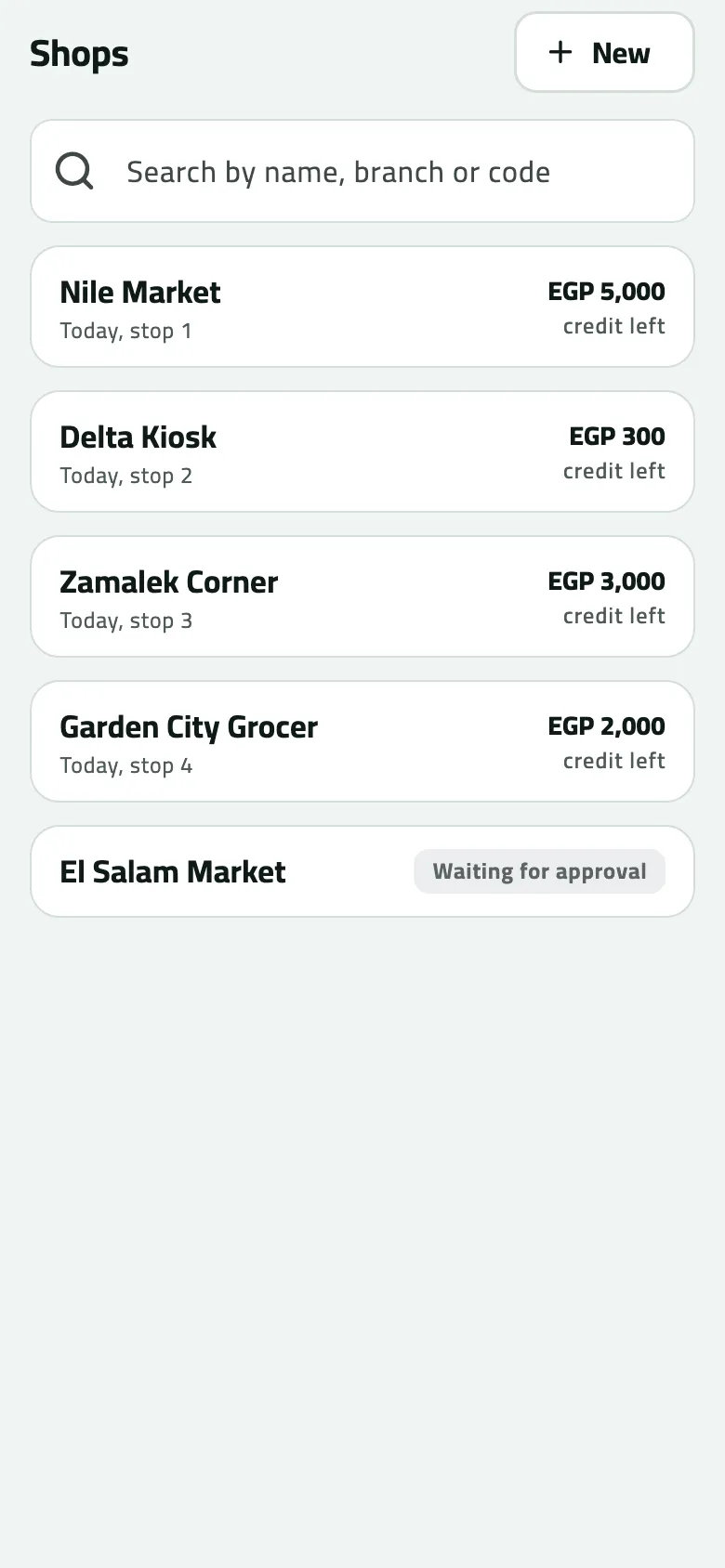
- Today, stop 1
- Credit left
- Waiting for approval
Find one
Section titled “Find one”Type in Search by name, branch or code. A customer’s name (in either language) or code keeps all its branches; otherwise a branch’s name, code, area or address matches. Tap a row to open the shop (Check in at a shop). If the shop is on today’s round, the visit counts for that stop.
The New button at the top proposes a shop you found on the street (Propose a new shop).
Example
Section titled “Example”At 11:00 Omar types “delta”. Delta Kiosk shows Today, stop 2 and its credit left. He taps it to open the shop.
If something goes wrong
Section titled “If something goes wrong”| What you see | What to do |
|---|---|
No shops assigned | Right after the first sign-in, wait for the sync to finish or pull down on Today. If it stays empty, the office hasn't put shops on your route. |
No shop matches that | Try fewer letters, the code, or the branch's area. Shops on other reps' routes are not on your phone. |
A shop you visit is missing | It isn't on any of your routes. Ask the office to add it to your route. |