

Refuse a van load that doesn't match, and send it again
Suppose the morning after the Nile Fresh day the van load comes up two bottles short. This example follows the refusal from the phone to the office and back, with what the warehouse and the van hold after each step. Who: rep and office · Where in the cycle: Load.
Before you start
Section titled “Before you start”- The office has Move stock (STOCK_MOVE); so does the rep’s role.
- Nile Fresh’s rule for checking a load is Confirm only — accept or refuse the whole load — and reps accept the load before selling (Choose how reps work on the road).
- Overnight stock, from the day before: MAIN holds 66 Juice 1L and 60 Water 6-pack; VAN-03 holds 40 Juice 1L and 38 Water 6-pack.
The example, step by step
Section titled “The example, step by step”1 · 07:45 · The office loads VAN-03 — console
Section titled “1 · 07:45 · The office loads VAN-03 — console”On Catalogue › Stock the storekeeper presses Move stock, chooses Load a van, From MAIN, To VAN-03, and two lines: Juice 1L 20, Water 6-pack 10. Save: “Stock loaded.” The card LD-000002 appears under Van loads waiting for you, “Not checked by the rep yet”. The stock moves now, not when Omar answers:
| Item | Before | After | Change |
|---|---|---|---|
| Main warehouse · Juice 1L | 66 PCS | 46 PCS | −20 |
| Main warehouse · Water 6-pack | 60 PCS | 50 PCS | −10 |
| VAN-03 · Juice 1L | 40 PCS | 60 PCS | +20 |
| VAN-03 · Water 6-pack | 38 PCS | 48 PCS | +10 |
2 · 08:00 · Omar counts 18 Juice and refuses — phone
Section titled “2 · 08:00 · Omar counts 18 Juice and refuses — phone”On Today, Omar taps Check the load on “A van load is waiting”. Check your van load shows Juice 1L +20 · 40 · 60 (This load · Already on van · Total after). He counts 58 bottles on the van, not 60. He taps Refuse…, chooses Quantities don’t match under Why, writes the Note for the office “2 Juice short”, and taps Refuse load: “Load refused. The office is told.”
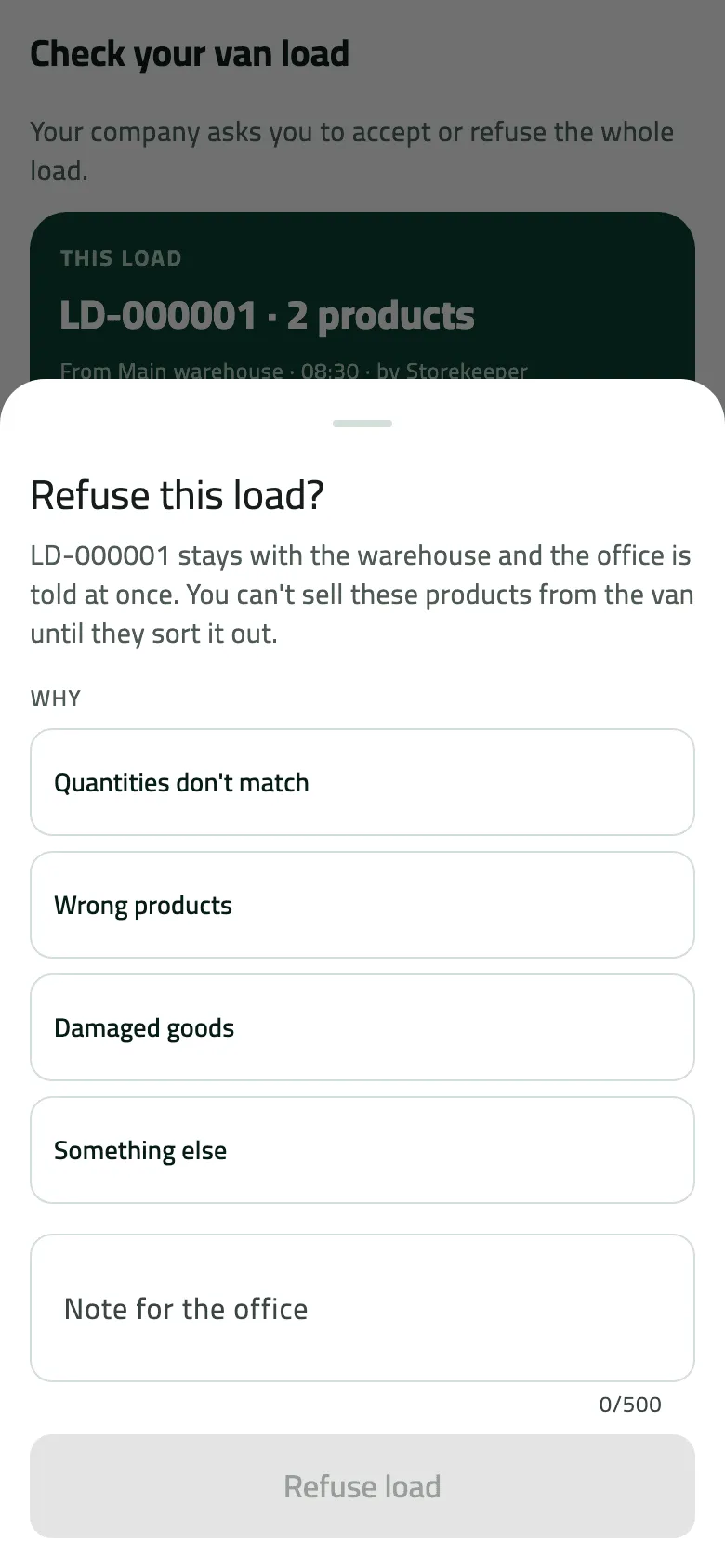
The Refuse sheet before a reason is picked, on the Nile Fresh day's load LD-000001.
- The whole load goes back to the warehouse at once
The phone takes the load off the van at once. When the refusal reaches the office (Omar pulls down on Today), the whole load goes back to MAIN — both lines, not just the missing two bottles:
| Item | Before | After | Change |
|---|---|---|---|
| VAN-03 · Juice 1L | 60 PCS | 40 PCS | −20 |
| VAN-03 · Water 6-pack | 48 PCS | 38 PCS | −10 |
| Main warehouse · Juice 1L | 46 PCS | 66 PCS | +20 |
| Main warehouse · Water 6-pack | 50 PCS | 60 PCS | +10 |
The card now reads Refused by the rep, with “Quantities don’t match” and the note. The bell’s Van loads row counts it.
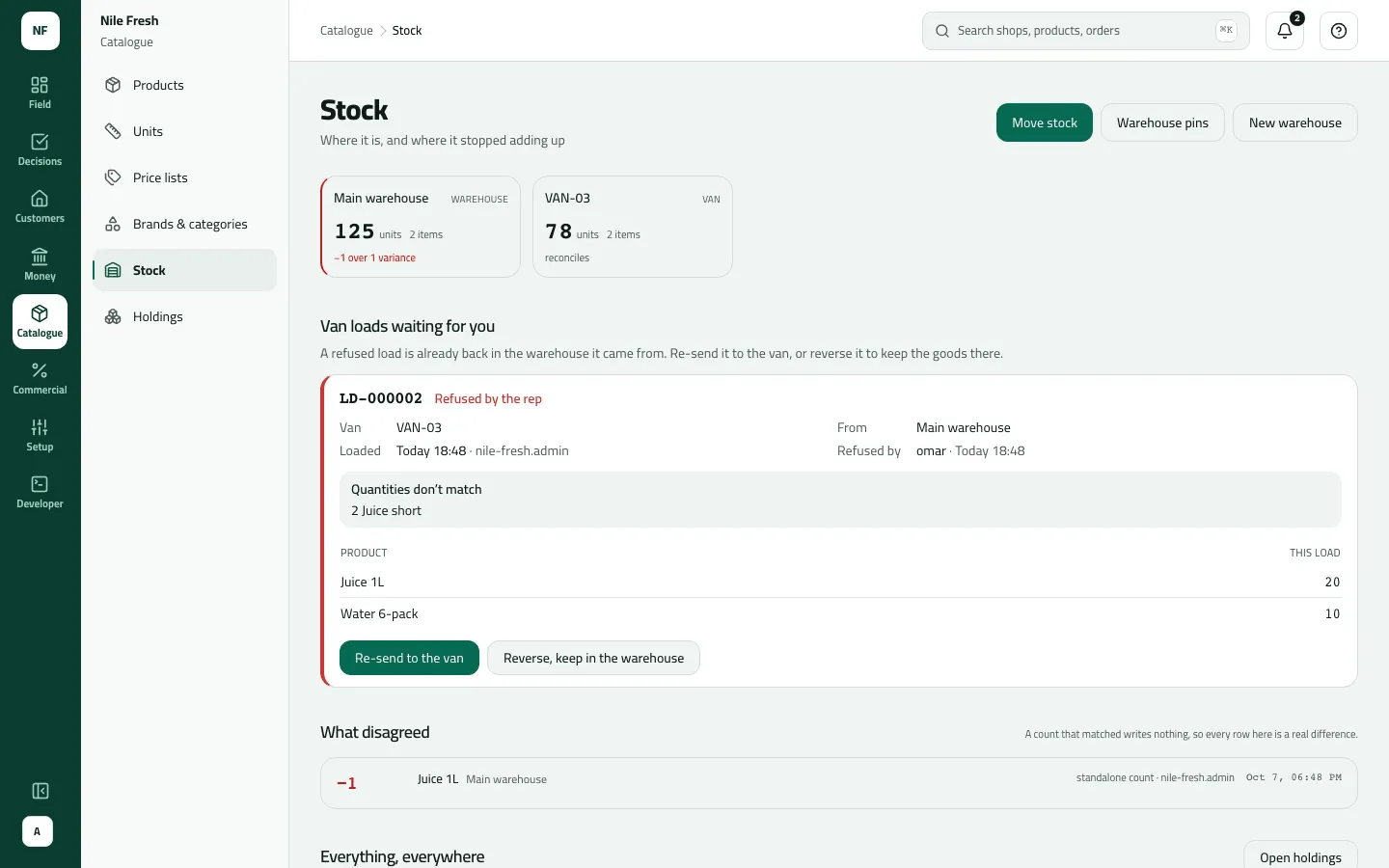
- Reason and note
- Re-send to the van
- Reverse, keep in the warehouse
3 · 08:20 · The office finds the bottles and re-sends — console
Section titled “3 · 08:20 · The office finds the bottles and re-sends — console”The storekeeper finds the two bottles behind a pallet and puts them with the rest. On the card she presses Re-send to the van: “Re-sent. The rep checks the new load on the phone.” Re-send loads the same lines again as a new load, LD-000003; LD-000002 is closed as re-sent.
| Item | Before | After | Change |
|---|---|---|---|
| Main warehouse · Juice 1L | 66 PCS | 46 PCS | −20 |
| Main warehouse · Water 6-pack | 60 PCS | 50 PCS | −10 |
| VAN-03 · Juice 1L | 40 PCS | 60 PCS | +20 |
| VAN-03 · Water 6-pack | 38 PCS | 48 PCS | +10 |
4 · 08:30 · Omar accepts LD-000003 — phone
Section titled “4 · 08:30 · Omar accepts LD-000003 — phone”At his next pull-down, A van load is waiting shows LD-000003. He counts 60 bottles, taps Accept load — “Load accepted. The office has it.” — and his van sales open. Nothing moves: the stock moved at 08:20.
On Catalogue › Holdings, the Movements link on VAN-03’s Juice 1L row reads +20 (LD-000002), −20 (the refusal), +20 (LD-000003): 60 on the van.
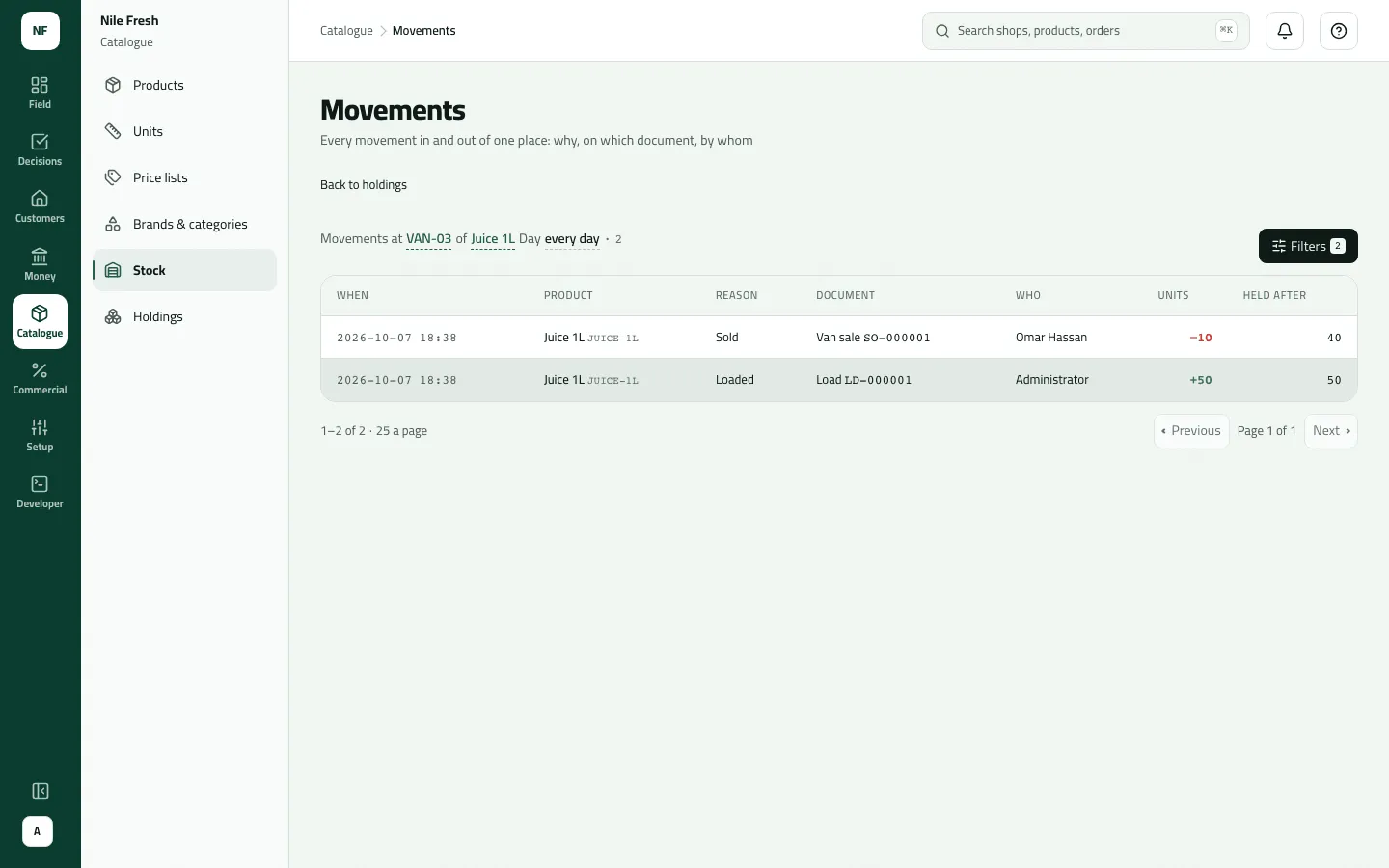
Nothing was refused on the Nile Fresh day, so VAN-03’s Juice shows only the load and one sale.
- Reason
- Held after
The same morning under the Count rule
Section titled “The same morning under the Count rule”If Nile Fresh asked reps to count the load, Omar would change Juice 1L from Loaded 20 to 18 (the line turns amber, 2 short) and tap Confirm load. Nothing goes back: the van is set to what he counted.
| Item | Before | After | Change |
|---|---|---|---|
| VAN-03 · Juice 1L | 60 PCS | 58 PCS | −2 |
| Main warehouse · Juice 1L | 46 PCS | 46 PCS | 0 |
The card reads Counted with differences. Once the office knows where the two went, it presses Mark as checked, which moves nothing. Bottles found later in MAIN are added by a stock count there (Receive goods, count stock and write off).
What happens next
Section titled “What happens next”- Stock: a refusal returns the whole load to the warehouse it came from; Re-send moves it out again; Reverse, keep in the warehouse and Mark as checked move nothing.
- Documents: a re-send has a new load number (LD-000003); the refused load keeps its own.
- Audit: “A van load was refused”, “Sent a van load again”.
- ERP: nothing is sent; van stock is Slflo’s own.
If something goes wrong
Section titled “If something goes wrong”| What you see | What to do |
|---|---|
Some of this load has already been sold from the van, so it can't be refused. Tell the office. LOAD_PARTLY_SOLD | Omar sold from the van before refusing, so the van no longer holds the whole load. Tell the office; it corrects the stock with a count or an unload. |
Choose why you are refusing the load and add a note for the office. LOAD_REFUSAL_REASON_REQUIRED | Choose a reason and write a note for the office. |
This load was refused and the office is sorting it out. Pull down to refresh. LOAD_ALREADY_REFUSED | The load is already refused. Wait for the office to re-send it. |
This load has already been sorted out. Refresh to see what was done. LOAD_NOT_OPEN | Someone already re-sent, reversed or checked this load. Refresh. |
There isn't enough stock at that location. INSUFFICIENT_STOCK | Re-send needs the goods back in the warehouse. Receive them, or reverse and load less. |