

Change language and theme, or sign out
Settings is not a tab: tap your initials in the circle at the top right of Today. Who: rep · Where in the cycle: any stage.
What is in Settings
Section titled “What is in Settings”- Language — العربية or English. The whole app switches at once, direction too, and remembers it. Shop and product names follow the language when the office gave both.
- Appearance — Follow the phone (the default), Light or Dark.
- Synchronisation — Last synced, Waiting to send, Failed (only when there is any), and Sync now (Work offline and sync).
- Help — Open the help center opens this help center in the phone’s browser, on Read your day on Today, in the app’s language. Needs signal.
- Device — Signed in as, Device ID (DEV- and 8 characters; the office may ask for it) and App version.
- Change password — your current password and a new one of at least 8 characters. Needs signal. The phone says Password changed.
- Sign out.
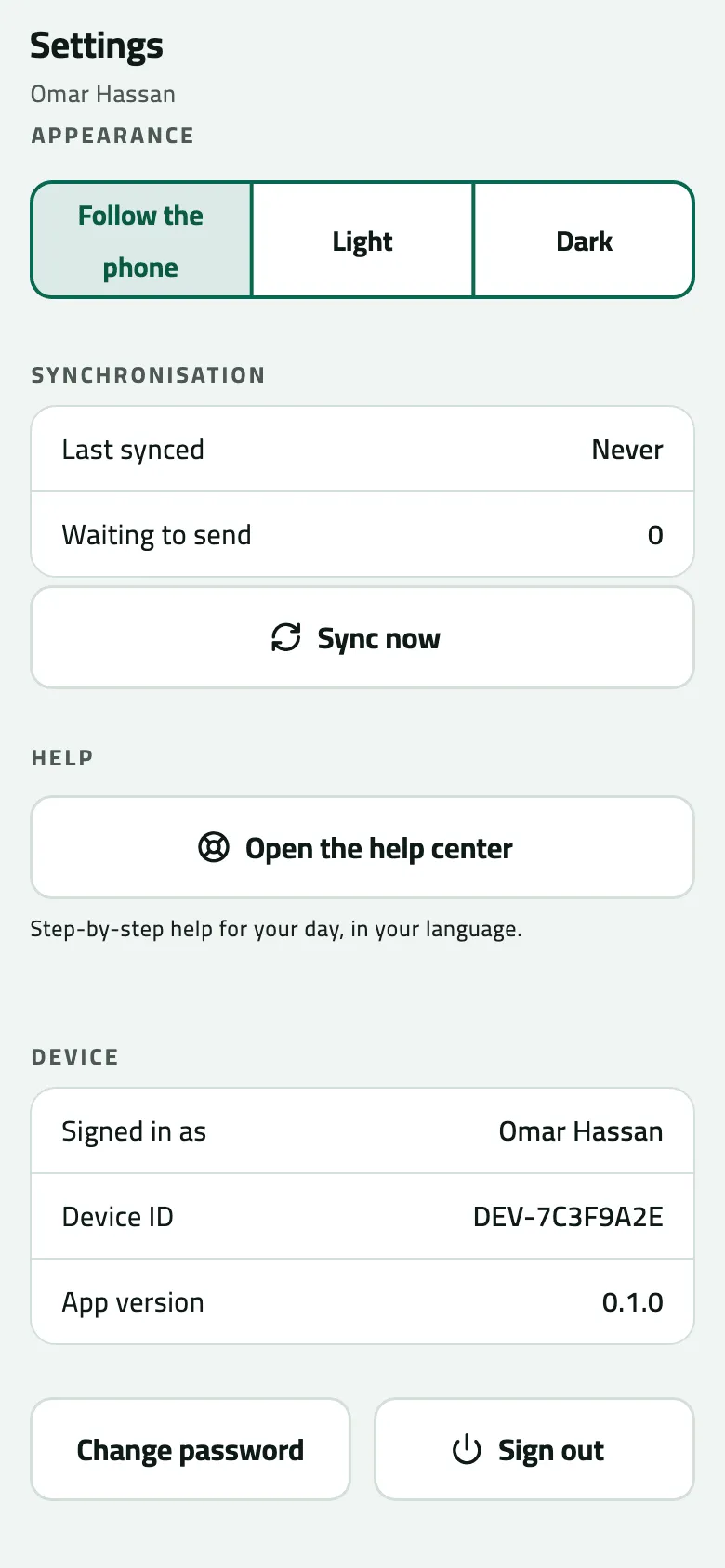
- Synchronisation
- Help: opens this help center in the browser
- Device ID: give it to the office if asked
- Sign out: wipes the phone
There is no printer setting or notification setting in the app.
Sign out safely
Section titled “Sign out safely”Signing out clears the phone: everything on it, including work not yet sent, is deleted, and it returns to sign-in. You rarely need it — only when you hand the phone to someone else.
- Open Settings and tap Sync now in signal. Wait until Waiting to send is 0 and there is no Failed line.
- Tap Sign out.
- Read Sign out?:
- “Everything has been sent. This device will be cleared.” — safe; tap Sign out.
- “Unsent work will be lost and this device will be cleared. 3 operations are still waiting.” — tap Cancel, go back to signal and sync first.
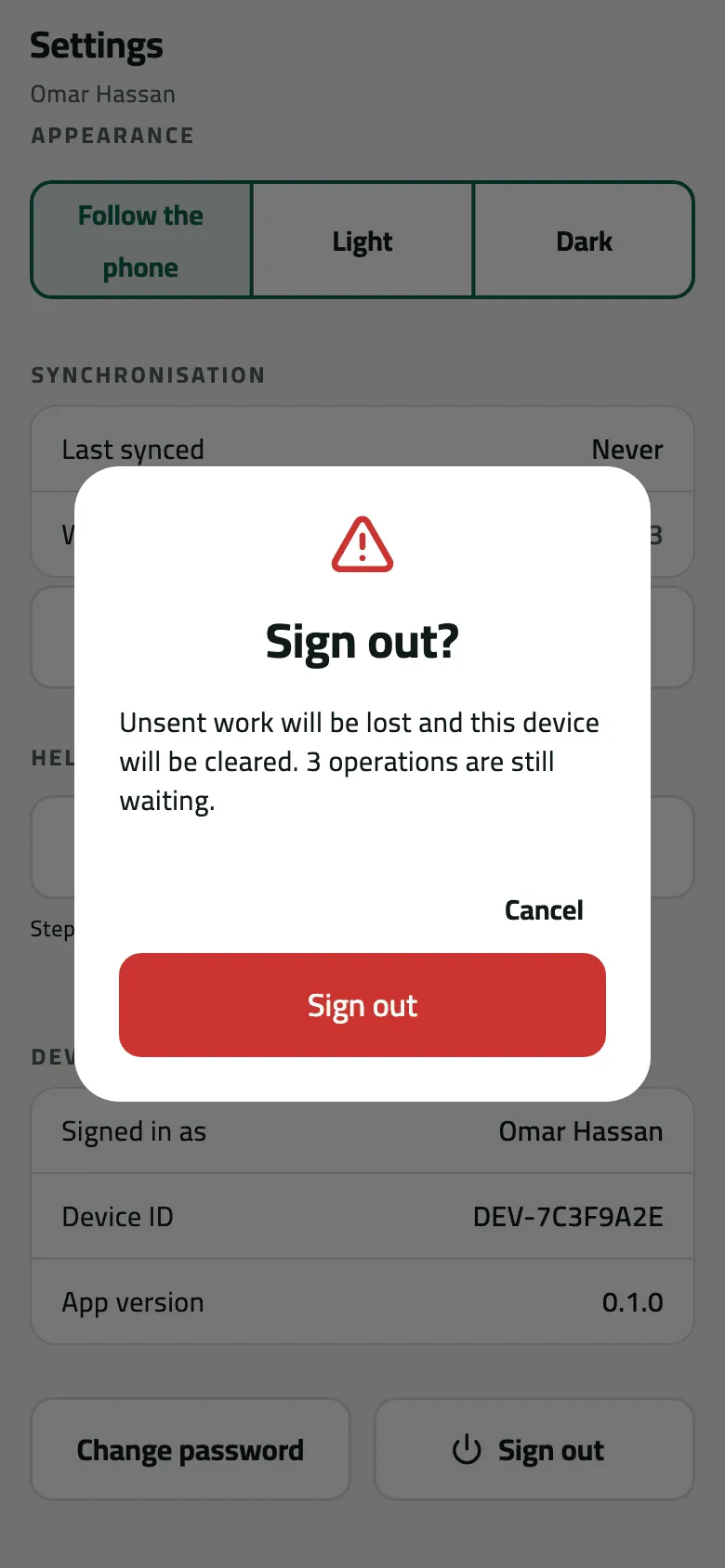
- Signing out with work waiting loses it
Example
Section titled “Example”Omar switches the app to English. At the end of the week he hands the phone in: he taps Sync now, but Sign out? says “3 operations are still waiting.” He taps Cancel, pulls down on Today in signal until it reads Everything sent, and then signs out.
What happens next
Section titled “What happens next”- After sign-out, live location sharing stops and the app opens on Sign in.
- Signing back in as yourself fetches your round, shops and van again at the first sync.
If something goes wrong
Section titled “If something goes wrong”| What you see | What to do |
|---|---|
That current password is not right | Type the password you sign in with now. |
At least 8 characters | Choose a longer new password. |
Could not reach the server. Try again. | Changing the password needs signal. |
Failed: 1 | Work the phone gave up sending. Don't sign out; call the office. |