

Check in at a shop
Checking in (check-in) records the time and one location reading at the shop, starts the visit, and opens selling there. Who: rep · Where in the cycle: Visit.
Before you start
Section titled “Before you start”- Location is on in the phone.
- You are at the shop. The phone compares where you are with the shop’s pin and its radius — 150 m unless the office set another for this shop.
- Your company’s rules decide what happens farther away, off today’s route, or out of order (Choose how reps work on the road).
The shop before you check in
Section titled “The shop before you check in”Open the shop from Today, the Next card or Shops. Top to bottom:
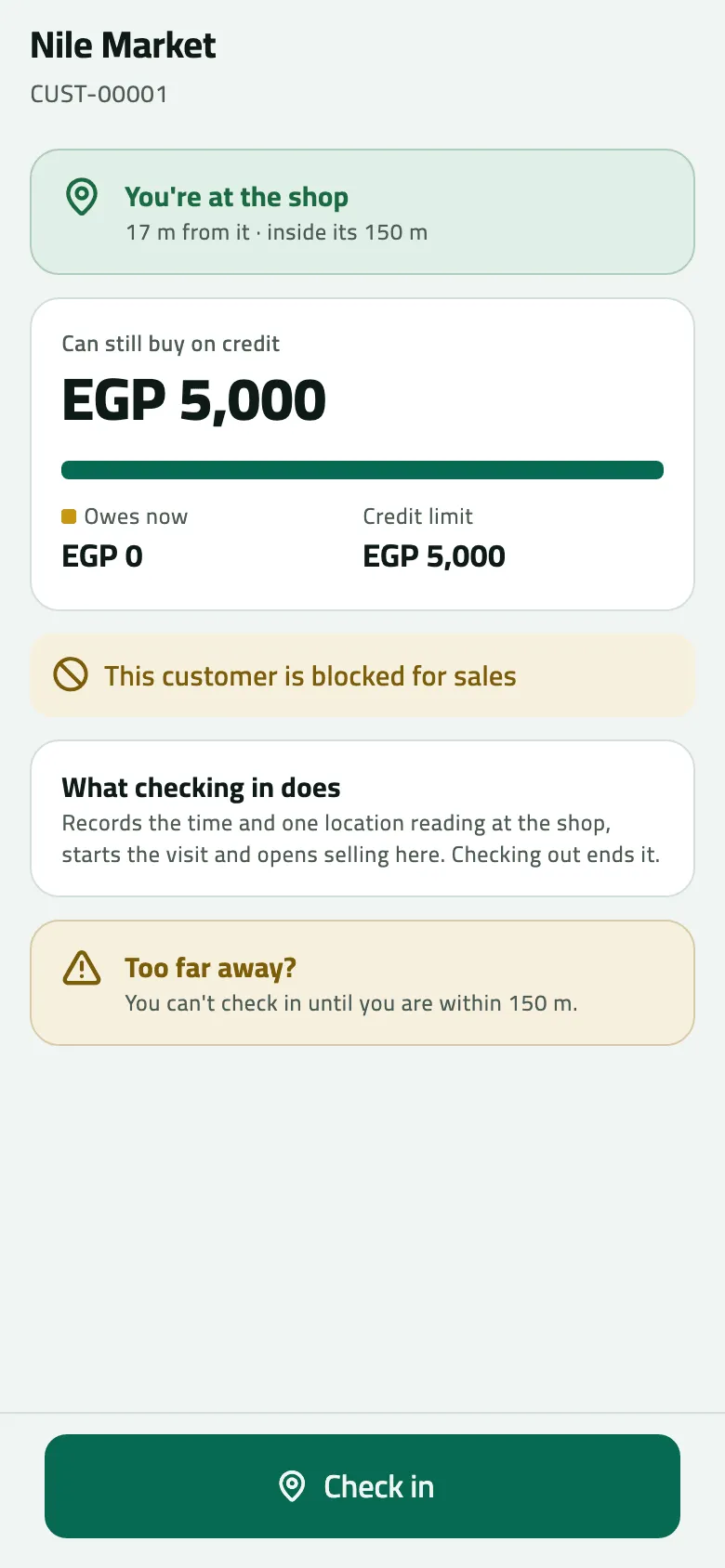
- Where you are — You’re at the shop · 17 m from it · inside its 150 m (green), Away from the shop · 400 m from it · its radius is 150 m (amber), This shop has no pin, or No location reading (“Turn on location to see how far the shop is.”).
- Can still buy on credit, with Owes now and Credit limit (or No credit limit).
- This customer is blocked for sales, if the office put it on hold.
- Payments and returns the office didn’t accept, each with its reason.
- What checking in does and Too far away? — your company’s rule in a sentence: “Give a reason and check in anyway. The office sees it.” or “You can’t check in until you are within 150 m.”
- Without checking in — New order, Collect payment, Take goods back, only if your company lets you sell without a check-in.
- Recent invoices — the last three; tap one to open it.
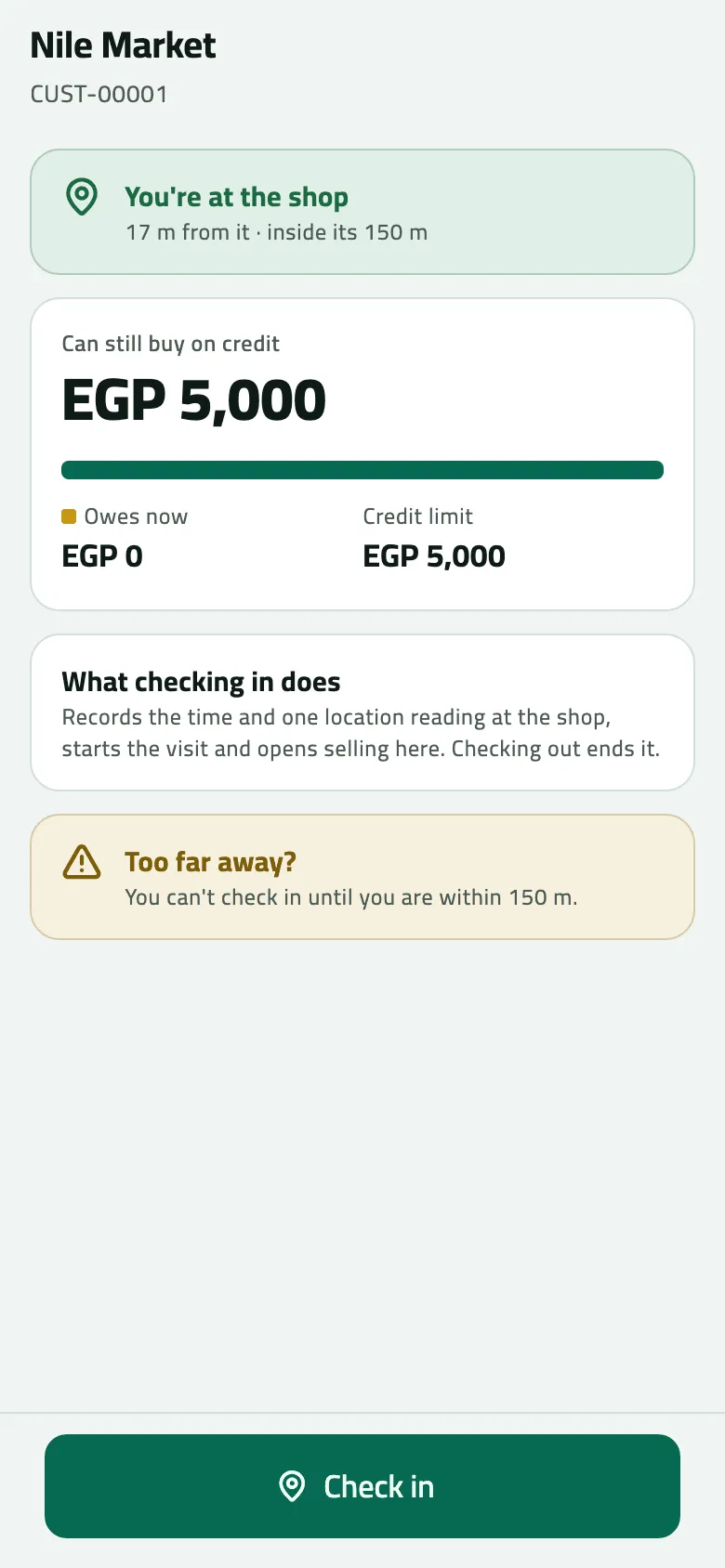
- Where you are: 17 m from the shop, inside its 150 m
- Credit the shop can still buy on
- Check in
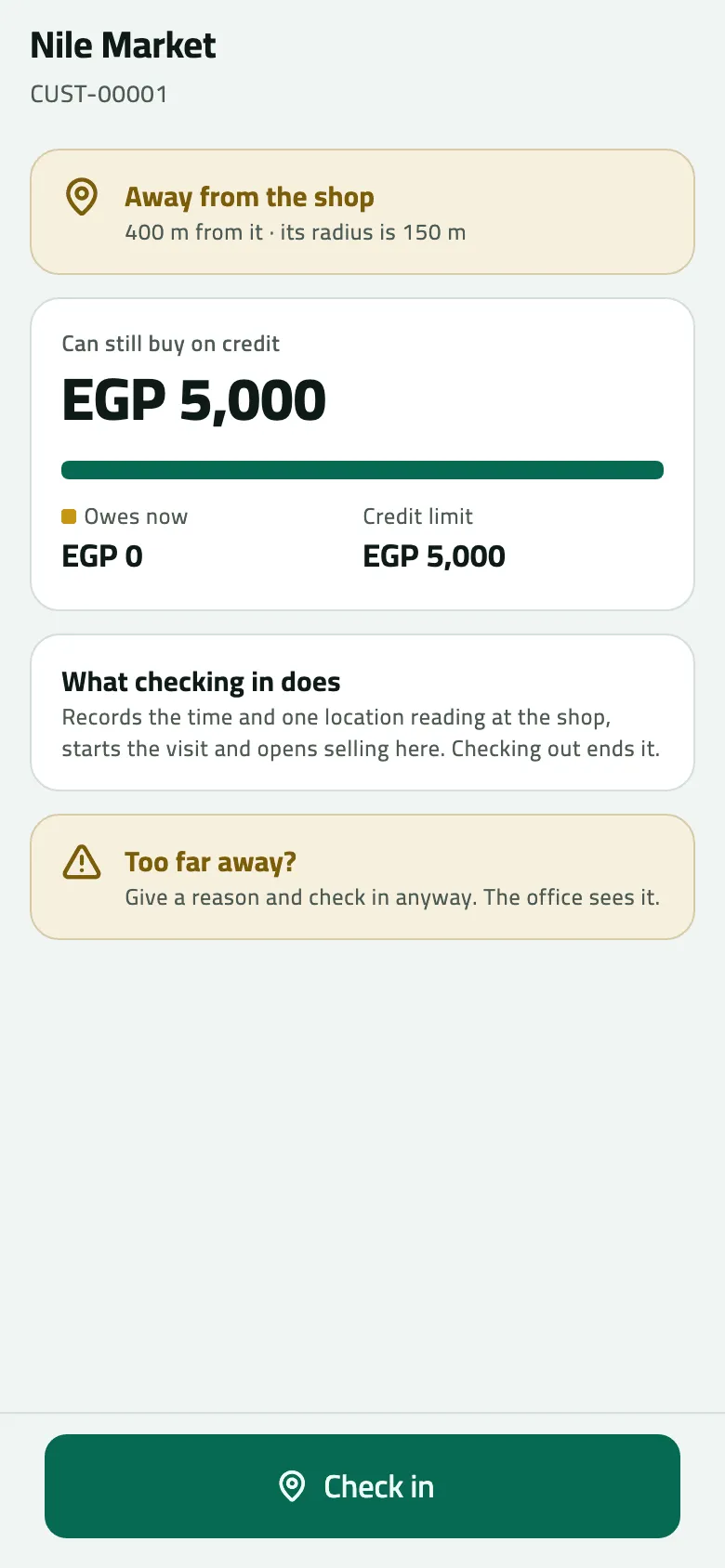
- Tap Check in at the bottom.
- If you already ended today, Your day is ended asks “Check in anyway? The visit is recorded as usual.” Tap Check in anyway, or Keep it ended.
- The phone checks the route: on a strict route a later stop says Not yet; a shop not on today’s plan may ask Not on today’s route for a reason, or refuse.
- It reads your location and compares it with the pin:
- inside the radius — the visit starts;
- outside, if your company allows it — Away from the shop: “You are 400 m away. Give a reason to continue.” Type the Reason and tap Record visit;
- outside, if your company blocks it — Too far from the shop, and no visit;
- no reading or no pin, if your company blocks — No location asks why.
- If your day isn’t started yet and your company records it, checking in starts it (and may ask to share your location first — Start your day).
- The shop shows Visit in progress, a big New order and the tiles Collect payment, Take goods back and Shelf check. Today ticks the stop.
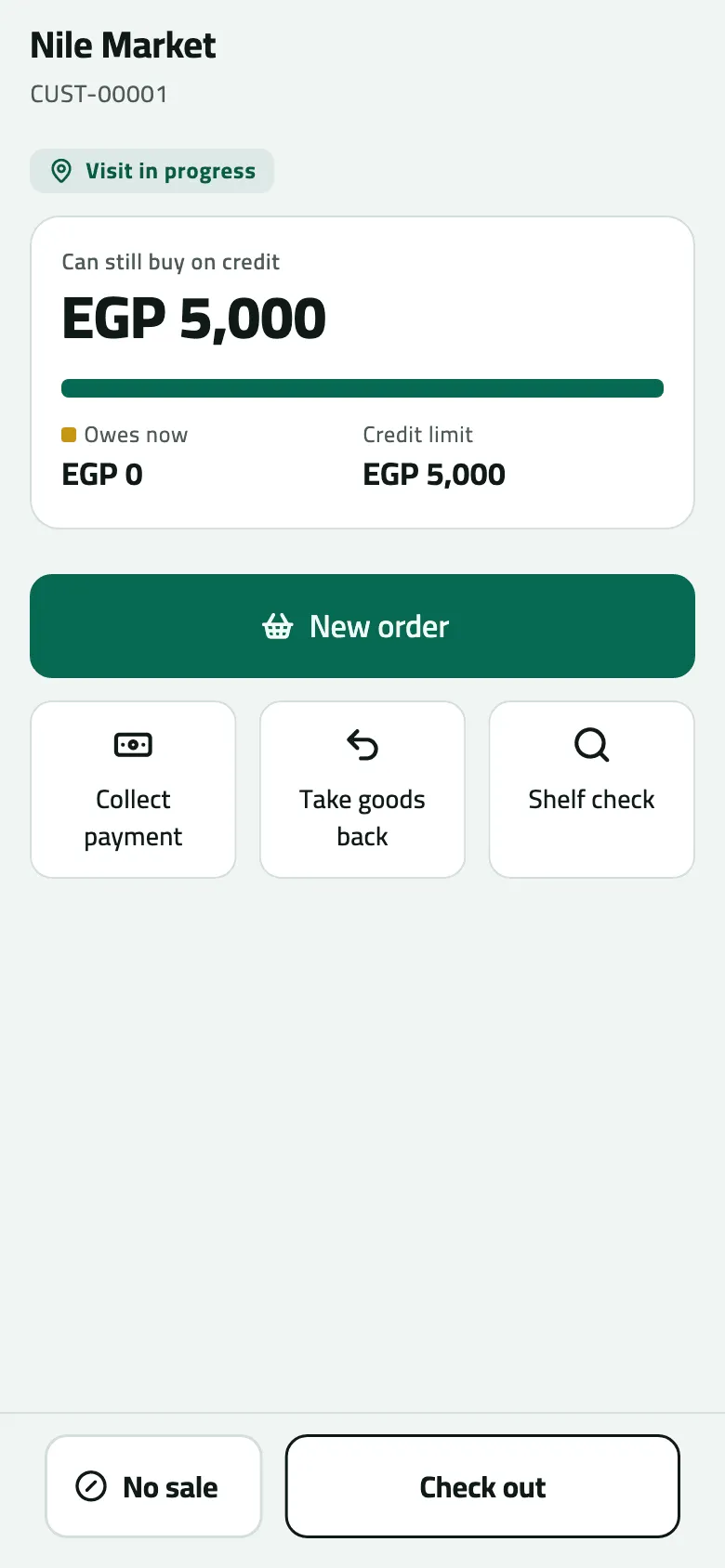
- New order
- Collect payment, take goods back, shelf check
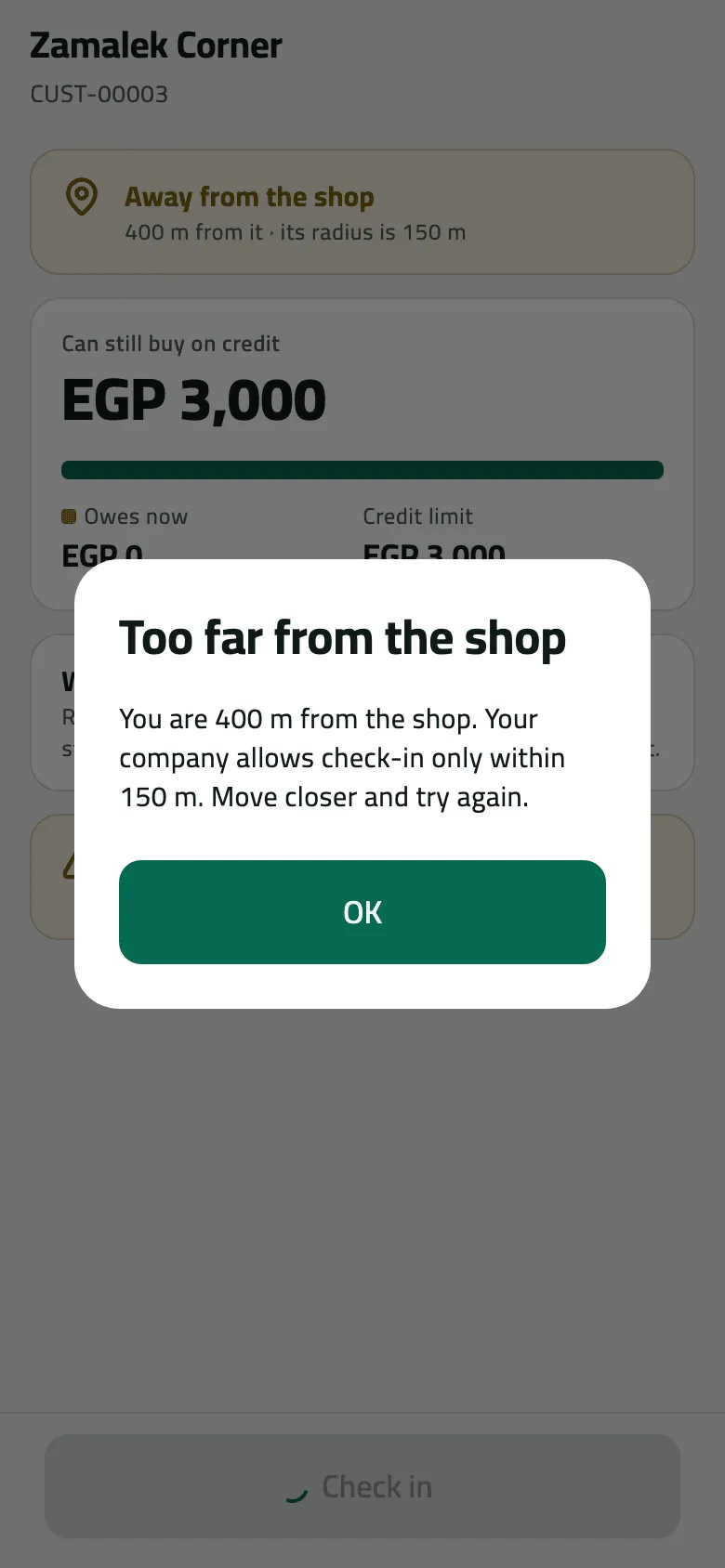
- Refused under Block: move closer
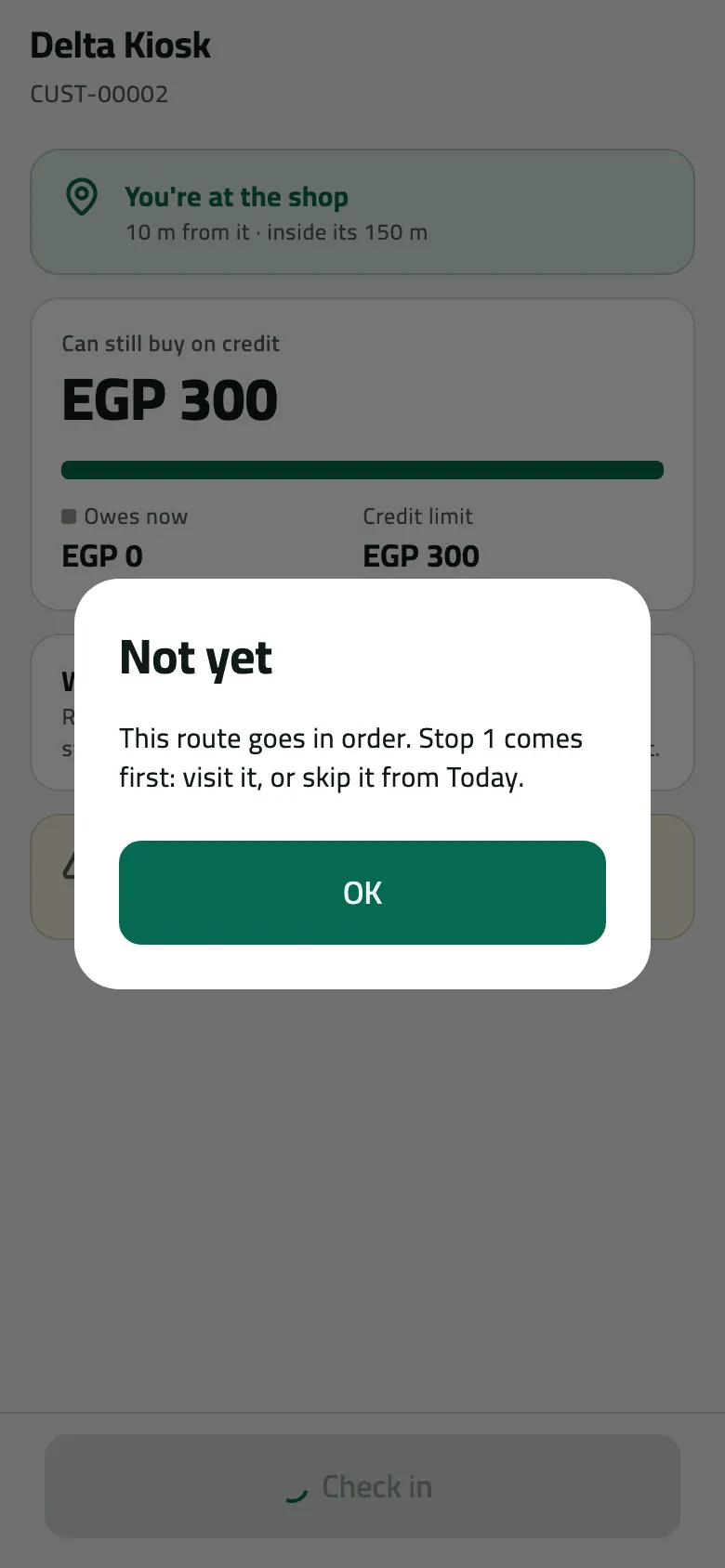
- Visit stop 1 first, or skip it from Today
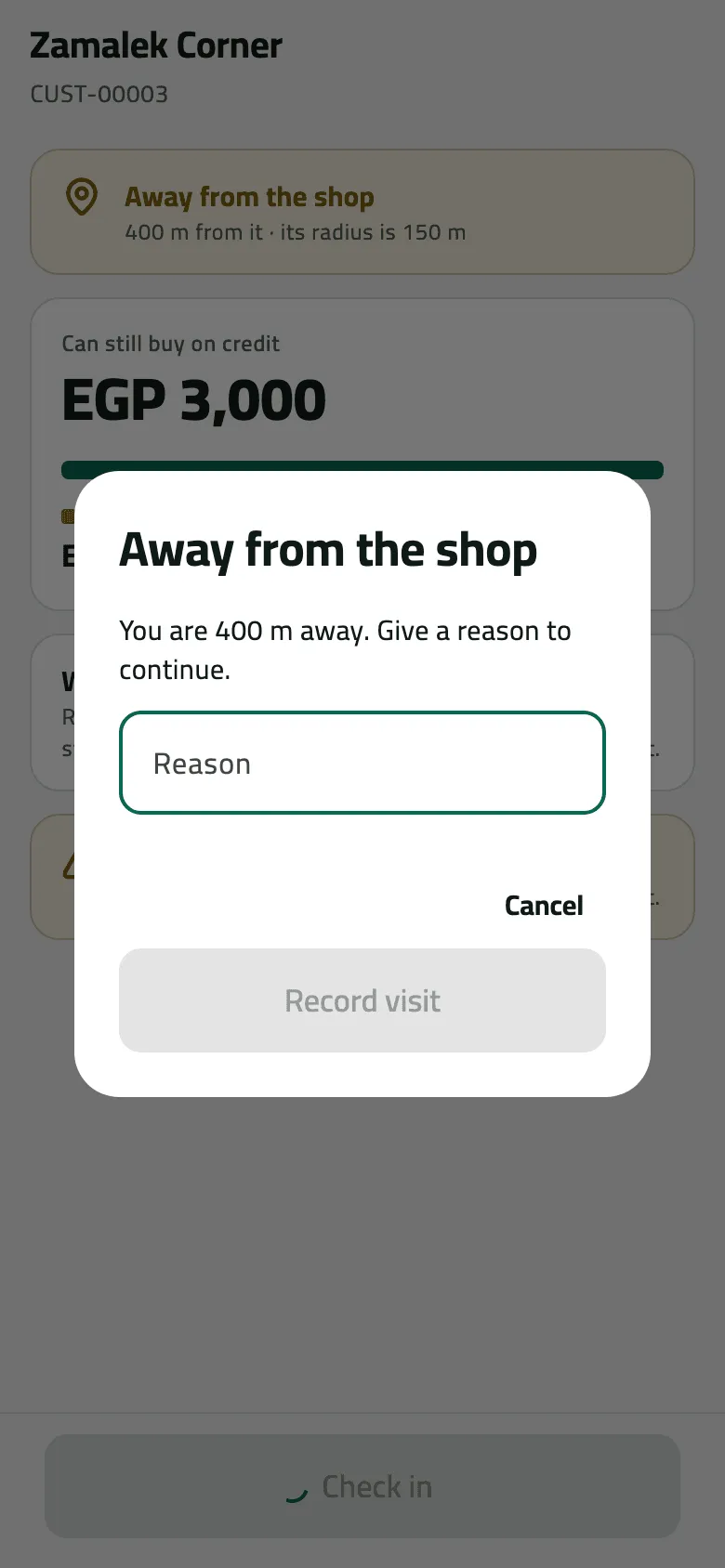
- The reason is recorded with the visit
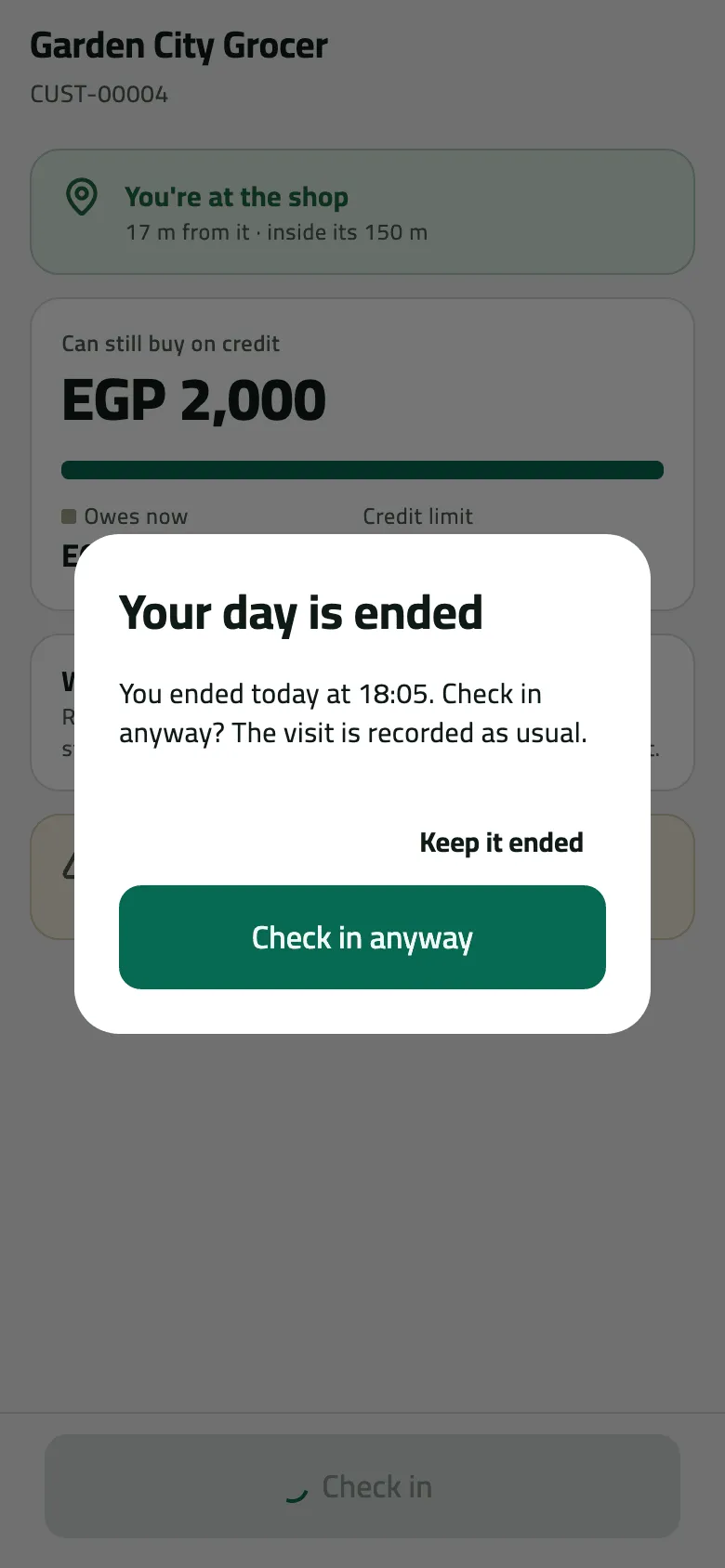
- Keep it ended: no visit is started
- Check in anyway: the visit is recorded as usual
Example
Section titled “Example”At 09:32 Omar is 17 m from Nile Market’s pin. He taps Check in and the visit starts.
Omar checks in about 17 m from Nile Market's pin, inside its 150 m radius. The visit starts and selling opens here.
| Item | Before | After | Change |
|---|---|---|---|
| Stops visited | 0 stops | 1 stops | +1 |
Nile Fresh blocks check-ins outside the radius. Suppose Omar tried from 400 m away: “You are 400 m from the shop. Your company allows check-in only within 150 m. Move closer and try again.”
What happens next
Section titled “What happens next”- The office sees the visit on Check the day’s visits at your next sync: the time, where you were, and flags — outside the radius, no location, a weak GPS fix. The reason you typed is kept with it.
- Leaving the shop with back keeps the visit open. Today shows You’re at Nile Market with Back to visit. End a visit with Check out (Check out and go to the next stop).
If something goes wrong
Section titled “If something goes wrong”| What you see | What to do |
|---|---|
Not yet — This route goes in order. Stop 1 comes first: visit it, or skip it from Today. | Visit the earlier stop, or skip it with Skip this stop… on Today's Next card. |
Too far from the shop | Walk to the shop and try again. If you are at the door, the pin is wrong: tell the office so they move it. |
Away from the shop | Your company lets you in with a reason. Say why ("pin is across the road"); the office sees it. |
No location | The phone couldn't find you, or the shop has no pin. Turn location on, or say why; the visit shows as "No location". |
Not on today's route — Your route does not allow visits to shops off it. Ask your supervisor. | Visit it on its day, or ask your supervisor. |
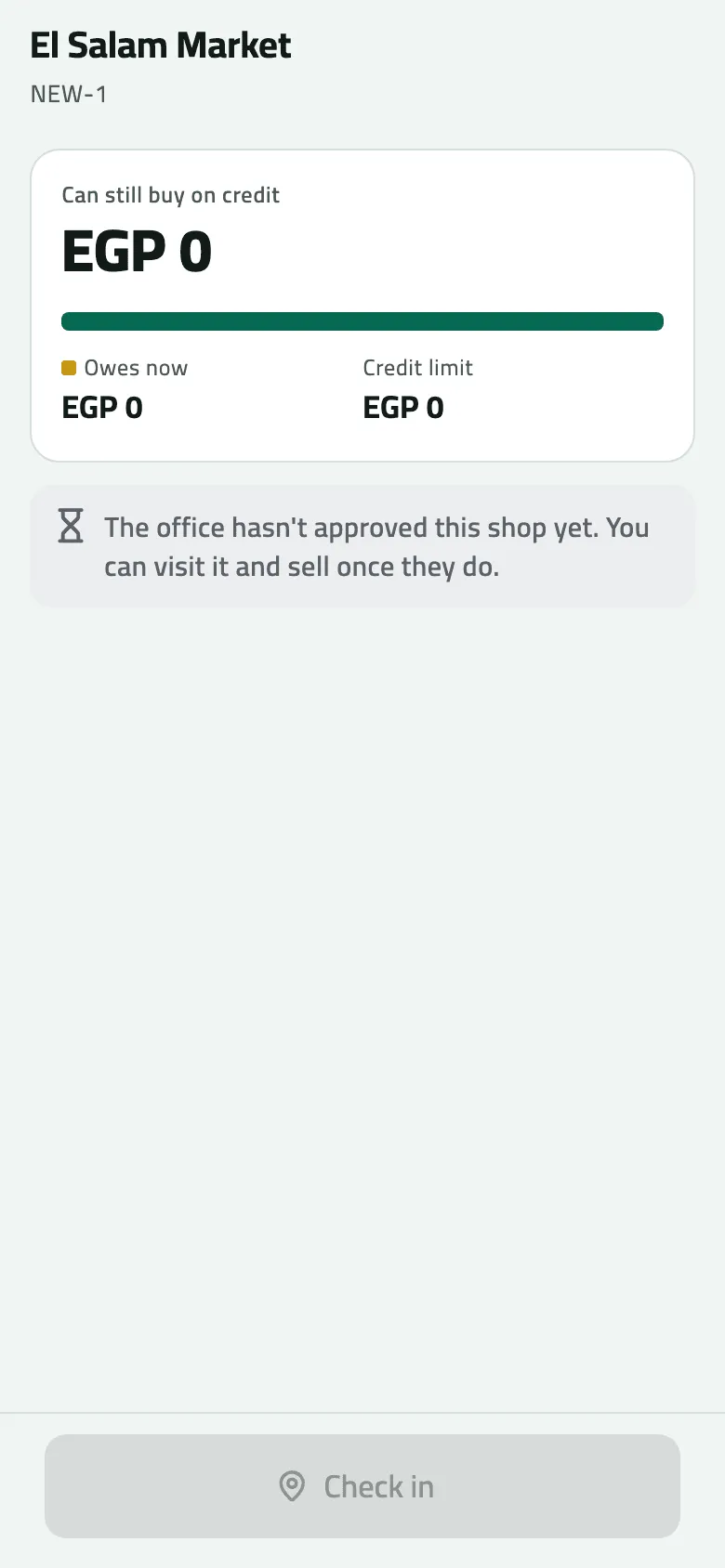
Check in is greyed out | This is a shop you proposed. You can visit and sell once the office approves it. |
Could not check in. Try again. | Tap Check in again. If it keeps failing, close the shop and reopen it. |
You were too far from the shop to check in. Go to the shop and check in there. OUTSIDE_RADIUS | Your company's rule changed before the check-in was sent. Check in again at the shop. |
This shop isn't on your round, so it wasn't recorded for you. Sync, and ask your supervisor if it should be yours. OUTLET_OUT_OF_REACH | The shop was taken off your routes. Ask your supervisor. |
A shop blocked for sales can still be visited: check in, collect and take goods back. Only New order is off.