

Sign in to the console
Open any console address and sign in, by email or by company code and username. Who: office staff, supervisors, administrators · Where in the cycle: Set up.
Reps don’t use the console; they sign in to the phone app with a company code, username and password.
Before you start
Section titled “Before you start”- You need an account in the company. An administrator creates it on Setup › Users (Invite people and manage accounts).
- Know which door is yours:
- Email — if you accepted an invitation link or an emailed invitation (Accept an invitation).
- Username — if you were given a temporary password, or you are the company’s first administrator. You need the company code, your username and the password.
There is no separate sign-in page: every console address shows the Console card until you are signed in, and then shows the screen you asked for.
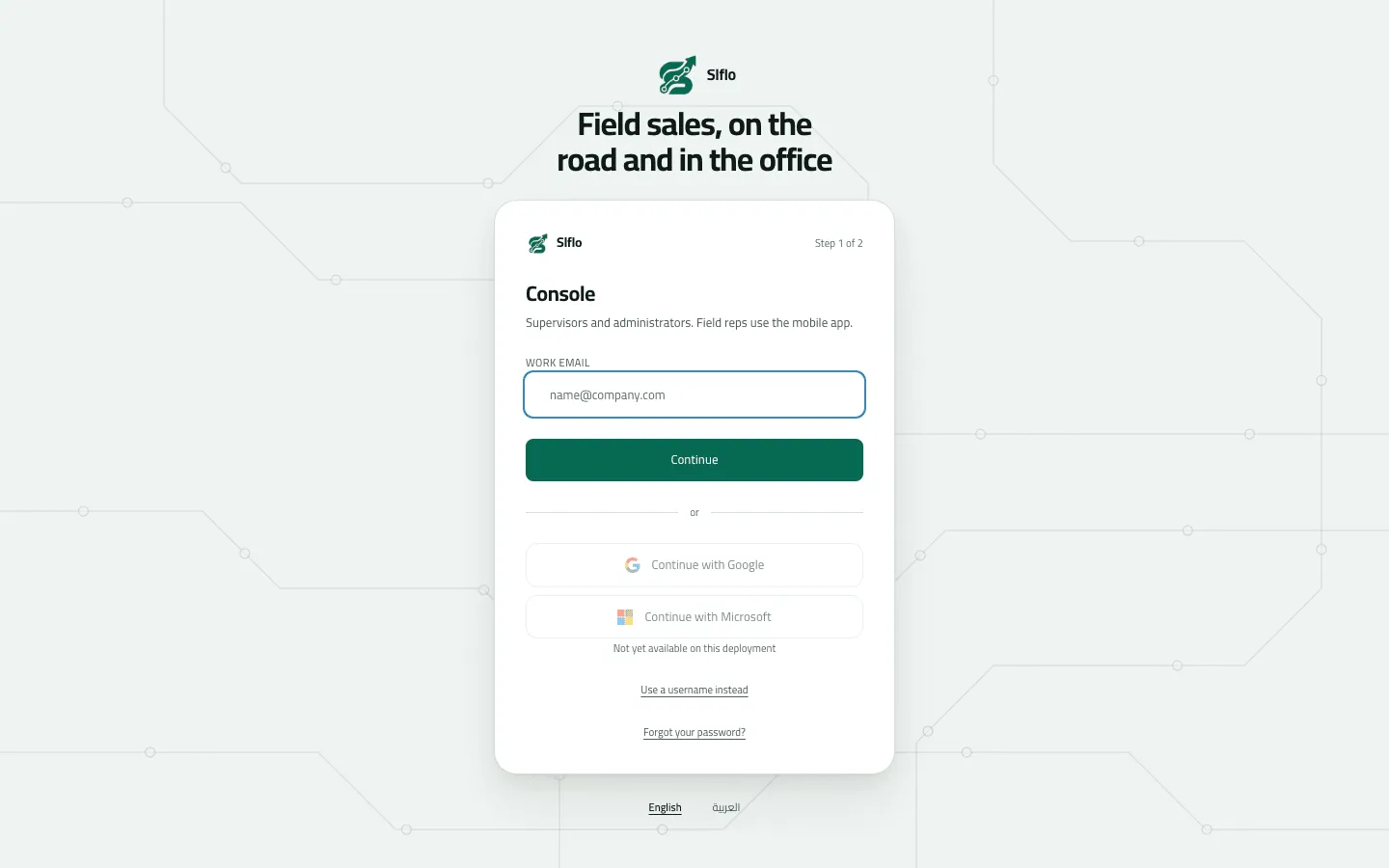
- Work email
- Use a username instead
- Forgot your password?
- Language
- Type your Work email and press Continue.
- Type your Password and press Sign in.
- If your sign-in reaches more than one company, the card turns into Which company: pick one. Each company opens its own session; a company marked Suspended can’t be opened.
- Press Use a username instead.
- Type the Company code, your Username and your Password, then press Sign in. (A console built for one company hides the Company field.)
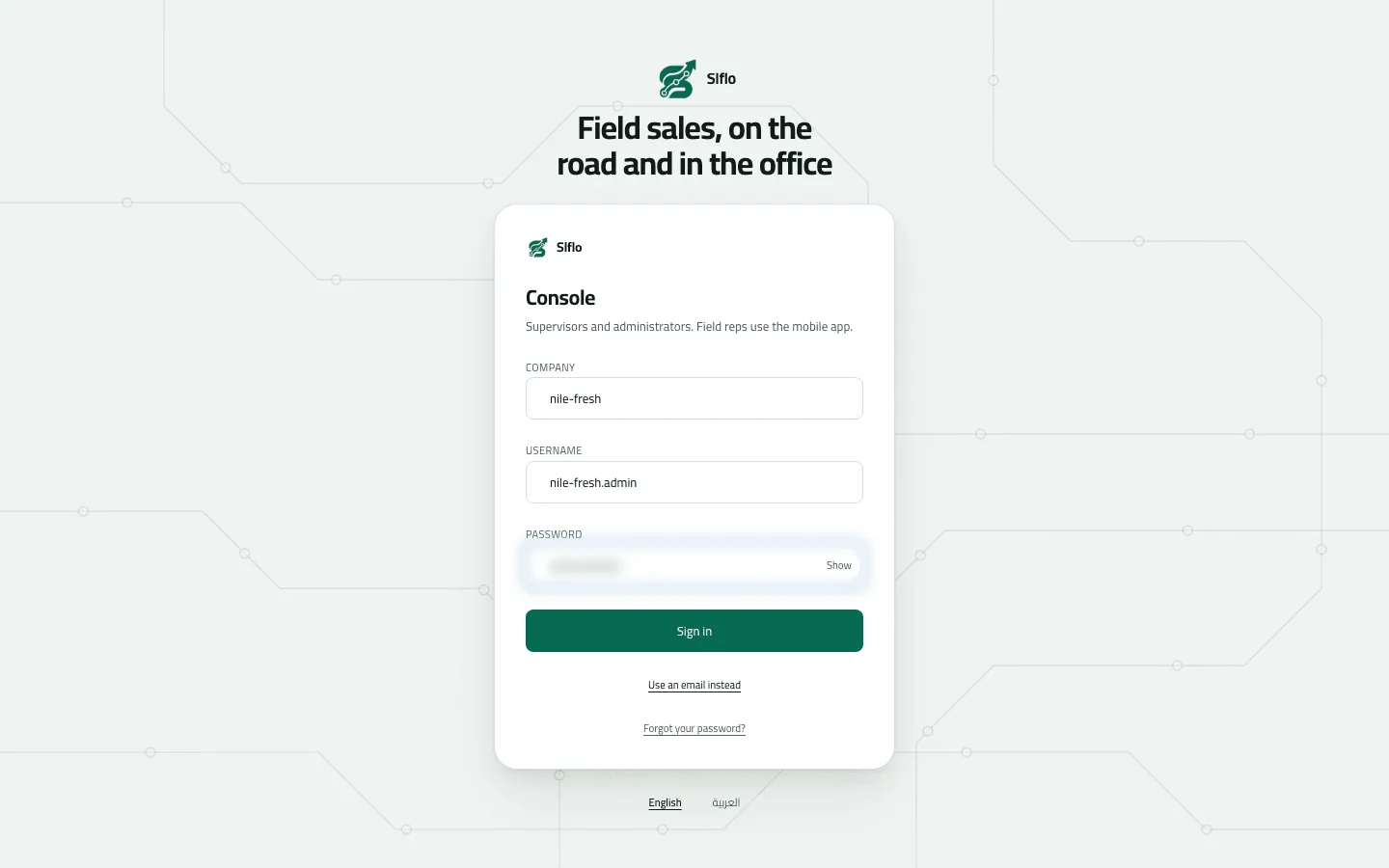
- Company
- Username
The first time: choose your own password
Section titled “The first time: choose your own password”If somebody else set your password (the platform for a first administrator, or an administrator’s temporary password), the console shows Choose your own password before anything else. Nothing else works until it’s done.
- Type The password you were given.
- Type a New password of at least 8 characters, different from the current one, and Type it again.
- Press Save and continue. The console opens; any other place you were signed in is signed out.
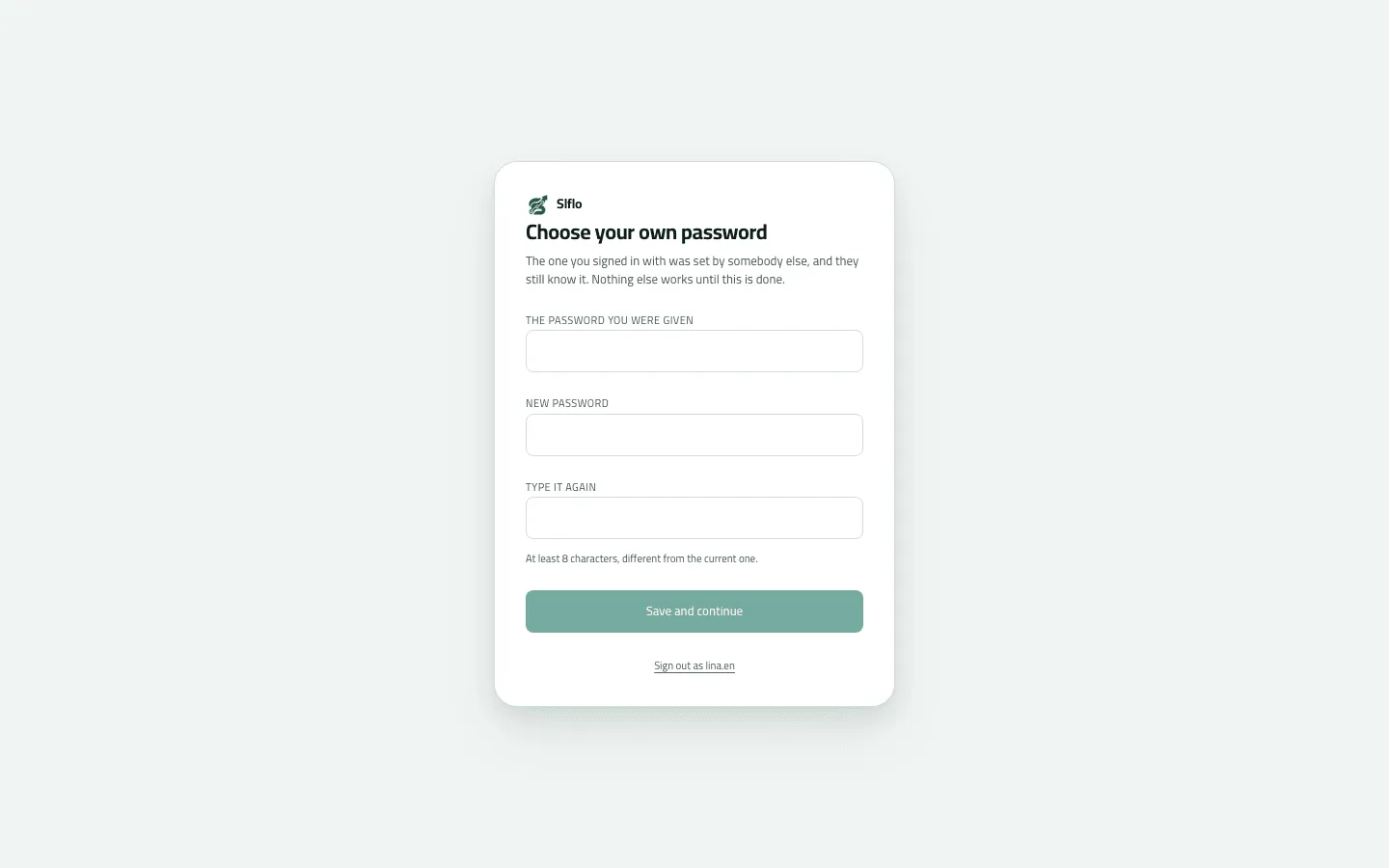
The language switch under the card (English | العربية) works before you sign in and is remembered on this browser.
Example
Section titled “Example”Nile Fresh’s first administrator received three things from the people who run Slflo: company
code nile-fresh, username nile-fresh.admin and a 20-character password. On the card they
press Use a username instead, type the three and press Sign in. The console shows
Choose your own password; they type the given password, a new one twice, and press
Save and continue. They land on the Dashboard with the Set up your company card.
What happens next
Section titled “What happens next”- You land on the Dashboard if your role can read reports; otherwise on the first screen your role can open (Find your way around the console).
- A session renews itself quietly. Closing the last console tab ends it on that computer.
- If a session ends while you work, the card says “Your session ended. Sign in again and you will be back where you were.” — sign in and you’re back on the same screen.
If something goes wrong
Section titled “If something goes wrong”| What you see | What to do |
|---|---|
Incorrect email or password | If you were given a username and a temporary password, your account has no email sign-in: press Use a username instead. |
Incorrect company, username or password | Check the company code first — a wrong code gives the same message as a wrong password. |
Too many wrong passwords. Ask your supervisor to unlock your account. ACCOUNT_LOCKED | Ten wrong passwords in a row on the username door lock the account. An administrator unlocks it on Setup › Users (the default Supervisor role can't). Ask them to reset the password too. |
This account is suspended. Contact your administrator. ACCOUNT_SUSPENDED | An administrator suspended your account. Ask them to bring it back on Setup › Users. |
This company's workspace is suspended. Contact support. TENANT_SUSPENDED | Your company's workspace is suspended by the people who run Slflo. Contact them. |
Too many attempts. Wait a minute and try again. RATE_LIMITED | Too many tries from your address in a minute. Wait a minute. |
Continue with Google / Continue with Microsoft are greyed out | They are off on purpose on this deployment. Use your email or your username. |
After Sign in on the email door, nothing opens and no message shows | Your email reaches no company you can open (none yet, or the only one is suspended). Ask the administrator who invited you. |