

Check out and go to the next stop
Checking out ends the visit with one more location reading and how it went. The phone then offers the next stop. Who: rep · Where in the cycle: Visit.
Before you start
Section titled “Before you start”- You checked in at the shop, so a visit is open (Check in at a shop).
- At the bottom of the shop, tap Check out — or No sale if the shop bought nothing. (No sale is hidden once the visit has an order.)
- How did the visit end? (or Why no sale?) asks for one answer: Order placed, No order, Shop closed, Customer refused or Something else. (Order placed is not offered after No sale.)
- Add a note if you like. For Something else it is required: “What happened? The office reads this.”
- The visit closes and a sheet offers the next stop:
- Next: stop 2 with the shop’s name — Check in opens that shop; Not now goes back.
- That’s the last stop today — “When you are done, End day is at the bottom of Today.” — with Back to Today, which also sends your work.
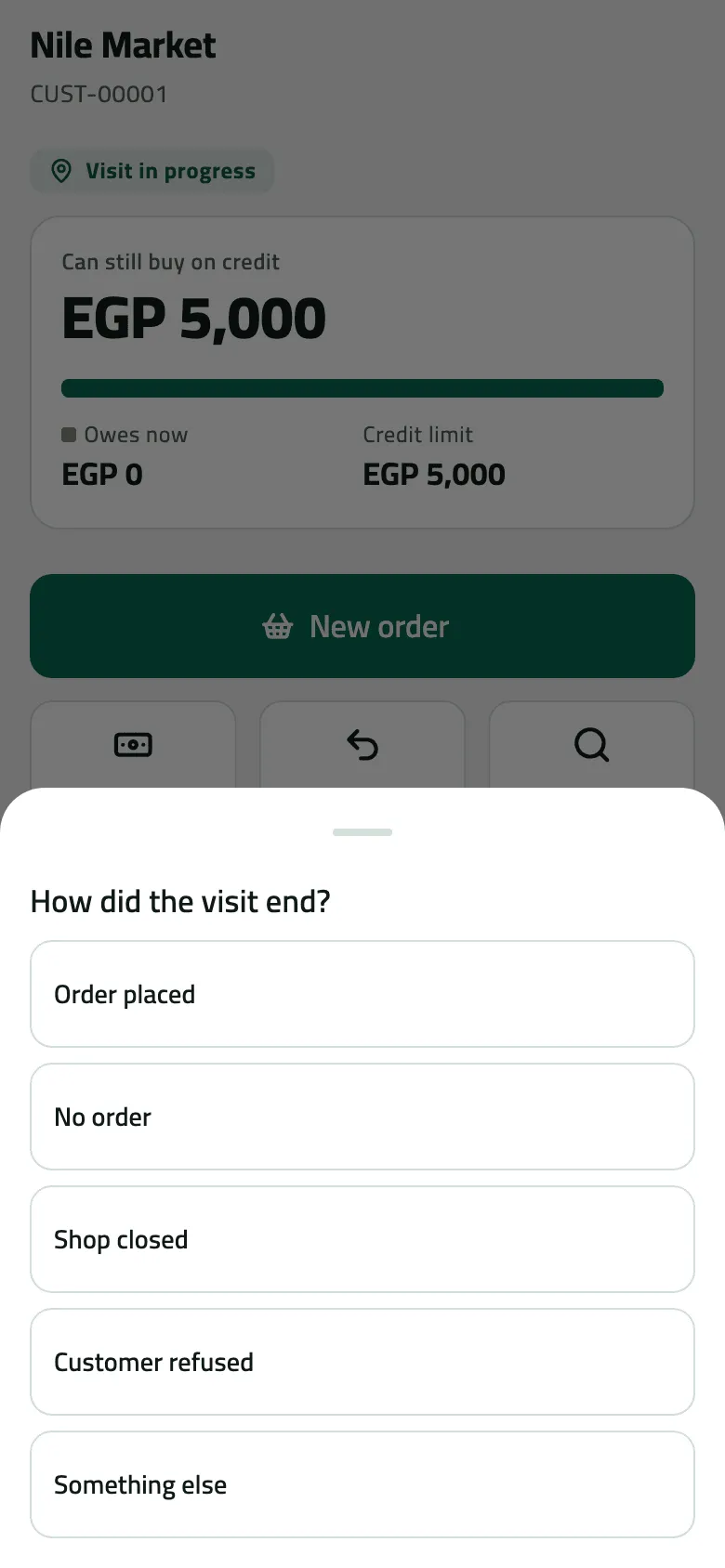
- Say how the visit ended
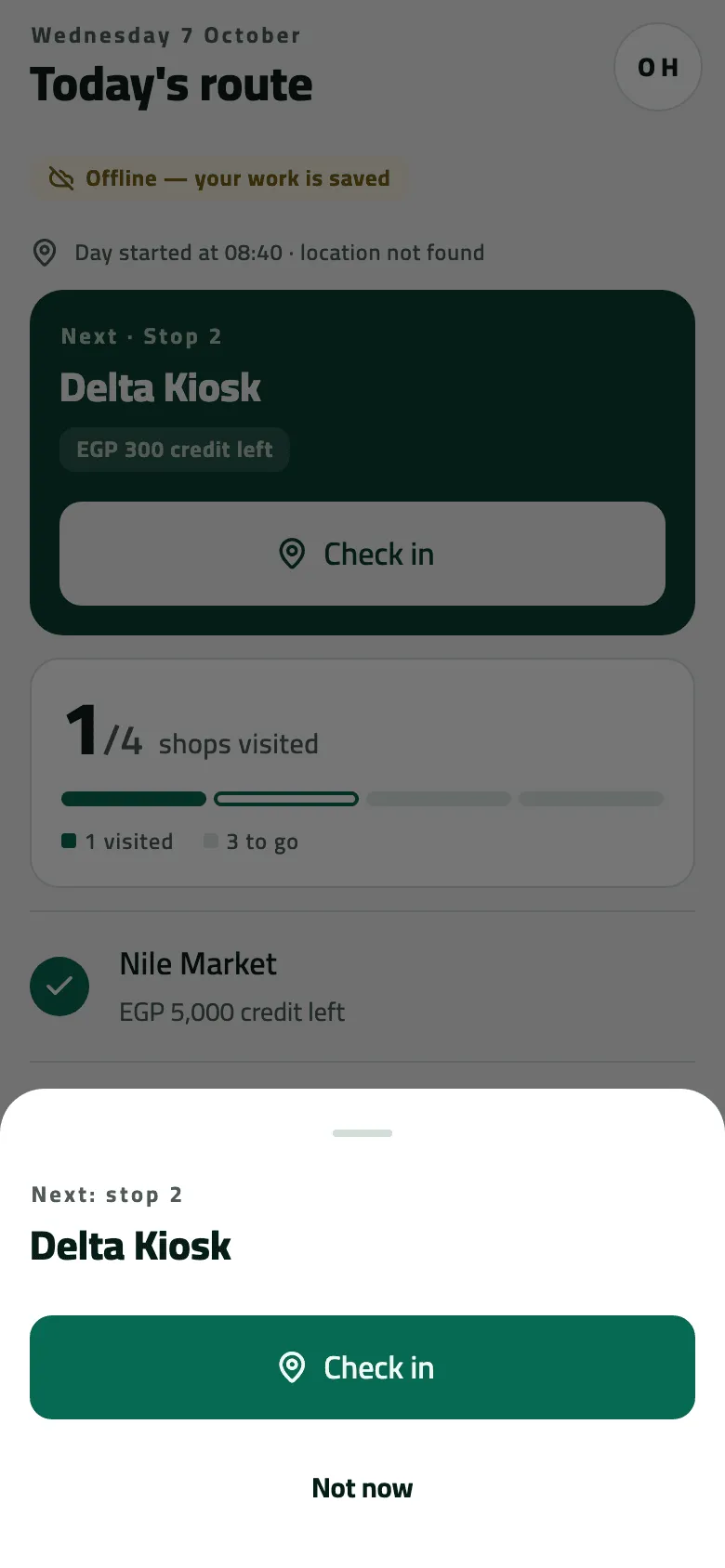
- Next: stop 2
Example
Section titled “Example”At Nile Market Omar sold, collected and took goods back. He taps Check out, chooses Order placed, and the sheet offers Next: stop 2 — Delta Kiosk. He taps Check in to open it, drives there, and checks in at the door.
What happens next
Section titled “What happens next”- The office sees the visit’s end, its outcome and your note on Check the day’s visits after the next sync.
- Today ticks the stop and moves the Next card on. Coming back to Today sends your work.
- Pressing back instead of checking out leaves the visit open: Today shows You’re at Nile Market with Back to visit. A visit still open when you end the day is closed then.
If something goes wrong
Section titled “If something goes wrong”| What you see | What to do |
|---|---|
Check out in the sheet is grey | You chose Something else, so the note is required. Write what happened. |
No sale isn't there | The visit has an order. Use Check out and choose Order placed. |
No next-stop sheet | There is no round today (you visited a shop off a plan). Go back to Today. |