

Book an order for delivery
A booked order (a pre-sale) is taken now and delivered and invoiced by the office later, from a warehouse. Who: a Seller · Where in the cycle: Sell.
When an order is booked
Section titled “When an order is booked”You take every order the same way, on New order. The phone books it for delivery instead of invoicing it from the van when:
- you don’t sell from a van — every order you take is booked;
- the order is over the shop’s credit limit and your company asks for approval — the summary says Over credit — waits for approval;
- your company asks you to accept the van load first and you haven’t — Van selling waits for the load;
- the van is short and you chose Sell now, book the rest — the rest is booked (Sell from the van).
Before you start
Section titled “Before you start”- You are a Seller, checked in at the shop (unless your company lets you sell without a check-in).
- In the visit, tap New order, add the lines and read the summary bar (Sell from the van explains each part).
- Tap Save order.
- The Saved dialog explains what happened:
- over credit: “This order is over the shop’s credit limit. It is booked for delivery and waits for your supervisor’s approval.”
- otherwise: “The order is stored on this device and will be sent when a connection is available.”
- Tap OK. The order is on Orders as Waiting to send until the next sync.
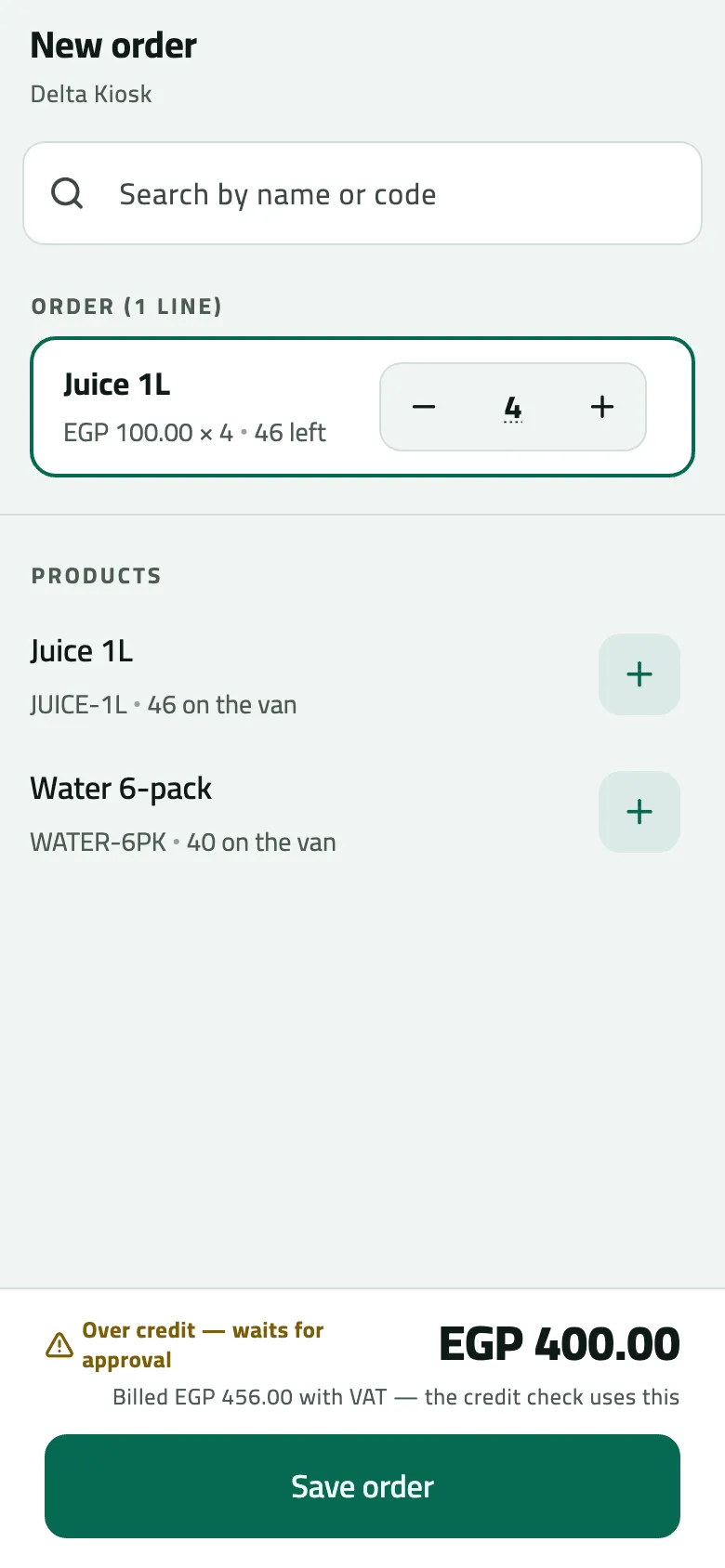
- Over credit: the order is booked and waits for your supervisor
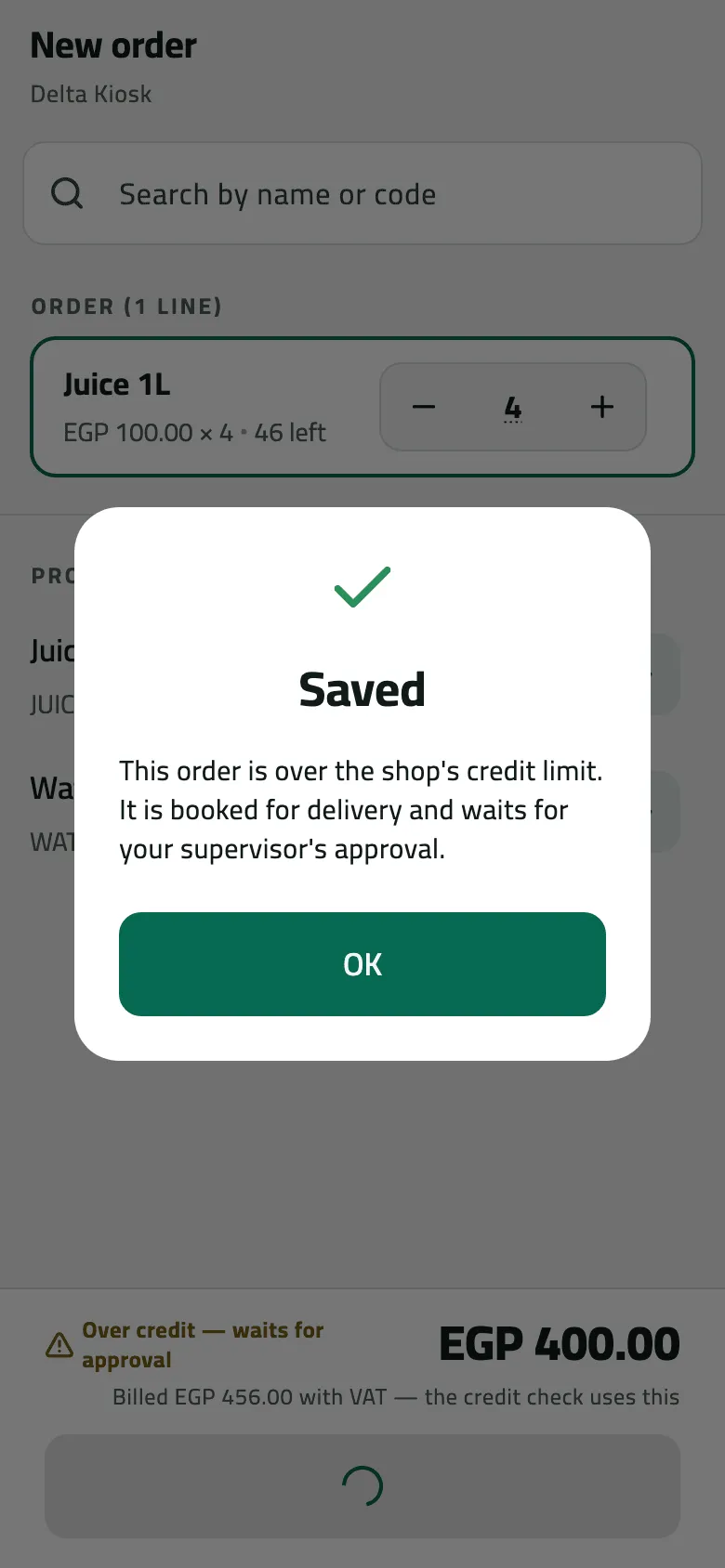
- Saved: booked for delivery, waiting for approval
The “stored on this device” message ends with a long code starting O-DEV-. It is the phone’s own id for the order; you can ignore it. The order number (SO-) arrives when the order syncs.
Example
Section titled “Example”At 11:05 Omar takes 4 Juice 1L for Delta Kiosk: 400.00, Billed EGP 456.00 with VAT, on a 300.00 limit. Nile Fresh asks for approval, so the bar reads Over credit — waits for approval. He taps Save order, reads the Saved dialog and taps OK.
Delta Kiosk wants 4 Juice 1L, 456.00 with VAT, on a 300.00 limit. The company asks for approval, so the order waits for the supervisor.
Sales order SO-000002 — status: pending approval · total: 456.00 · reason: credit limit exceeded (over 156.00)
| Item | Before | After | Change |
|---|---|---|---|
| Delta Kiosk credit limit | 300.00 EGP | 300.00 EGP | 0 |
| Order over the limit by | 0.00 EGP | 156.00 EGP | +156.00 |
- Nothing moves while the order waits: no stock, no invoice, nothing owed.
At 11:20 the supervisor approves it and at 11:30 the office delivers it from the warehouse, which issues INV-000002. Omar’s van keeps its 40 Juice 1L.
What happens next
Section titled “What happens next”- Nothing moves now: no stock leaves your van and the shop owes nothing yet. An order waiting for approval does count against the shop’s credit left.
- At the next sync the order gets its number (SO-) and shows Received, or Over credit — waits for approval with the reason — “Over the credit limit by EGP 156.00”.
- The office approves or declines it (Approve or decline a held order), then confirms and delivers it (Confirm, deliver or cancel an order). The delivery issues the invoice.
- You see each change at your next sync, under Order updates on Today (Follow your orders). While it waits for approval you can Withdraw order.
If something goes wrong
Section titled “If something goes wrong”| What you see | What to do |
|---|---|
No invoice yet. It appears once the goods are handed over and the sale syncs. | A booked order has no invoice until the office delivers it. There is nothing to share yet. |
This order goes over the shop's credit limit. Collect a payment first, or take a smaller order. CREDIT_LIMIT_EXCEEDED | Your company blocks orders over the limit. Collect a payment first, or take a smaller order. |
Your account can't take orders. Ask your supervisor. NOT_A_SELLER | Your job doesn't take orders. Ask your supervisor. |
A product has no price today. Remove it or ask the office to set a price. NO_VALID_PRICE | A product has no price today. Remove it, or ask the office to set a price. |