

See a customer's returns and set ceilings
Decisions › Returns shows one customer’s returns at a time against the company’s ceilings, and is where an administrator sets those ceilings. Who: supervisor and returns desk; administrator for the ceilings · Where in the cycle: Return.
Before you start
Section titled “Before you start”- Record returns (RETURN_RECORD) opens the screen.
- Set ceilings needs Run the company (full access) (TENANT_ADMIN).
- Returns are recorded by reps on the phone, or at the counter with Record a return (Record a return at the counter).
- Open Decisions › Returns.
- Pick the customer under Pick an outlet (the screen’s word for a customer).
- Read the two tiles: Returned this month (value) and Returned today (units), each against its ceiling, and “Over a ceiling: Block” or “Needs approval”.
- Read the cards, newest first: the RET number, “against INV-…”, the reason, the units, the lines and the credit note’s value. A held return says Waiting for approval; a declined one Declined with the reason.
- Press Set ceilings.
- Monthly value — the most one customer may return in a calendar month, in the company’s currency. Blank means no ceiling.
- Daily quantity — the most units (pieces) one customer may return in a day. Blank means none.
- When a return is over a ceiling: Block (“The return is refused, and the rep is told why.”) or Needs approval (“The return waits in Approvals; nothing is credited until a supervisor agrees.”).
- Press Save ceilings. The notice repeats the ceilings.
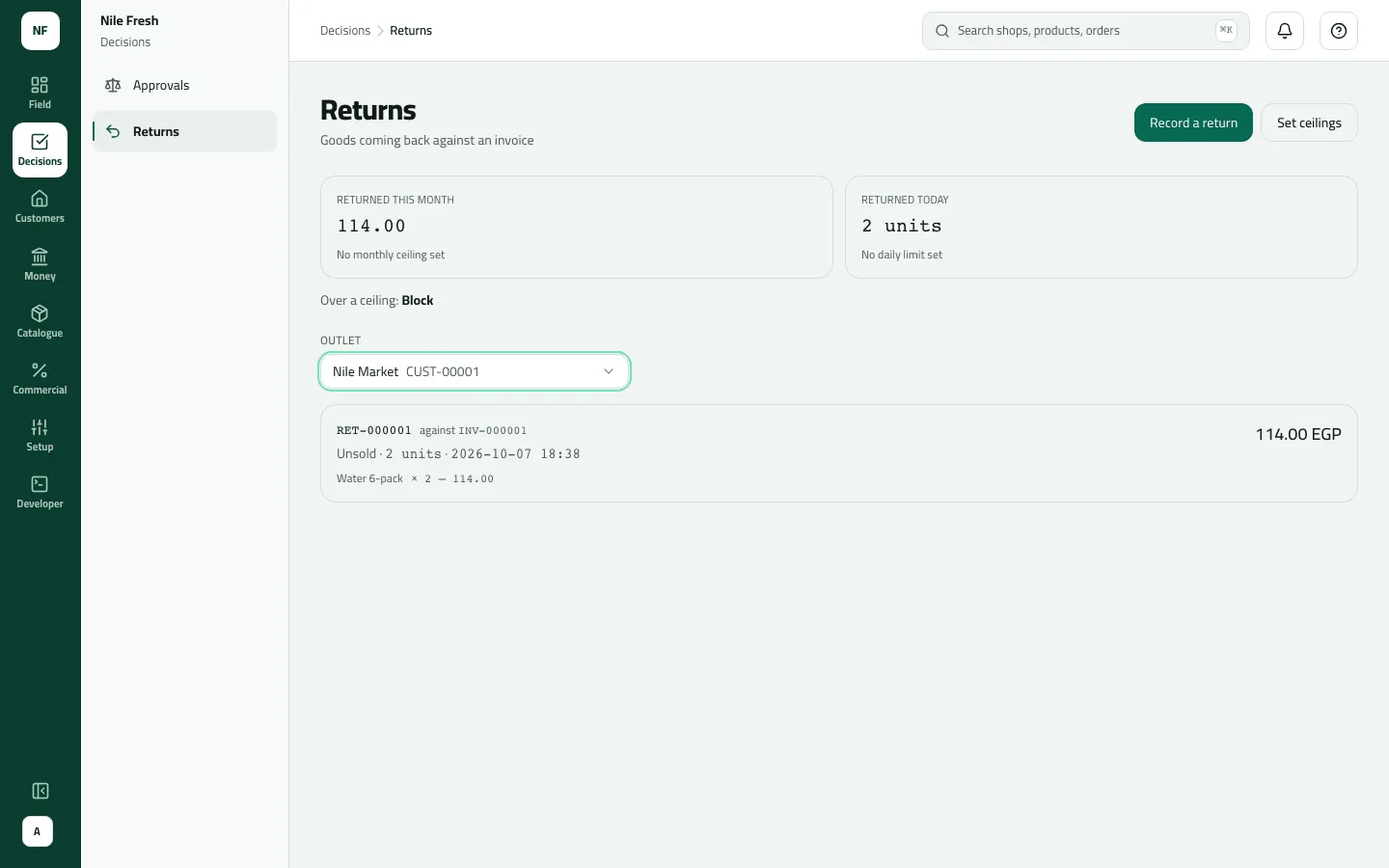
- Returned this month
- RET-000001 against INV-000001
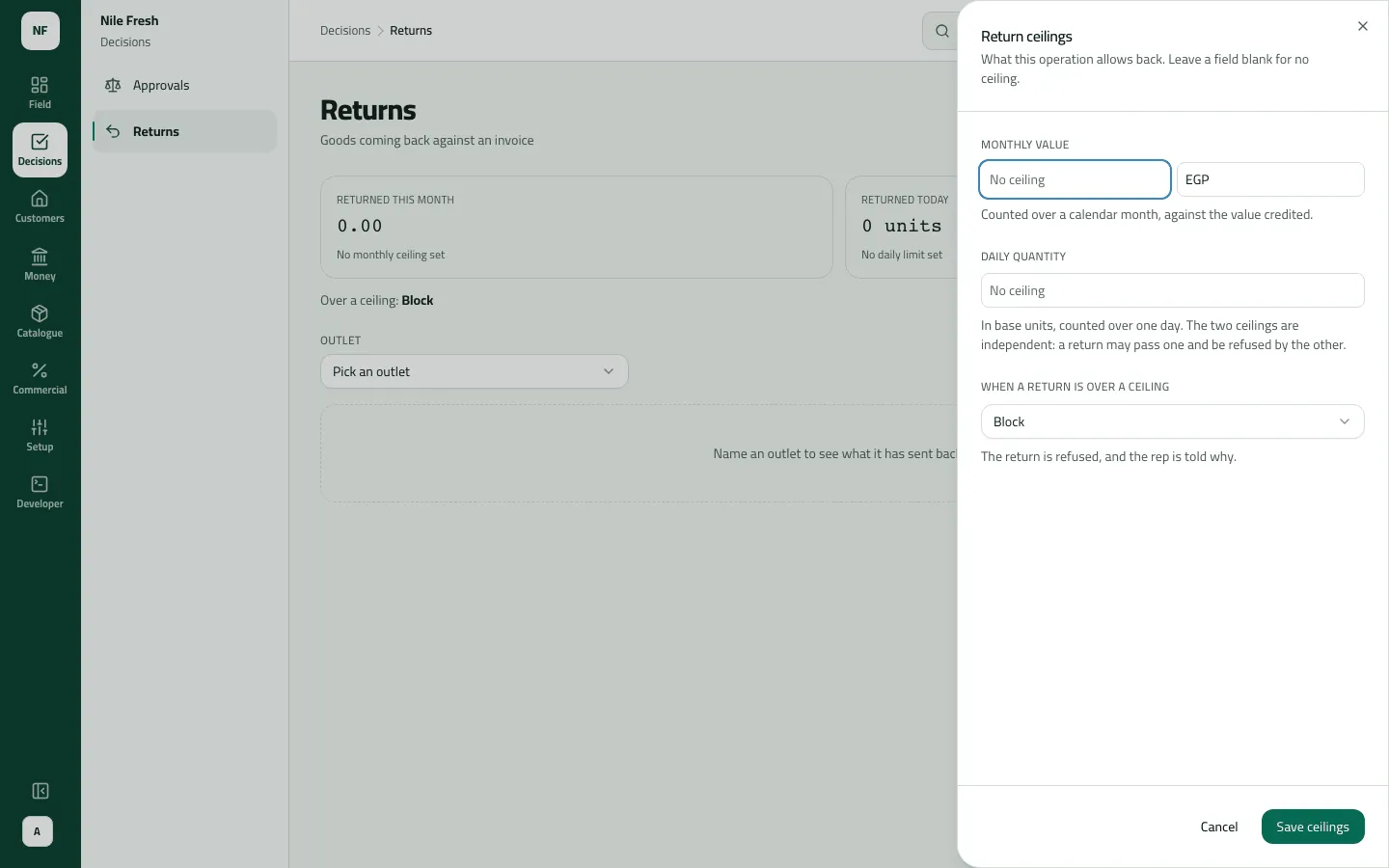
A ceiling of 0 refuses every return. Landing exactly on a ceiling is allowed; only going over it counts.
Example
Section titled “Example”On the Nile Fresh day Omar takes back two Water 6-packs that didn’t sell:
Two Water 6-packs did not sell. They go back on the van against INV-000001, and the credit note lowers what the shop owes.
Credit note RET-000001 — against: INV-000001 · status: recorded · reason: unsold · quantity: 2 · total: 114.00
| Item | Before | After | Change |
|---|---|---|---|
| VAN-03 · Water 6-pack | 36 PCS | 38 PCS | +2 |
| Nile Market owes | 368.00 EGP | 254.00 EGP | −114.00 |
With Nile Market picked, Returned this month reads 114.00 EGP, and the card shows RET-000001 against INV-000001, Unsold, 2 units.
Suppose the administrator then sets a monthly value of 500, a daily quantity of 30 and Needs approval. The notice says “Ceilings set — 500 EGP, 30 units a day.” From then on a Nile Market return that takes the month past 500.00 waits in Approvals.
What happens next
Section titled “What happens next”- Setting ceilings changes nothing already recorded. They apply to every return from then on, from the phones and from the counter.
- Held returns count towards the ceilings; declined ones don’t.
- Reps learn the ceilings the hard way: a return over one is refused or held when it reaches the server.
If something goes wrong
Section titled “If something goes wrong”| What you see | What to do |
|---|---|
Name an outlet to see what it has sent back. | The tiles stay at 0 until you pick a customer. |
The tiles don't match what the server refused | The tiles are worked out in your browser from the customer's last 50 returns. The server's own check is the one that counts. |
There is no Set ceilings button | Setting ceilings needs the company administrator. |
A ceiling is a positive number, or blank for none. Zero refuses every return. | Type a number, or leave the box empty for no ceiling. |