

Import 500 customers from a spreadsheet
Suppose Nile Fresh takes over a smaller distributor and receives its 500 shops as a spreadsheet, to load as customers. This example checks the file, fixes what Slflo finds, and imports it in one go. Who: administrator · Where in the cycle: Set up.
Before you start
Section titled “Before you start”- Add and change customers (CUSTOMER_MANAGE) shows the Customers tab on Setup › Import.
- The price lists the file names exist (here RETAIL).
- The file is saved as CSV UTF-8, comma-separated, with a header row. The columns are listed on the Import screen, with what to write in each.
The file
Section titled “The file”The old system’s export, reduced to the columns Slflo reads. It has a header and 500 rows, so the rows are spreadsheet lines 2 to 501. Four of them are Nile Fresh’s own shops (CUST-00001 to CUST-00004) with new phone numbers; the other 496 are new and keep the old system’s codes.
code,name,phone,creditlimit,pricelist,channel,paymenttermsCUST-00001,Nile Market,0225551010,5000,RETAIL,Retail,0AL-0001,Al Amal Market,0225551111,2000,RETAIL,Retail,14AL-0002,Corner Stop Shubra,0225551112,0,RETAIL,Retail,0…There are no route columns: the new shops are placed on routes afterwards. A route named in a file must already exist, and import can’t create one.
The example, step by step
Section titled “The example, step by step”1 · Check the file — administrator, console
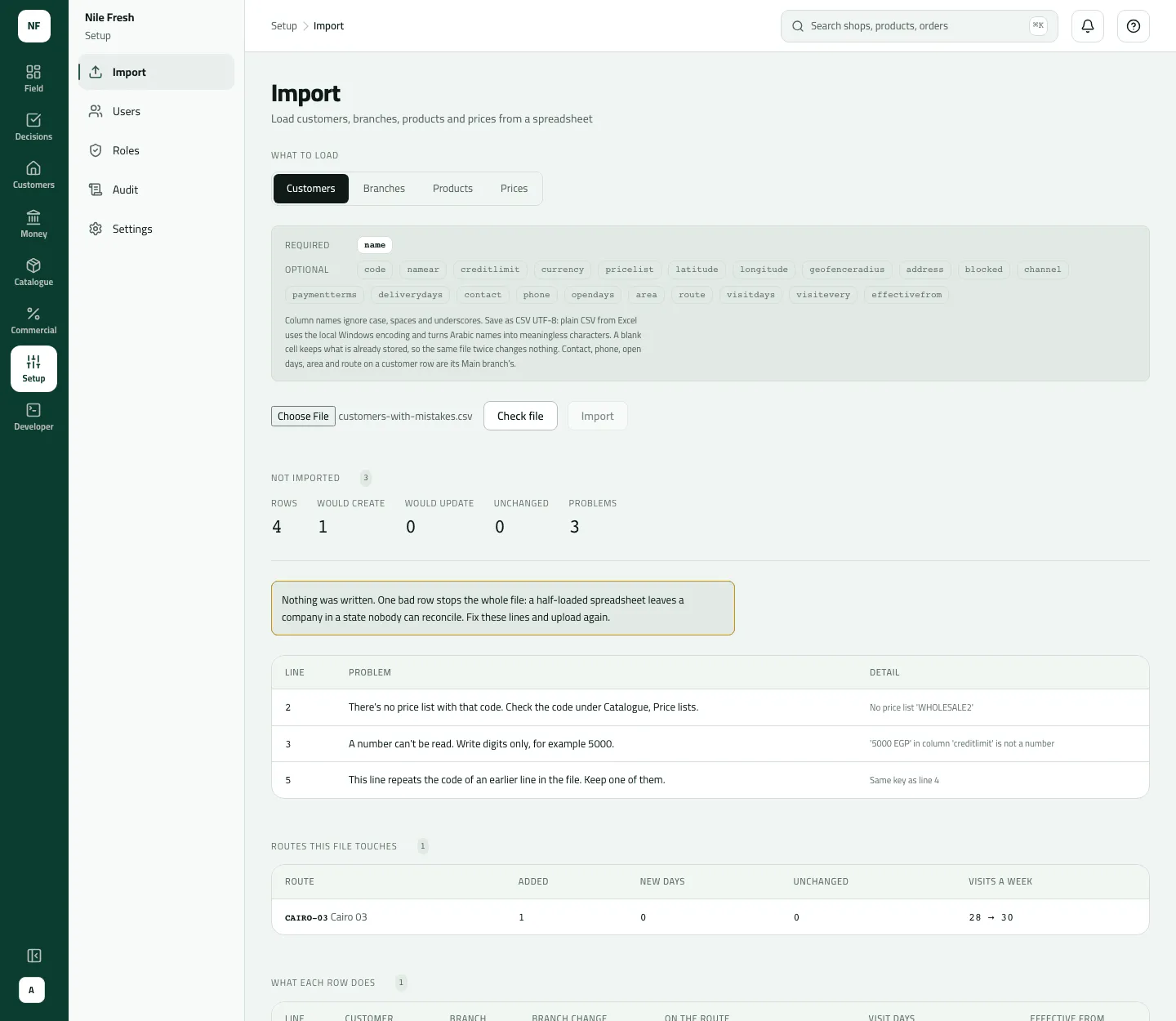
Section titled “1 · Check the file — administrator, console”Open Setup › Import, the Customers tab, choose the file and press Check file. Nothing is saved. The answer is Not imported, with three problems:
| Line | Problem | Detail |
|---|---|---|
| 17 | There’s no price list with that code. | No price list ‘RETAIL2’ |
| 204 | A number can’t be read. | ‘5,000 EGP’ in column ‘creditlimit’ is not a number |
| 388 | This line repeats the code of an earlier line in the file. | Same key as line 311 |
- Line
- Problem
- Detail
Every row is checked, so all three come at once. One bad row stops the whole file: none of the other 497 rows is saved either.
2 · Fix the three rows — in the spreadsheet
Section titled “2 · Fix the three rows — in the spreadsheet”- Line 17:
RETAIL2is a typo. Change it toRETAIL. - Line 204: a number column takes digits only.
5000or5,000both work (commas are ignored);5,000 EGPdoesn’t. - Line 388: its code
AL-0310is already on line 311. Line 388 is a different shop typed with the wrong code; give it its own,AL-0387. Deleting the line would drop the shop.
Save the file again as CSV UTF-8.
3 · Check again
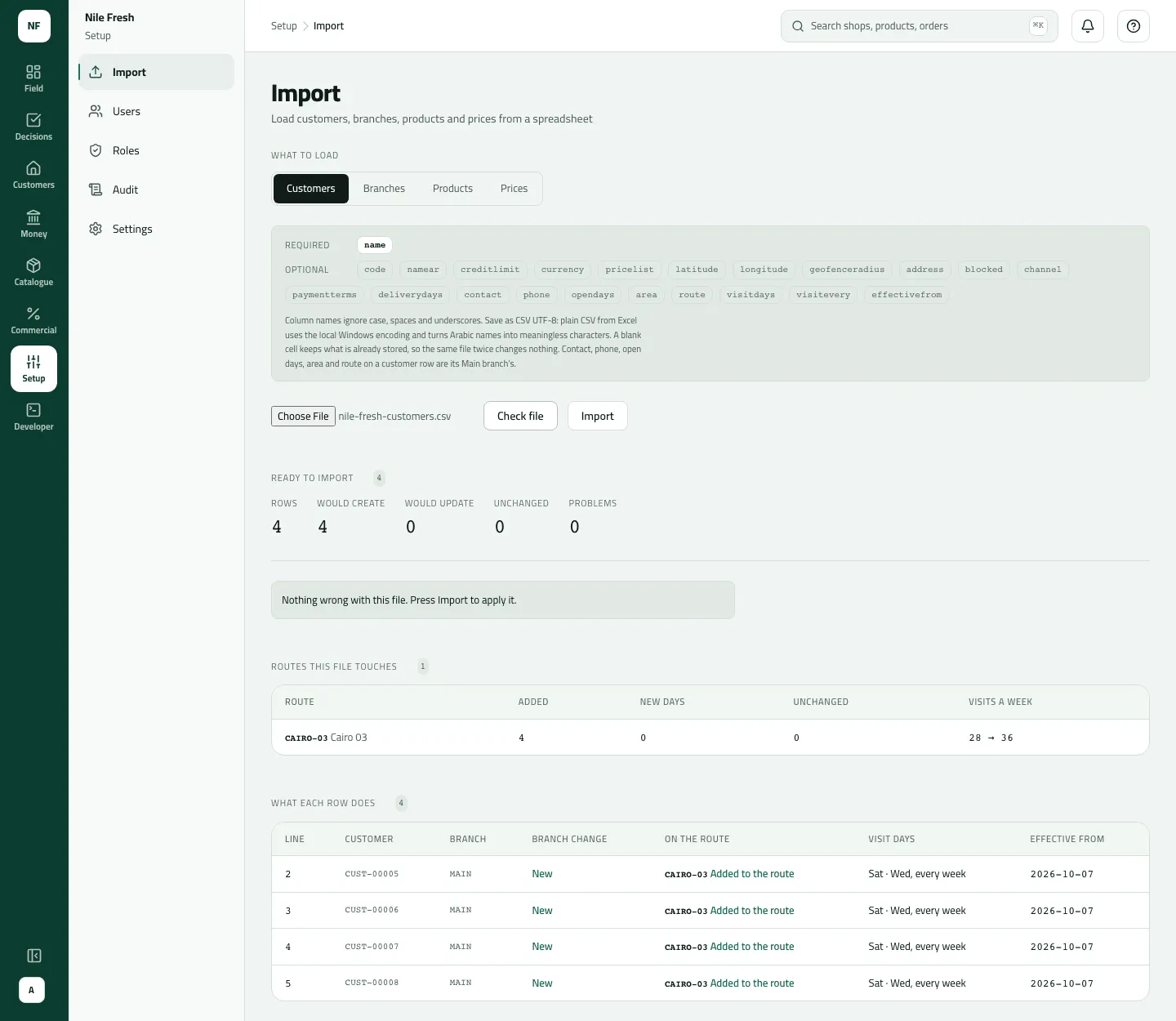
Section titled “3 · Check again”Choose the saved file and press Check file. The answer is Ready to import: Rows 500, Would create 496, Would update 4, Unchanged 0, and “Nothing wrong with this file. Press Import to apply it.” What each row does lists the first 200 rows; each new shop reads Not on a route.
4 · Import
Section titled “4 · Import”Press Import. Imported: “Done. Devices pick this up on their next sync.” The 496 new customers keep their AL- codes, with the credit limit, price list, channel and terms from the file and a Main branch each. The four existing shops have their new phone numbers. A blank cell keeps what was stored, so importing the same file twice changes nothing.
Nothing moves: no stock, no money. A shop’s balance starts at 0.00.
What happens next
Section titled “What happens next”- Reps see a new shop only once it is on their route. Put them on routes
(Change a route), or import again with
route,visitdaysandvisiteverycolumns once the routes exist. - Customers › Outlets shows the 496 under Not on a route until then.
- Credit: a row with no
creditlimitis cash only (credit limit 0). Writeno limitfor none. - Audit: one line for the file — “Imported 500 customer rows (496 new, 4 updated, 0 unchanged)”.
If something goes wrong
Section titled “If something goes wrong”| What you see | What to do |
|---|---|
There's no price list with that code. Check the code under Catalogue, Price lists. UNKNOWN_PRICE_LIST | Use the price list's code as on Catalogue › Price lists. |
A number can't be read. Write digits only, for example 5000. INVALID_NUMBER | Digits only, commas allowed: 5000 or 5,000. |
This line repeats the code of an earlier line in the file. Keep one of them. DUPLICATE_IN_FILE | Two lines share a code. Give each shop its own code, or keep one line if it's the same shop twice. |
A required column is empty on this line. Fill it in and check the file again. MISSING | A required column is empty on that line — for customers, the name. |
There's no route with that code. Create the route under Routes first, then import again. UNKNOWN_ROUTE | Create the route on Routes first (a draft is enough), then check again. |
This file is split by semicolons… | Save it again as CSV UTF-8, comma delimited. |
A removed customer came back | A code that belonged to a removed customer brings it back, with its history. Use a new code for a new shop. |