

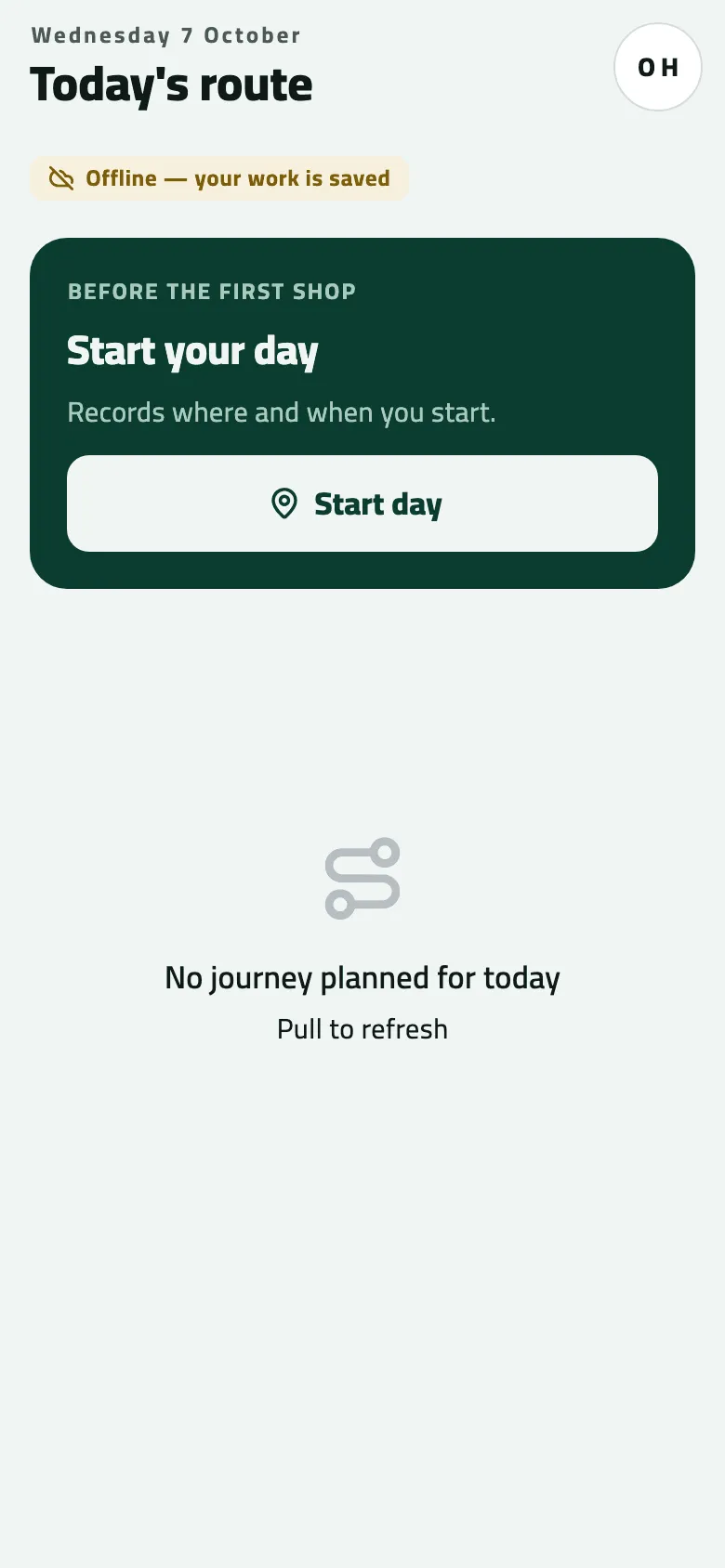
"No journey planned for today"
The rep opens the app and Today says No journey planned for today, or Shops says No shops assigned. Nothing is broken: the phone shows the stops the office planned, and today it has none. Who it happens to: a new rep on the first day, a rep after a route change, anyone just after midnight. Where in the cycle: Plan the rounds.
Check, in this order
Section titled “Check, in this order”-
Pull down on Today, in signal. The phone shows only what its last sync fetched. On a first sign-in the lists fill by themselves once the first sync ends; just after midnight Today moves to the new day when the app comes back to the front. If the stops appear, you’re done.
-
Is the rep on a round? In the console, Setup › Users: the person’s In the field column must show a rep code, a job and, for van sales, a van — they are on a round. Without it the phone has nobody to plan for. Fix: Put someone on a round with a van.
-
Does a route have this rep? Customers › Routes: find the rep in the Rep column (or pick them under Rep ▾). A route whose state reads No rep plans nobody. Fix: open the route and choose the rep (Change a route).
-
Is the route live today? The same row: a Draft plans nothing until Create route is pressed; a Paused route plans nothing until its pause ends; a route whose Starts on is later plans nothing before that day. Fix: finish the draft, resume the route, or wait for its start (See every route and its week).
-
Is today one of the visit days? Open the route: The week shows which branches are due on which day, and Next 4 weeks what is coming. A branch every second week, or on Sundays only, is not due on other days. A branch that is paused or closed that day is not planned either.
-
Is someone else covering? Cover while the rep is away… on the route moves the visits to another rep — or cancels them, if the cover was set to Skip those days. Then this rep’s day is empty on purpose.
-
Was the route made or changed in the last hour? Day plans are made 7 days ahead, at ten past every hour. Wait until ten past the next hour, then pull down on Today.
To see whether the planning at ten past the hour ran, an administrator opens Developer › Events and reads Background jobs › Round generation (What did the phones send?).
What an empty day still allows
Section titled “What an empty day still allows”- The rep can open any shop on their routes from Shops and, if the company allows visits off the route, check in there (Check in at a shop).
- No Start day card on a day with stops means the company records check-ins only, or the day was already started (Start your day).
If something goes wrong
Section titled “If something goes wrong”| What you see | What to do |
|---|---|
No journey planned for today · Pull to refresh | Work through the checks above, starting with a pull-down in signal. |
No shops assigned | No route has this rep's shops yet, or the first sync is still running. Wait for it to finish, then pull down on Today. |
Yesterday's round after midnight | Close and reopen the app, then pull down on Today. |
No End day button | There are no stops today. The day closes by itself overnight. |
Only a rep on a round can do this. Ask your supervisor to set you up. NOT_A_REP | The account is not on a round. An administrator puts it on one in Setup › Users. |
Your account isn't set up as a rep. Ask your supervisor. UNKNOWN_REP | Same: the account isn't set up as a rep yet. |
That stop is no longer on your round. Pull down to refresh. STOP_NOT_FOUND | The stop left the round after a route change. Pull down on Today. |
When to contact Slflo
Section titled “When to contact Slflo”When the rep is on a round, the route is active, today is a visit day, nobody covers it, an hour has passed and the phone has synced — and Today is still empty. Contact Slflo too when Round generation on Developer › Events reads Failed. Give the rep code, the route code and the date.