

I can't check in at a shop
The rep is at the shop and taps Check in, but the visit doesn’t start: a dialog says Not yet or Too far from the shop, a reason is asked, or the button is grey. Each is a company rule doing its job, and each has a way through. Who it happens to: reps; the supervisor gets the call. Where in the cycle: Visit a shop.
Check, in this order
Section titled “Check, in this order”-
Is Check in greyed out? The shop is one you proposed and the office hasn’t approved it yet. You can visit and sell once it is approved and you have synced (Approve a shop a rep found).
-
Did you tap Check in on the Next card? That button only opens the shop. Tap Check in again on the shop’s own screen.
-
“Not yet” — the route’s visiting order is Strict: an earlier stop must be visited or skipped first. Visit it, or tap Skip this stop… on Today’s Next card, say why and tap Skip.
-
“Not on today’s route” — the shop isn’t due today. Depending on the company rule the phone asks why you’re visiting (type a reason and go on), or refuses. If it refuses, visit the shop on its day or ask your supervisor.
-
“Too far from the shop” — the company blocks check-ins outside the shop’s radius (150 m unless the office set another). Walk to the shop and try again. If you are at the door, the pin is wrong: call the office so they move it on the customer’s branch.
-
“Away from the shop” — the company lets you in with a reason. Type it (for example “pin is across the road”) and tap Record visit. The office sees the visit flagged.
-
“No location” — the phone had no location reading, or the shop has no pin. Turn on location in the phone (Android asks the first time; if you refused, allow it in the phone’s settings), step outside, try again; or give the reason the phone asks for. The visit shows as No location.
-
“Your day is ended” — you ended the day earlier. Tap Check in anyway to record the visit as usual, or Keep it ended.
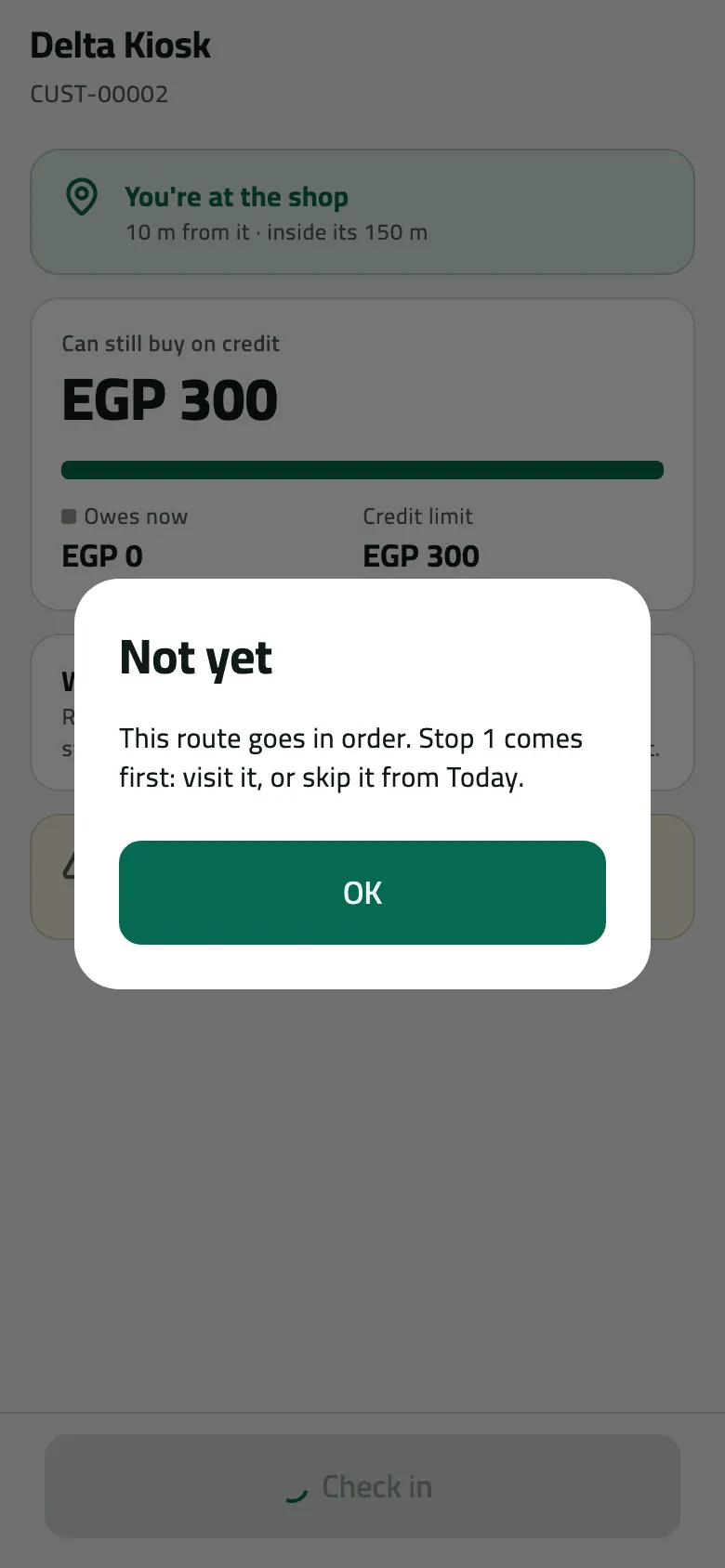
- Visit stop 1 first, or skip it from Today
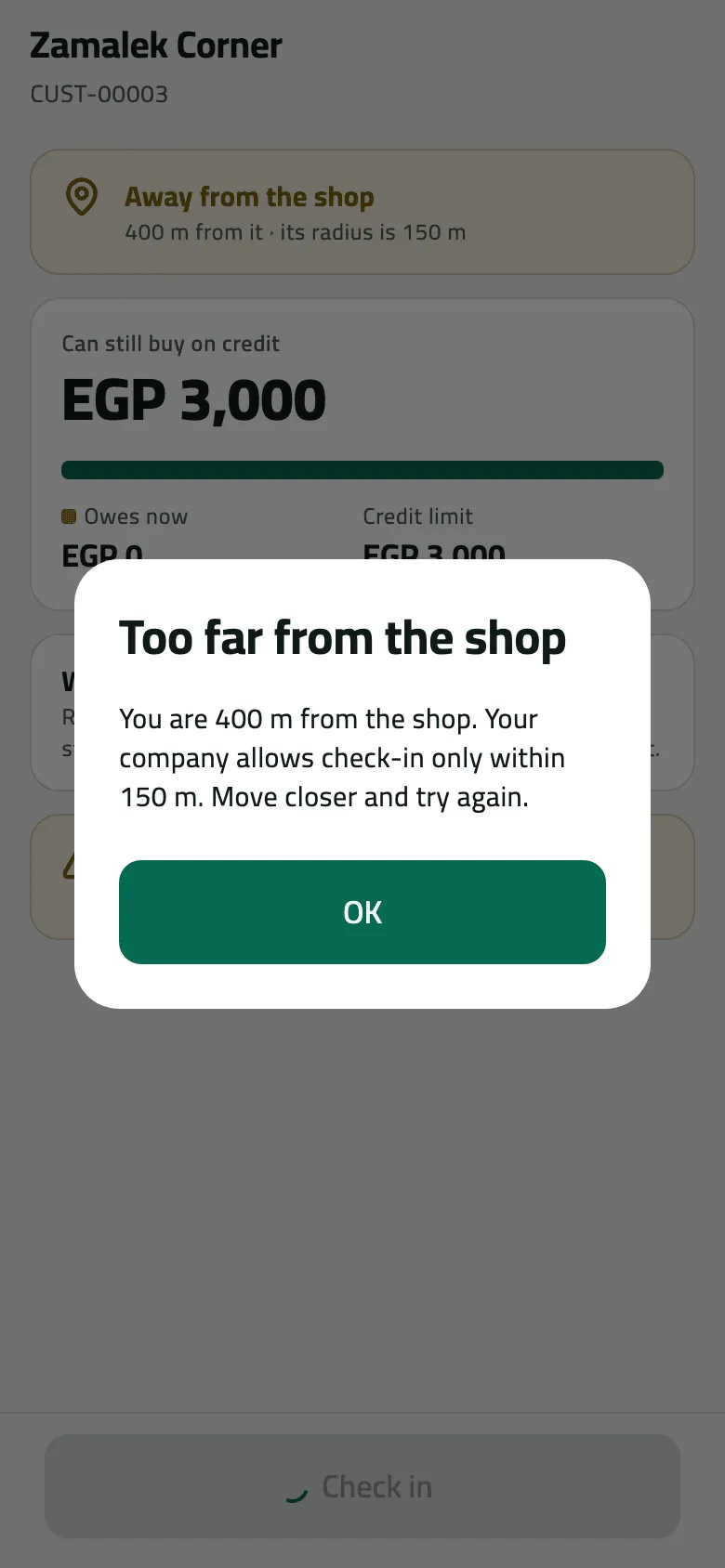
- Refused under Block: move closer
The rules behind steps 3 to 7 are the company’s field rules: Visiting order, Shops not on today’s route, Checking in outside the shop’s radius. An administrator sets them in Choose how reps work on the road. The phone reads them at each sync, so a rule changed in the morning reaches a rep only after they pull down on Today.
For the office: a pin in the wrong place
Section titled “For the office: a pin in the wrong place”When reps keep being “too far” at the same shop, the pin is wrong. Open the customer, its branch, and move the pin or widen its radius (Manage a customer’s branches, credit and pins). The rep pulls down on Today to get the new pin. Check in 400 m from a shop walks through one such morning.
If something goes wrong
Section titled “If something goes wrong”These come back from the office after a sync, when a rule changed between the rep’s last sync and the check-in reaching the office:
| What you see | What to do |
|---|---|
You were too far from the shop to check in. Go to the shop and check in there. OUTSIDE_RADIUS | The company now blocks check-ins outside the radius. Check in again at the shop. |
Your phone had no location for this check-in. Say why, then check in again. NO_LOCATION_REASON_REQUIRED | Check in again and give the reason the phone asks for. |
This shop isn't on today's route. Say why you're visiting, then check in again. OFF_ROUTE_REASON_REQUIRED | Check in again and say why you are visiting. |
This shop isn't on today's route, and your route doesn't allow visits off it. Ask your supervisor. OFF_ROUTE_NOT_ALLOWED | Visit the shop on its day, or ask your supervisor to put it on your route. |
This route goes in order. Visit or skip the stop before this one first. STOP_OUT_OF_ORDER | Visit or skip the stop before it, then check in again. |
The visit wasn't recorded. Check in at the shop again. VISIT_NOT_FOUND | The check-in never reached the office. Check in at the shop again. |
This shop isn't on your round, so it wasn't recorded for you. Sync, and ask your supervisor if it should be yours. OUTLET_OUT_OF_REACH | The shop was taken off your routes. Ask your supervisor. |
Could not check in. Try again. | Tap Check in again. If it keeps failing, close the shop and reopen it. |
When to contact Slflo
Section titled “When to contact Slflo”When the pin and radius are right, location is on, the rep stands at the door — and the phone still reports the rep far away at every shop. Send Slflo the rep code, the shop, the time and the distance the phone showed.