

Follow your orders
The Orders tab answers “did that order go through?”. Who: rep · Where in the cycle: Sell.
The Orders tab
Section titled “The Orders tab”- 3 waiting to send with Send now, while orders wait on the phone. Send now syncs: “Sent.” or “Offline — your work is saved and goes when there is signal.”
- One row per order: the shop, the total (rounded to the pound), the state, and the order number (or the time, before it has one). Refused orders come first, with a red border, the reason and Fix. Held orders say why, e.g. “Over the credit limit by EGP 156.00”.
- Search by order number. Only the newest 50 orders are listed (“The most recent 50”).
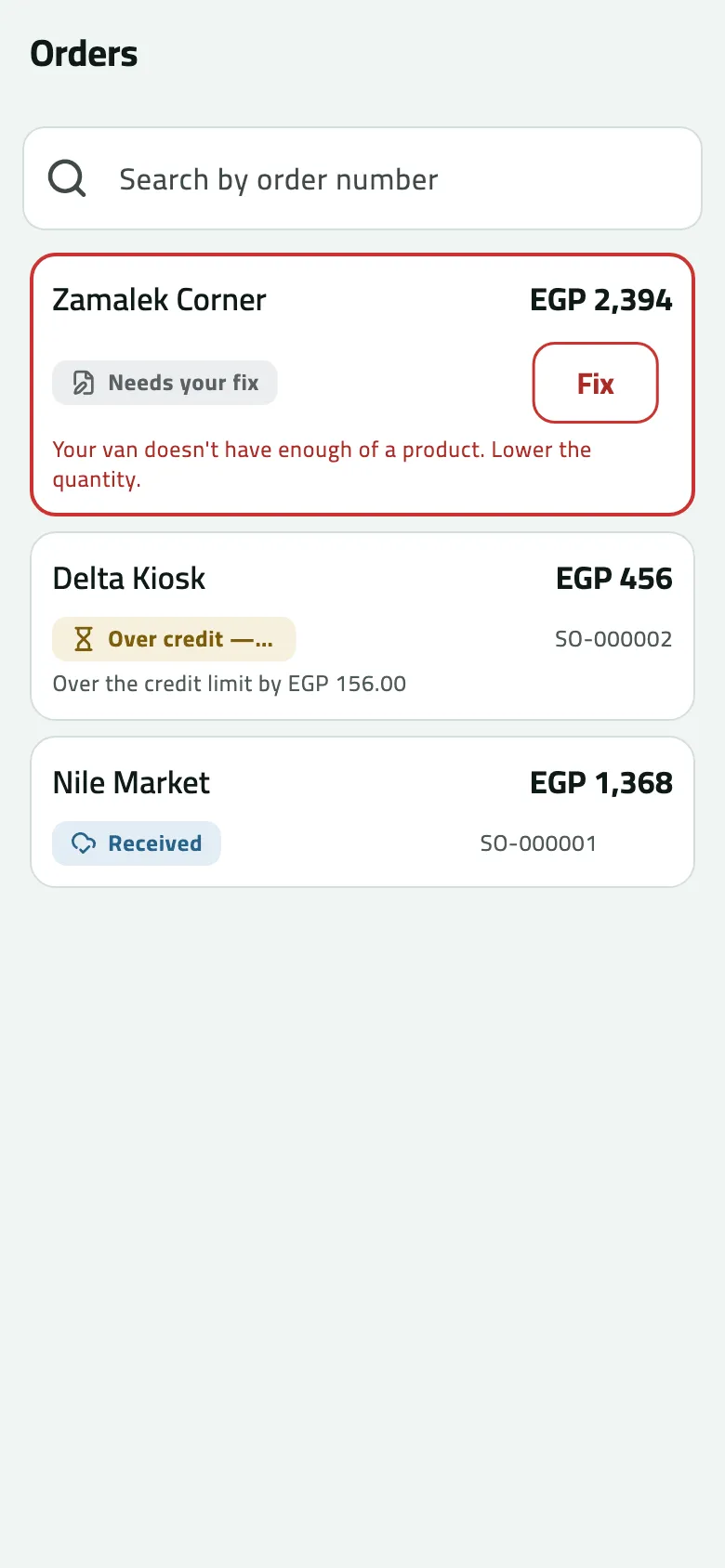
- Needs your fix
- Fix and send again
What the states mean
Section titled “What the states mean”| The phone says | It means |
|---|---|
| Needs your fix | The office refused it. Fix it or discard it. |
| Waiting to send | Saved on the phone; goes at the next sync. |
| Received | The office has it. |
| Waiting for approval | Held for your supervisor (a discount above your allowance). When the reason is credit, the state reads Over credit — waits for approval. |
| Approved | Approved; the office delivers it next. |
| Being prepared | The office confirmed it and is filling it. |
| Delivered | Handed over and invoiced. A van sale is delivered as you sell it. If your company works with an ERP, an order the ERP closed shows here too, even when Slflo issued no invoice for it — its invoice is in the ERP. |
| Declined | Your supervisor said no; the reason is shown. |
| Cancelled | Withdrawn by you, or cancelled by the office. |
| Rejected | Refused by the office or by its ERP. Ask the office. |
Steps: open, fix, withdraw
Section titled “Steps: open, fix, withdraw”- Tap an order. Its page shows the state (or a red box with the reason), why it waits, its lines and the Total.
- A refused or declined order: tap Fix and resend. New order opens with your lines keyed back; change them and Save order. Or tap Discard (you can Undo).
- An order waiting for approval: tap Withdraw order. Withdraw this order? — “Your supervisor will stop seeing it, and it will not be delivered.” Tap Withdraw; the phone says Order withdrawn.
- A van sale or a delivered order: tap View invoice (Share an invoice).
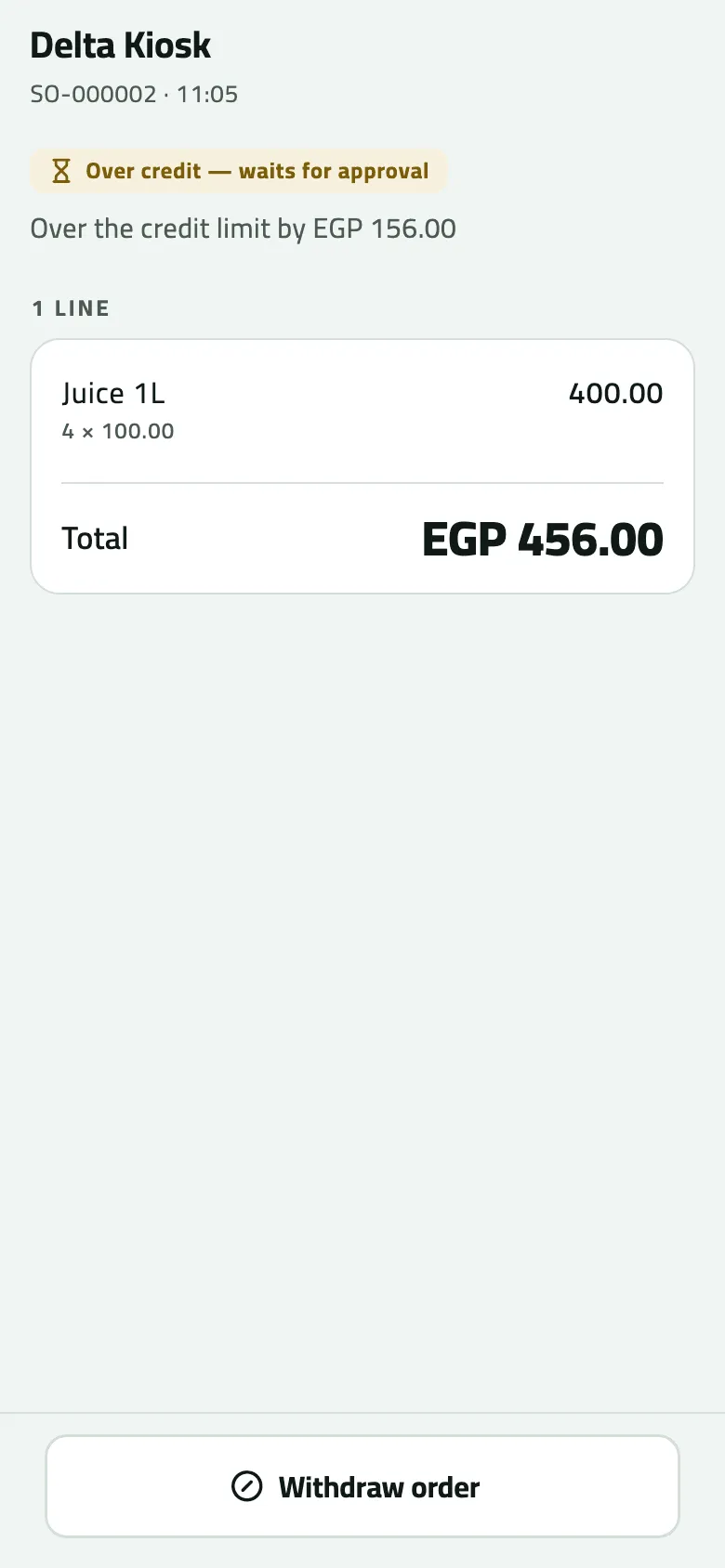
- Why it waits: over the credit limit by EGP 156.00
- Withdraw order, while it waits
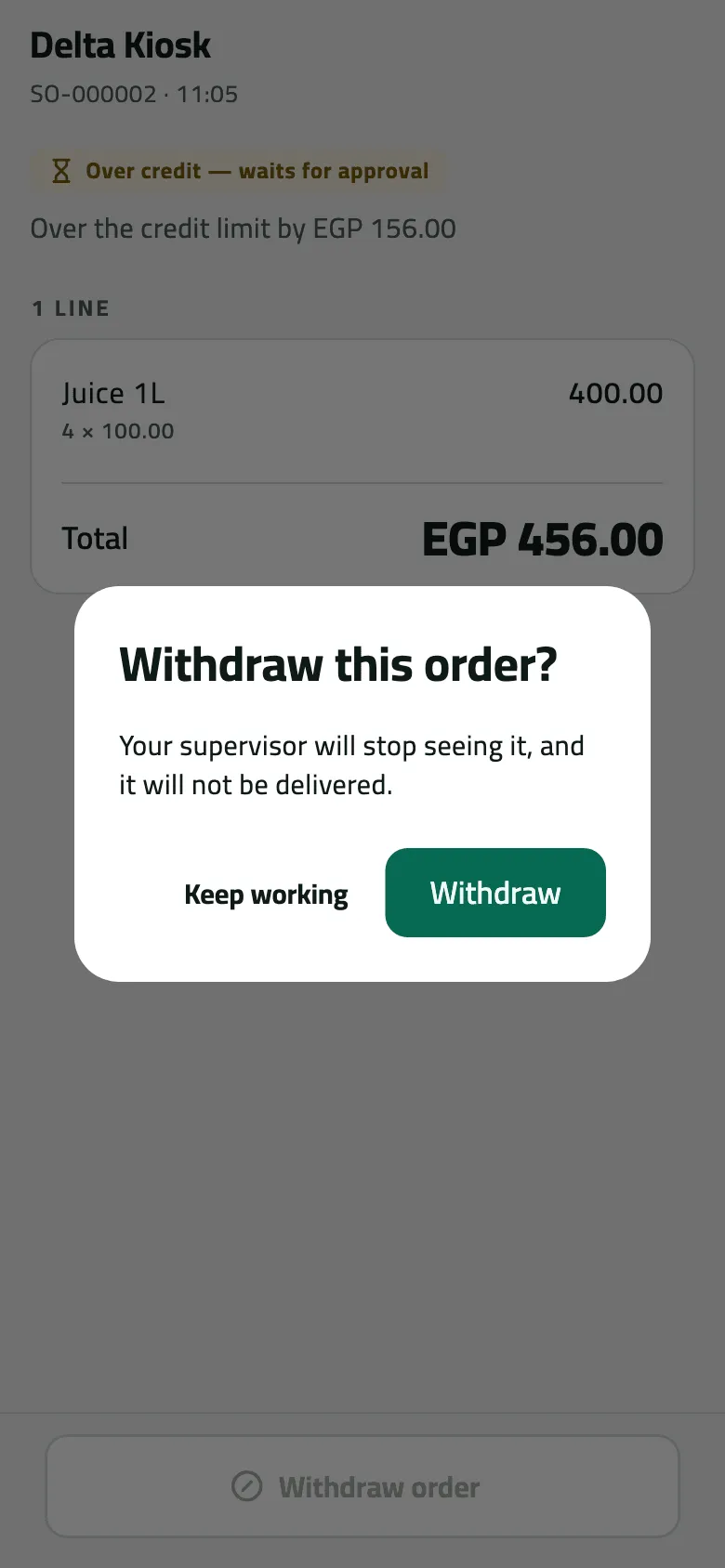
- Keep working: the order keeps waiting
- Withdraw: the supervisor stops seeing it
Order updates
Section titled “Order updates”When the office acts on your orders, Today shows 1 order changed (red if one was declined: 1 declined). Tap it for Order updates: each order’s number and shop, the change — e.g. “Waiting for approval › Approved” — and for a decline the reason and “Back to you: fix it or let it go.” Tap a row to open the order; Dismiss or Dismiss all clears them.
“Updates arrive when the phone syncs.” The phone gets no notifications; you see a decision the next time you pull down on Today.
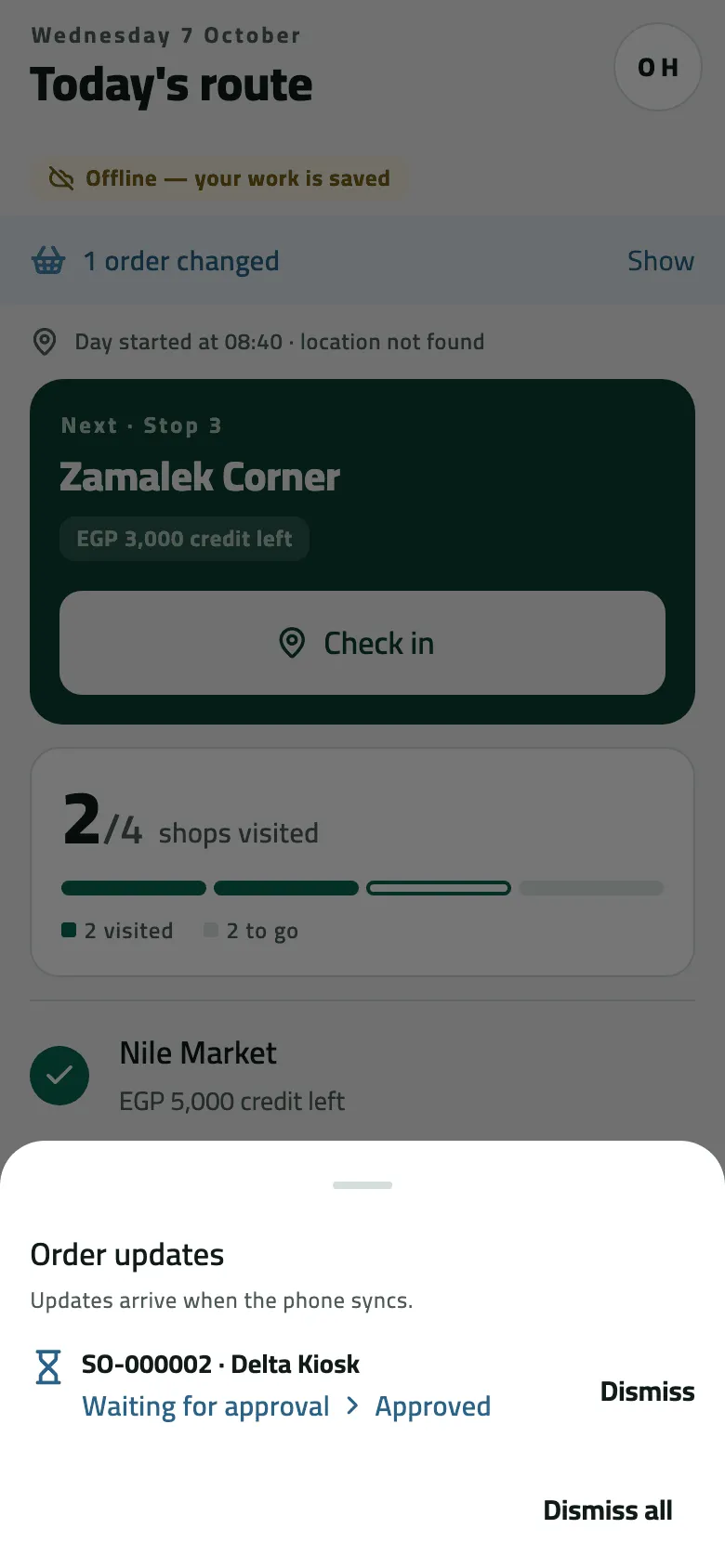
- Order updates arrive when the phone syncs
Example
Section titled “Example”At 11:05 Omar booked SO-000002 for Delta Kiosk; it showed Over credit — waits for approval — “Over the credit limit by EGP 156.00”. At 11:20 the supervisor approved it.
Delta Kiosk wants 4 Juice 1L, 456.00 with VAT, on a 300.00 limit. The company asks for approval, so the order waits for the supervisor.
Sales order SO-000002 — status: pending approval · total: 456.00 · reason: credit limit exceeded (over 156.00)
| Item | Before | After | Change |
|---|---|---|---|
| Delta Kiosk credit limit | 300.00 EGP | 300.00 EGP | 0 |
| Order over the limit by | 0.00 EGP | 156.00 EGP | +156.00 |
- Nothing moves while the order waits: no stock, no invoice, nothing owed.
The supervisor approves the order from the list. Omar's phone shows it as approved at its next sync.
Sales order SO-000002 — status: approved
At his next sync Today said 1 order changed: Waiting for approval › Approved. After the office delivered it, a later sync showed it Delivered.
If something goes wrong
Section titled “If something goes wrong”| What you see | What to do |
|---|---|
This order is no longer waiting for approval. Refresh to see what happened to it. NOT_WAITING | Your supervisor decided it before your withdrawal arrived. The next sync shows what they decided. |
This order is no longer waiting for approval. Nothing was withdrawn. | Same: it was already decided. Pull down on Today. |
1 line from the refused order is no longer on this phone and was left out. | That product is no longer sold to this shop. Check the order before you save it. |
This shop is no longer on your phone, so the order can't be reopened. | The shop left your routes. Discard the order and tell the office. |
No order here has that number | An order not yet sent has no number. Look for it by shop in the list. |
An old order is missing | Only the newest 50 are on the phone. Ask the office. |