

See every route and its week
Each route is one rep’s patch: which branches, on which days, in which order. This screen shows them all. Who: administrators and supervisors with Manage people · Where in the cycle: Plan.
Before you start
Section titled “Before you start”You need Manage people (USER_MANAGE). The built-in Supervisor role doesn’t have it; add it to a role of yours if supervisors plan routes.
The Routes screen
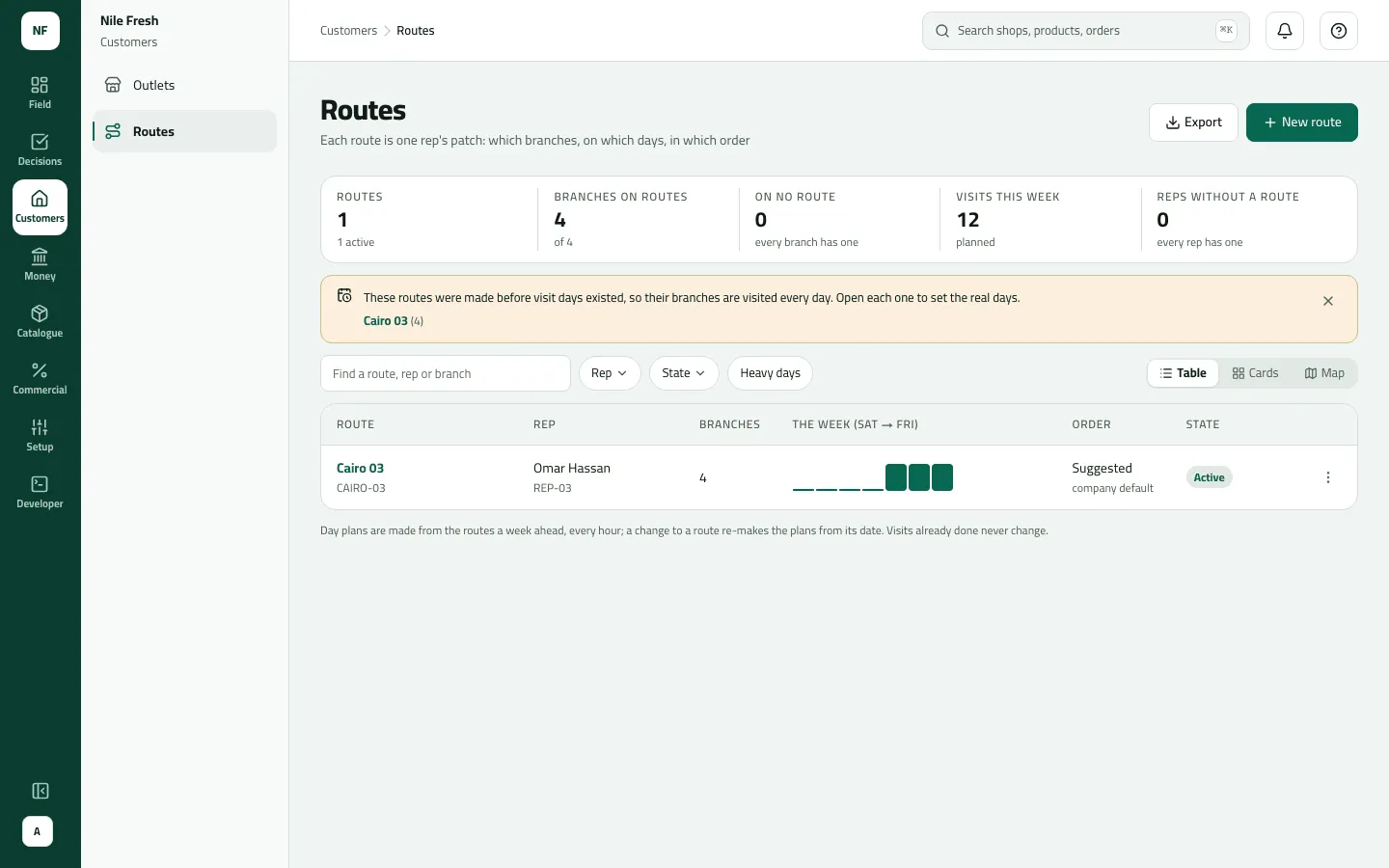
Section titled “The Routes screen”- The strip counts the whole company: Routes (active, paused, drafts), Branches on routes, On no route (with Place them →), Visits this week and Reps without a route.
- Search finds a route, rep or branch. Rep ▾, State ▾ and Heavy days narrow the list; Table · Cards · Map switch the view; Export downloads the rows shown as a CSV.
- The table: Route, Rep, Branches, The week (visits per day, a heavy day marked), Order (Strict or Suggested, “company default” when it follows Settings), the state (Active, No rep, Paused, Draft) and the row menu.
- The week
- Order
- State
A heavy day has at least 3 visits and more than one and a half times the route’s average day.
- Open Customers › Routes.
- To make a route, press New route (Create a route).
- To work on one, click its name, or use the row menu: Open the route, Hand to another rep…, Pause… / Resume…, Duplicate (a draft copy), Delete (only an empty route).
Example
Section titled “Example”At Nile Fresh the table has one row: CAIRO-03, Omar Hassan (REP-03), 4 branches, the week showing 4 visits on Saturday and 4 on Wednesday, Order “Suggested · company default”, Active.
What happens next
Section titled “What happens next”The footer says it: “Day plans are made from the routes a week ahead, every hour; a change to a route re-makes the plans from its date. Visits already done never change.” Reps see their plan after a sync.
If something goes wrong
Section titled “If something goes wrong”| What you see | What to do |
|---|---|
Could not load routes | You opened it by its address without Manage people. Ask for the permission. |
A route has branches but no bars in The week | It is paused, a draft, or has no rep. Open it. |
The strip shows numbers the table doesn't | The strip counts the whole company; the chips only narrow the table. |
Move or remove every branch before deleting this route. ROUTE_NOT_EMPTY | Move or remove every branch before deleting the route. |