

See and remove phones
Each phone someone signs in on in the SLFLO app takes one of your plan’s phone slots. Setup › Phones shows them all, and removing one frees its slot at once — the fix when a new phone is refused because every slot is taken. Who: administrator · Where in the cycle: Set up.
Before you start
Section titled “Before you start”- You need Manage phones (DEVICE_MANAGE). The built-in Administrator and Supervisor roles have it; you can give it to any role on Setup › Roles.
- With Manage phones the Phones row is in your Setup menu.
The Phones screen
Section titled “The Phones screen”At the top: N of M phones in use — the phones not removed against your plan’s limit, with a bar. When every slot is taken the line turns red and says “Every slot is taken: a new phone is refused until you remove one nobody uses.” A plan with no limit says “Your plan has no limit on phones.”
Each row is one phone:
- Phone — the model the phone reported (e.g. “Galaxy A14”), its phone ID (“DEV-…”, the same Device ID the rep sees in the app’s Settings) and the app version.
- Whose — the person who first signed in on it, and their username.
- Last signed in, Last sent work (or “Nothing on record”) and First signed in.
- Remove.
Whose phones narrows the list to one person. Removed phones are hidden; Show removed phones (N) brings them back, each with Removed and the date.
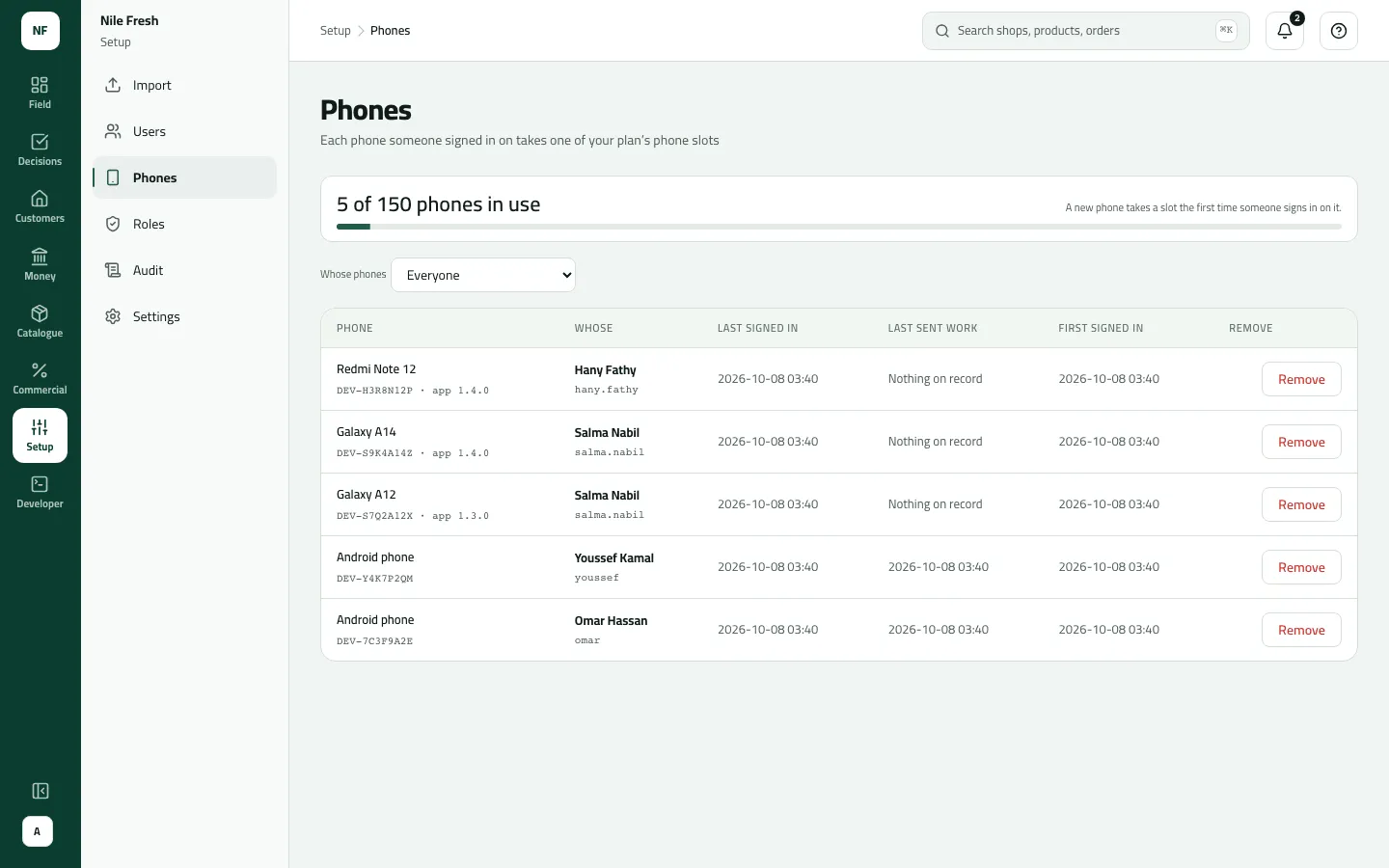
- 5 of 150 phones in use
- Whose phones
- Last signed in
- Remove
- Open Setup › Phones.
- Find the phone nobody uses any more: an old Last signed in, or a second phone of the same person. Whose phones helps when one person has several.
- Press Remove on its row.
- Read Remove … ? and press Remove the phone (or Keep it to change nothing).
- The page says “… removed. N of M phones in use. Its next call is refused.” and the count goes down by one.
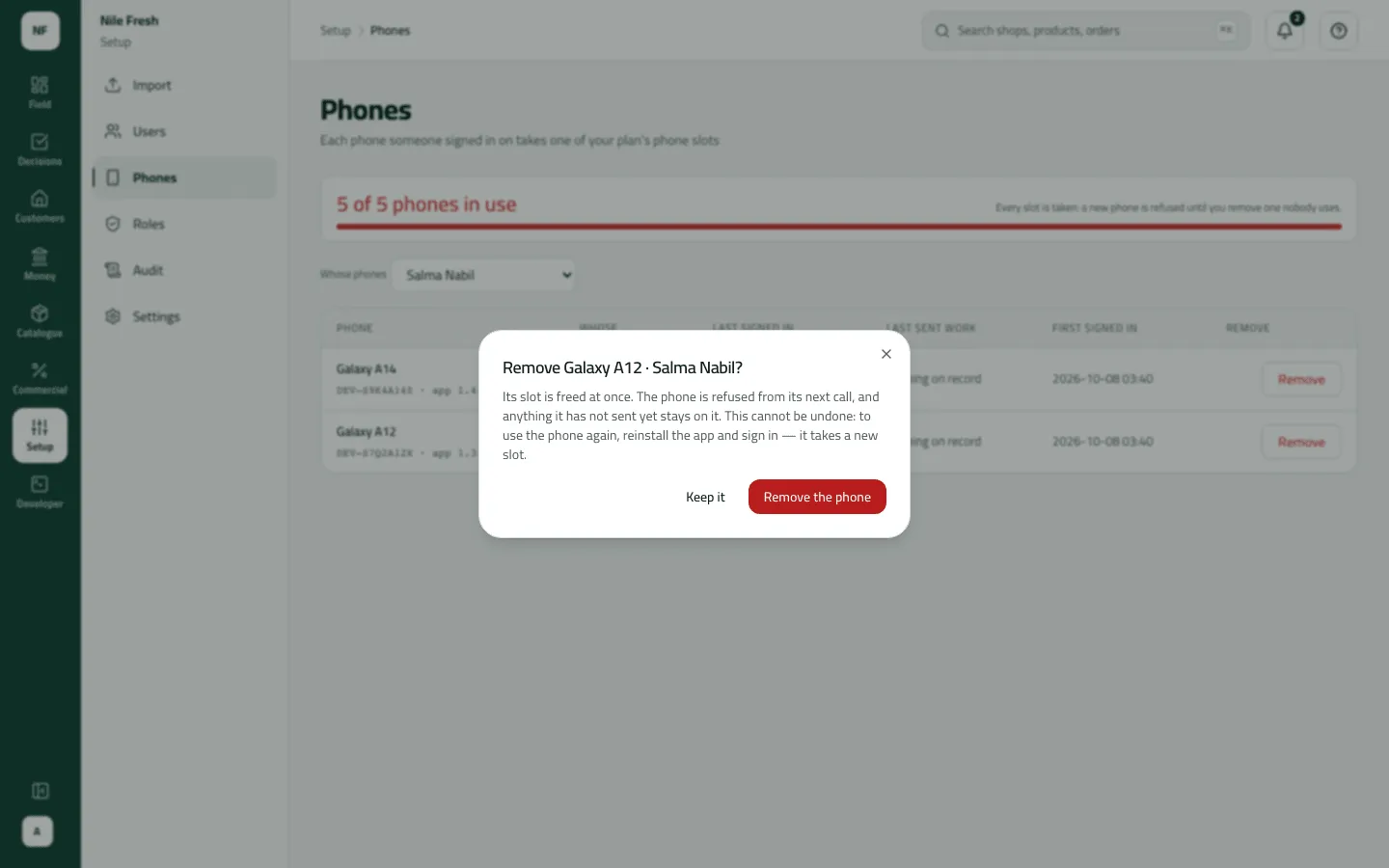
- Remove the phone
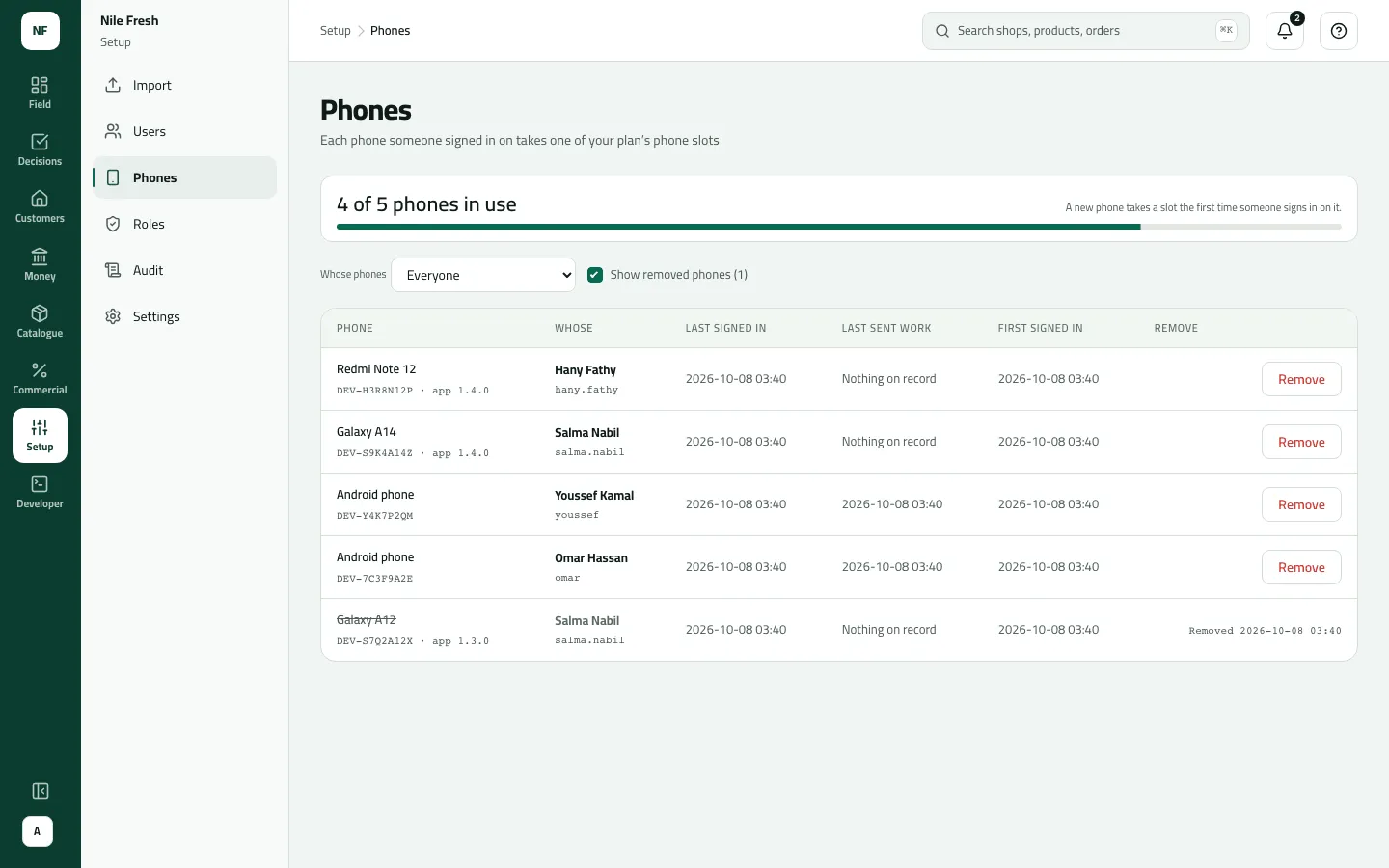
- 4 of 5 phones in use
- Show removed phones
- Removed, with the date
Example
Section titled “Example”A new rep, Karim, installs the app and is refused: “Your company has no free phone slots.” The administrator opens Setup › Phones: 5 of 5 phones in use, in red. Salma Nabil has two phones — a Galaxy A14 signed in this morning and a Galaxy A12 last signed in three weeks ago. The administrator picks Salma Nabil in Whose phones, presses Remove on the Galaxy A12 and Remove the phone. The line now reads 4 of 5 phones in use, and Karim signs in.
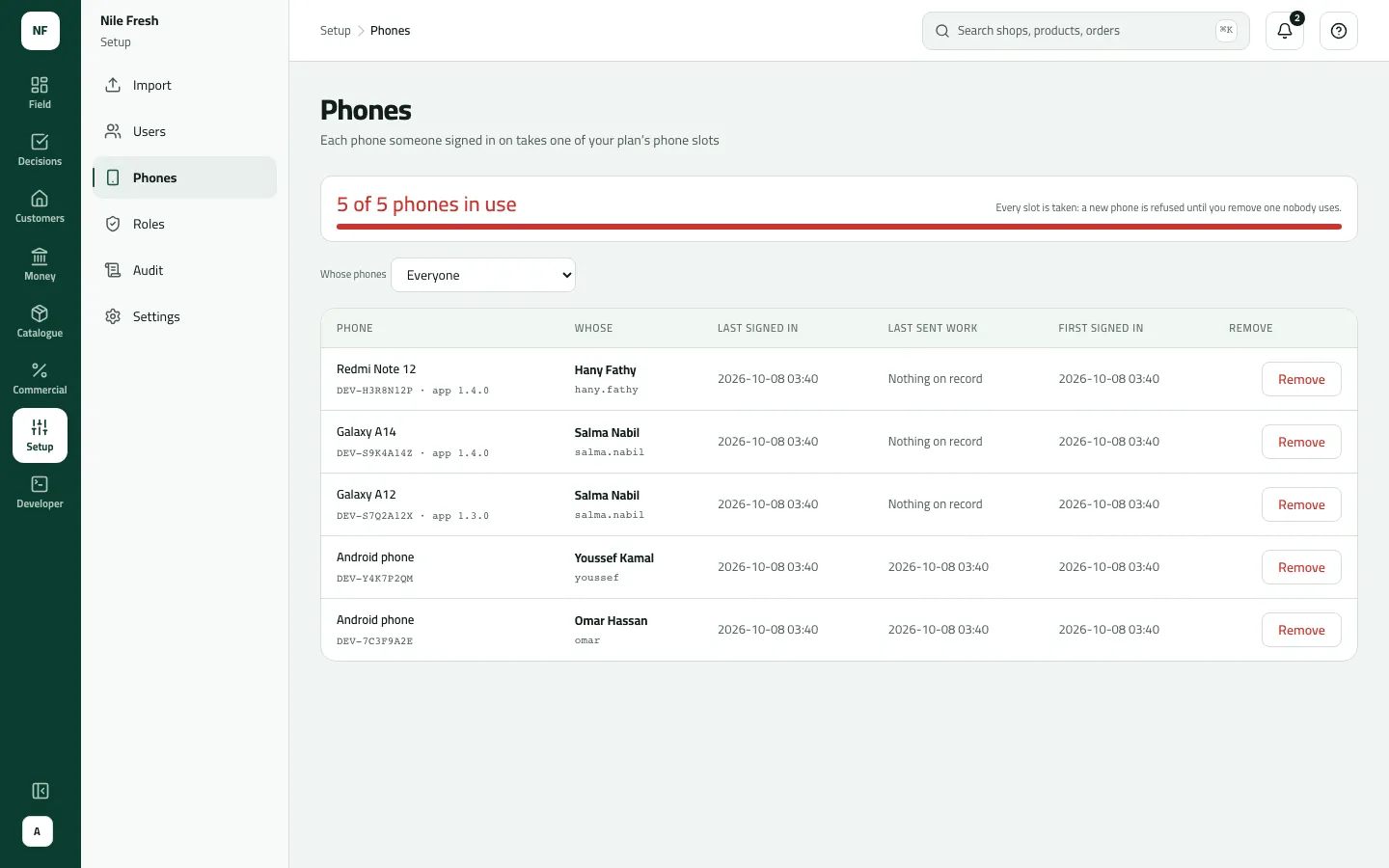
- Every slot is taken
What happens next
Section titled “What happens next”- The slot is free at once: the next new phone can sign in.
- The removed phone is refused from its next call — signing in, refreshing its session, or sending work. Signing in on it shows “This phone was removed in Setup › Phones and can’t sign in any more.” Work it had not sent stays on that phone and is not received.
- Removing can’t be undone for that phone. To use the same handset again, reinstall the app and sign in: it gets a new phone ID and takes a new slot.
- The removal is in the audit trail as “Removed a phone”, with whose phone it was and how many phones are in use after it.
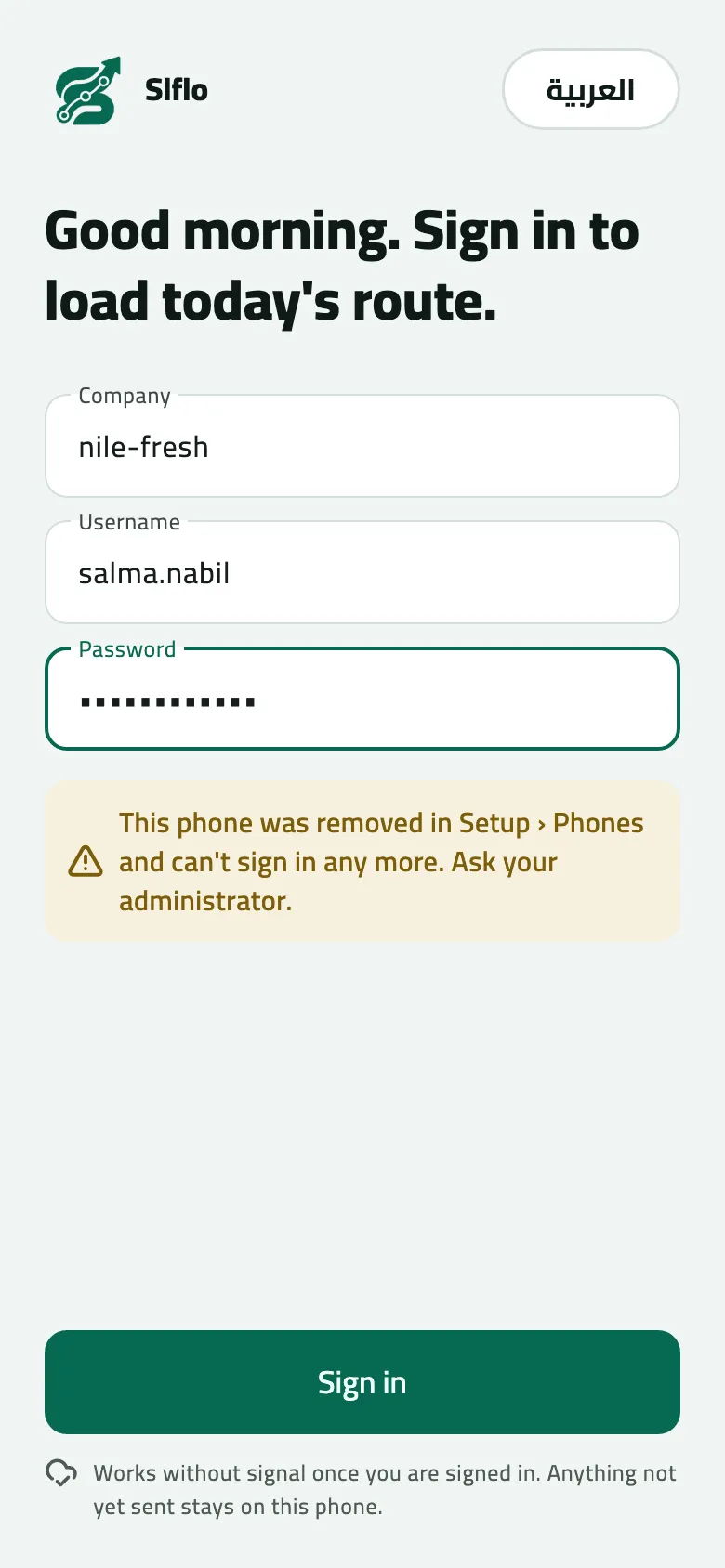
- Removed in Setup › Phones: ask your administrator
If something goes wrong
Section titled “If something goes wrong”| What you see | What to do |
|---|---|
You do not have access to this. Ask your administrator if your work needs it. MISSING_PERMISSION | Removing and listing phones needs Manage phones. Ask an administrator to add it to your role. |
It isn't there any more. Refresh and try again. NOT_FOUND | That phone isn't in your company's list any more. Refresh the page. |
Your company has no free phone slots. An administrator can remove a phone nobody uses in Setup › Phones. DEVICE_LIMIT | (The rep sees this.) Every slot is taken. Remove a phone nobody uses here, then they sign in again. |
This phone was removed in Setup › Phones and can't sign in any more. Ask your administrator. DEVICE_REVOKED | (The rep sees this.) The phone was removed. Reinstall the app and sign in again; it takes a new slot. |
A phone is not in the list | A phone appears the first time someone signs in on it. Until then it takes no slot. |